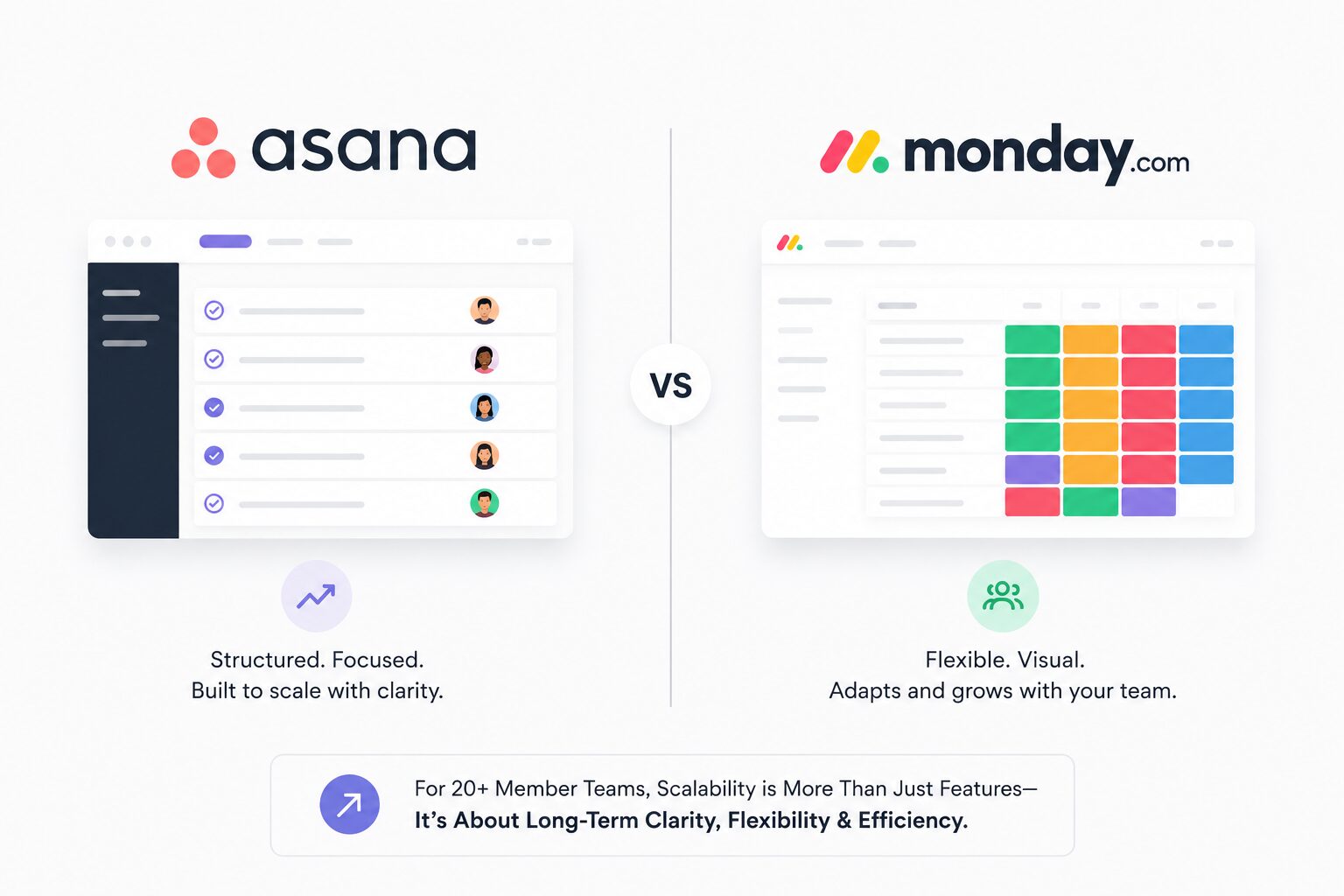
Asana vs Monday.com: Which Platform Scales Better for 20+ Member Teams?
Affiliate Disclosure: We review products independently. When you buy through our links, we may earn a commission or a compound recurring commission at zero extra cost to you. Read our editorial policy.
Updated: June 2026. All pricing verified against asana.com/pricing and monday.com/pricing on June 15, 2026.
Quick Verdict: Asana vs Monday.com for 20+ Member Teams
| Asana Advanced | Monday.com Pro | |
| Price (annual, per user) | $24.99/user/mo | $19/user/mo |
| 20-seat annual cost | $5,997.60/yr | $4,560/yr |
| Seat increments | Add 1 at a time (up to 30) | Sold in 5-seat buckets |
| Automation limit | Unlimited | 25,000 actions/mo |
| Portfolio management | Advanced plan included | Enterprise only |
| Workload management | Advanced plan included | Enterprise only |
| Custom dashboards | Clean, structured | 50+ widgets, highly flexible |
| AI capability | AI Studio (language-based) | Sidekick (credit-based) |
| Guest access | Unlimited free guests | 5 guests = 1 paid seat |
| Time tracking (native) | Advanced plan | Pro plan |
| Pricing URL | asana.com/pricing | monday.com/pricing |
TSA Verdict: At 20+ members, Asana Advanced wins on total cost of ownership for agency ops teams managing cross-project portfolios with unlimited automation. Monday.com Pro wins for teams that need visual dashboard flexibility and can absorb the seat-bucket pricing math. The automation ceiling on Monday Pro — 25,000 actions/month — becomes a real constraint for agencies running board-level status triggers at scale.
For a standalone Monday.com assessment covering the full cost model and automation ceiling audit, read the TSA Monday.com review.
Asana vs Monday.com for 20+ member teams isn’t a features comparison — it’s a cost architecture decision. Both platforms cover the task management basics. The gap opens at scale: how seat pricing compounds, where automation limits bite, and which plan tier actually includes portfolio visibility for ops leaders managing multiple client workstreams simultaneously.
At 20 members on Asana Advanced, annual license cost runs $5,997.60. At 20 members on Monday Pro, it’s $4,560 — a $1,437.60 gap. But Monday.com’s bucket pricing model means a 22-member team pays for 25 seats. A 26-member team pays for 30. That advertised $19/user figure inflates the moment your headcount doesn’t land on a clean bucket multiple. Run the math on your actual team size, not the per-seat sticker.
For a standalone Asana assessment covering the full cost model and campaign automation audit, read the Asana review.
Pricing at Three Team Scales
Entry: 20-Member Agency Team
Asana Advanced (annual): 20 users × $24.99 = $499.80/month ($5,997.60/year). Seats add one at a time up to 30 members — no bucket penalty.
Monday Pro (annual): 20 users × $19 = $380/month ($4,560/year). Seats sell in multiples of 5 — 20 members lands cleanly on the 20-seat bucket. No overage here.
Real cost gap: $1,437.60/year in Monday’s favor at exactly 20 people.
Portfolio management asterisk: Asana Advanced includes Portfolio and Workload views — features ops leaders use to track all client engagements simultaneously. Monday Pro does not. Portfolio management on Monday requires Enterprise, priced on request, typically $24–30+/seat/month. Factor that in if portfolio visibility is part of the platform requirement.
Mid-Scale: 25-Member Agency Team
Asana Advanced: 25 × $24.99 = $624.75/month ($7,497/year). One seat at a time.
Monday Pro: 25 members hit the 25-seat bucket exactly — $475/month ($5,700/year). Still clean.
Real cost gap: $1,797/year in Monday’s favor.
High-Scale: 28-Member Team
Asana Advanced: 28 × $24.99 = $699.72/month ($8,396.64/year).
Monday Pro: 28 members requires the 30-seat bucket — 2 unused licenses. Cost: 30 × $19 = $570/month ($6,840/year). Effective per-person rate: $570 ÷ 28 = $20.36/user, not $19.
Real cost gap: $1,556.64/year — still Monday’s favor, but the bucket penalty has narrowed it by $240/year compared to a clean-bucket team.
The bucket math becomes punishing at non-round headcounts. A 22-person team on Monday Pro pays for 25 seats: 3 phantom licenses at $19/seat = $57/month ($684/year) wasted. A 22-person Asana Advanced team pays for exactly 22. At that headcount, the Asana-Monday gap shrinks to $753/year — and closes further if Monday Enterprise is needed for portfolios.
Automation: The Scale Ceiling That Ends Evaluations
This is where the 20+ team decision splits.
Asana Advanced ships unlimited automations. No monthly quota, no credit burn, no watching a dashboard to make sure rules are still firing. A 20-person agency running status-change automations, assignment triggers, due-date notifications, and client intake workflows burns through rules without a ceiling.
Monday Pro caps at 25,000 automation actions per month. That sounds substantial until you model a 20-person team. Each triggered automation across Monday’s board structure counts as one action. A team with 20 active boards, each running 5 automations triggered daily: 20 × 5 × 30 = 3,000 actions/month from status alerts alone — before email integrations, which count separately and consume 1–2 actions per notification.
Hitting the Pro ceiling forces an Enterprise upgrade — custom pricing, typically starting at $30+/seat/month for 20+ seats. On a 20-person team, that pushes Monday’s cost above Asana Advanced within the same billing period.
| ⚠ TSA SCAR — Monday Pro Automation Ceiling at Agency Scale Verified failure pattern documented in implementation reviews, June 2026. A 30-person marketing agency on Monday Pro hit the 25,000-action monthly limit in week 3 of operation. Root cause: email integration triggers counted as actions — every Slack and email notification fired by a status-change automation consumed 1–2 actions rather than the 1 the team budgeted. Standard plan teams face a harder constraint: 250 actions/month. At 10 active boards with basic status notifications, Standard teams commonly hit the ceiling within 18 days. The resolution in both cases: upgrade to Enterprise. Budget accordingly before committing Monday Pro to automation-heavy workflows. |
Portfolio and Workload Management: The 20+ Team Differentiator
This is the feature axis that matters most for ops leaders managing multiple client engagements simultaneously — and where the two platforms diverge sharply on plan tier.
Asana Advanced: Portfolio and Workload Included
Portfolio view on Asana Advanced gives ops leaders a single pane showing status, progress, timeline, and health across every active project. No separate configuration. No additional cost. A 20-person agency with 15 active client projects can surface all of them — on-track, at-risk, overdue — without a manual reporting pull.
Workload view shows capacity by team member across all assigned projects. Set working hours, flag over-allocation, redistribute tasks via drag-and-drop. For agencies where resource conflicts and deadline stacking are a recurring ops problem, this is the feature that replaces a weekly capacity planning spreadsheet.
Monday Pro: Portfolio Management Requires Enterprise
Monday Pro does not include portfolio management. Cross-project visibility in Monday Pro is limited to dashboard widgets that pull from individual boards — useful for single-project reporting, limited for portfolio-level oversight across 10+ client boards simultaneously.
Enterprise unlocks dashboards that aggregate across boards at scale and provides the organization-wide workload visibility that matches Asana’s Advanced tier. Enterprise pricing on Monday is negotiated — expect $24–30+/seat/month at 20 seats based on documented market rates. On a 20-seat team, that’s $5,760–7,200/year, above Asana Advanced’s $5,997.60.
The practical consequence: agencies evaluating Monday for multi-client portfolio management should price Enterprise, not Pro, before making the comparison. Monday Pro is not the comparable tier to Asana Advanced for ops-layer features at 20+ members.
Dashboards and Reporting
Monday.com Pro: Best-in-Category Dashboard Flexibility
Monday’s dashboard builder uses 50+ drag-and-drop widgets — task counts, timeline risk, budget status, team utilization, burndown charts, financial summaries. For agencies that need executive-level custom reporting assembled from multiple board sources, Monday’s flexibility outpaces Asana’s structured approach. One documented Monday implementation replaced a team’s Tableau subscription because the real-time dashboard data was already in their boards.
Asana Advanced: Structured Dashboards, Faster to Build
Asana’s dashboards ship with prebuilt modules: tasks completed, tasks overdue, workload distribution, and project status — with up to 20 custom charts per dashboard using column, line, burnup, and lollipop visualizations. Less flexible than Monday’s widget system, but faster to configure and directly linked to Portfolio and Goal data. For agencies that want reporting connected to OKR-level strategy, Asana’s structured approach keeps execution and reporting in the same data layer.
Monday wins on reporting depth. Asana wins on reporting speed and strategic integration. Choose based on whether your reporting output goes to clients (Monday’s flexibility matters more) or internal ops leadership (Asana’s portfolio linkage matters more).
AI Capabilities in 2026
Both platforms shipped significant AI features in 2025–2026. The architecture is different enough to affect 20+ member team decisions.
Asana AI Studio
AI Studio lets team members build automation rules in plain English — “When a task is marked urgent, assign to the team lead and notify the Slack channel.” Available on Starter plans and above, with Basic access included and Plus/Pro tiers for heavier usage. The language-based interface reduces the configuration overhead that makes traditional automation builders inaccessible to non-technical team members. AI Studio is the more significant capability for agencies building workflow automation without technical ops staff.
Monday Sidekick
Monday’s Sidekick AI assistant operates on a credit-based system. Credits deplete based on usage, and running out mid-month means AI features stop functioning until the next billing cycle or a top-up purchase. One agency burned through 500 credits in a single week of active use. For 20+ member teams using Sidekick as part of daily operations, credit monitoring adds an administrative overhead that doesn’t exist in Asana’s AI Studio model.
| ⚠ TSA SCAR: Model Monday’s Automation Usage Before Choosing a Plan Monday.com’s plans include defined monthly automation allowances, which can become an important consideration for agencies running multiple automated workflows across active client boards. For example, 20 active boards generating five automation actions per day would account for roughly 3,000 actions per month before additional integrations, notifications and other workflow activity are considered. This does not mean every agency will approach its plan limit. Actual usage depends on the number of boards, workflows, triggers and actions configured. TSA Recommendation: Estimate your expected monthly automation volume before selecting a Monday.com plan, particularly if automation will play a significant role in client delivery. Leave sufficient headroom for new clients, additional workflows and seasonal increases in activity. |
Guest Access: The Hidden Cost Line
For agencies with external stakeholders, contractors, or client reviewers who need limited platform access, the guest model differences carry real cost at scale.
Asana Advanced: unlimited free guests on all paid plans. Clients, contractors, and vendors access boards without consuming paid seats. A 20-person agency with 40 external client contacts reviewing project status pays for 20 seats, not 60.
Monday.com: every 5 guest users counts as 1 paid seat on Standard and Pro. An agency with 40 external contacts adds 8 phantom seat equivalents to their bill — at Pro pricing, $152/month ($1,824/year) in guest overhead. Verify your external collaborator volume before committing Monday Pro for agency use.
Feature Comparison: 20-Member Agency Use Cases
| Feature | Asana Advanced | Monday Pro |
| Portfolio visibility (multi-client) | ✓ Included | ✗ Enterprise only |
| Workload management | ✓ Included | ✗ Enterprise only |
| Automation limit | Unlimited | 25,000/mo (hits fast at scale) |
| Dashboard widgets | 20 charts/dashboard | 50+ widget types |
| Guest access | Unlimited free | 5 guests = 1 paid seat |
| AI automation builder | Language-based (AI Studio) | Credit-based (Sidekick) |
| Time tracking (native) | ✓ Advanced included | ✓ Pro included |
| Goals / OKR tracking | ✓ Included | ✗ Enterprise only |
| Nested folder hierarchy | Teams + Projects structure | Folders within folders |
| Seat increment model | 1 at a time | 5-seat buckets |
Data Portability and Lock-In
Asana: CSV export for tasks, projects, and custom fields. Portfolios and timeline data export cleanly. Automation rules do not transfer — rebuild required on migration. Guest history exports with the project data.
Monday.com: CSV and Excel export for board data. Dashboard configurations do not export — every custom widget requires manual rebuild on platform migration. Automation logic is proprietary and non-transferable.
Migration cost verdict: both platforms carry meaningful switching costs after 6+ months of build-out. Monday’s nested folder and dashboard configuration creates more rebuild overhead than Asana’s project structure on exit. Factor 30–60 hours of migration time for a 20-person team’s data and configuration on either platform.
Buy/Skip Decision Matrix
| Use Case / Team Profile | Platform Verdict |
| 20+ team managing 10+ client portfolios simultaneously | Buy Asana Advanced |
| Need unlimited automation without ceiling risk | Buy Asana Advanced |
| Agency with 40+ external client/contractor reviewers | Buy Asana Advanced |
| Need OKR/Goals tied to project execution | Buy Asana Advanced |
| Team headcount falls cleanly on 5-seat multiples (20, 25, 30) | Buy Monday Pro |
| Executive reporting needs 50+ custom dashboard widgets | Buy Monday Pro |
| Teams with field operations needing Map View | Buy Monday Pro |
| Portfolio management required at any plan cost | Monday Enterprise (price separately) |
| 20+ team running heavy daily AI automation | Buy Asana (no credit model) |
| Budget is the primary decision driver at 20 clean seats | Monday Pro saves $1,437/yr |
FAQ
Is Asana or Monday.com cheaper for a 20-person team?
Monday Pro is cheaper at exactly 20 seats — $4,560/year vs Asana Advanced at $5,997.60/year ($1,437.60 gap). The advantage shrinks when headcount doesn’t align to 5-seat buckets. A 22-person team on Monday pays for 25 seats, narrowing the gap by $684/year. It disappears entirely if Monday Enterprise is needed for portfolio management features that Asana Advanced includes by default.
Does Monday.com Pro include portfolio management for agencies running multiple client projects?
No. Portfolio-level visibility across multiple projects requires Monday Enterprise, which is custom-priced — typically $24–30+/seat/month at 20+ seat volume. Asana Advanced includes Portfolios and Workload at $24.99/user/month. For agencies where cross-project oversight is a core ops requirement, Asana Advanced and Monday Enterprise are the comparable tiers, not Asana Advanced and Monday Pro.
What happens when a Monday Pro team hits the 25,000 automation action limit?
Automations stop firing until the monthly counter resets. The platform does not pause gracefully — active workflow rules simply don’t execute. Resolution options: upgrade to Enterprise (custom pricing) or reduce automation trigger volume. For 20+ member agencies with active board automations plus Slack and email integrations, the 25,000-action ceiling is a realistic monthly constraint, not a theoretical one.
How does Asana handle 20+ person teams differently than smaller teams?
Asana’s seat increment model allows teams to add members one at a time — no bucket pricing penalty. The Advanced plan’s Portfolio and Workload features become operationally relevant at 20+ members: cross-project visibility, team capacity management, and goal-to-task linking all address coordination problems that don’t exist at sub-10 team sizes.
Which platform has better AI features for agency workflows in 2026?
Asana AI Studio for automation-heavy agencies. Language-based rule creation without credit consumption is a meaningful advantage for non-technical ops teams building workflow rules. Monday Sidekick operates on depleting credits — useful for individual productivity tasks, unreliable for mission-critical automation at team scale when multiple users draw from a shared credit pool simultaneously.
Can Monday.com guests access boards without taking paid seats?
Limited. On Standard and Pro plans, every 5 guest users counts as 1 equivalent paid seat. A 20-person agency with 40 external client reviewers adds 8 seat-equivalents to the license count — $1,824/year at Pro pricing. Asana Advanced includes unlimited free guests on all paid plans. For agencies with significant external stakeholder access, Asana’s guest model represents a real cost advantage at scale.
Do check out Blueprint for Monday.com vs ClickUp vs Notion