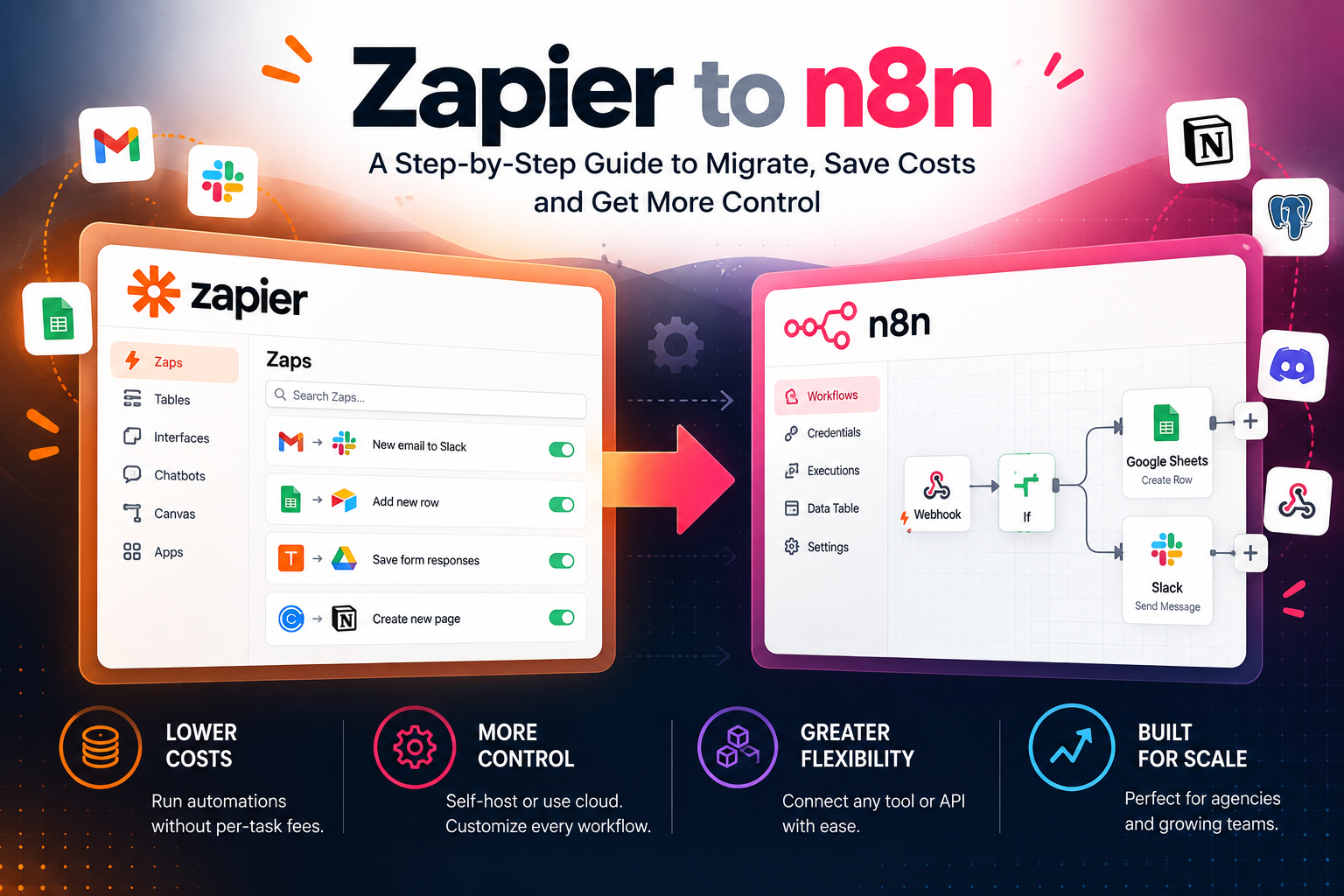
Migrating from Zapier to n8n: When It Pays Off and What It Really Takes
Affiliate Disclosure: We review products independently. When you buy through our links, we may earn a commission or a compound recurring commission at zero extra cost to you. Read our editorial policy.
Zapier is convenient for connecting business applications without maintaining automation infrastructure. But its task-based pricing can become expensive when workflows run frequently or contain many billable actions.
n8n offers a different model. Its cloud plans charge based on workflow executions, regardless of the number of steps within a workflow. It also offers a self-hosted Community Edition, which gives technically capable teams more control over their infrastructure.
That difference can make n8n attractive for agencies running high-volume, multi-step automations. But switching is not automatically cheaper or better. You need to account for migration work, connector availability, hosting, security, monitoring, and the technical expertise required to keep workflows running.
The short answer: Consider migrating when your Zapier bill is consistently high, your required applications are supported by n8n, and you have the resources to rebuild and maintain your workflows. Keep Zapier for workflows that depend on integrations or features you cannot reliably reproduce elsewhere.
A partial migration is often more sensible than replacing every Zap at once.
Zapier vs n8n at a Glance
| Consideration | Zapier | n8n |
|---|---|---|
| Primary appeal | Accessible automation with a broad app ecosystem | Flexible workflows with cloud and self-hosted deployment options |
| Billing model | Successful billable actions consume tasks | Cloud plans count complete workflow executions |
| Multi-step workflows | Each successful action step can consume tasks | Multiple steps can run within one execution |
| App connectivity | Broad integration catalog | Native nodes plus HTTP requests and other integration methods |
| Technical requirements | Generally accessible to nontechnical users | More flexibility, with greater technical demands for advanced workflows and self-hosting |
| Hosting | Managed service | Managed cloud or self-hosted |
| Infrastructure maintenance | Primarily handled by Zapier | n8n Cloud is managed; self-hosting requires operational ownership |
| Migration | Existing Zaps must be recreated or otherwise adapted | Workflows need to be built and tested in n8n |
| Best fit | Teams that value convenience and broad app coverage | Teams that value control, flexibility, and execution-based billing |
Official references: Zapier task usage and n8n pricing.
The Cost Difference: Tasks vs. Workflow Executions
The biggest financial difference is how the two platforms measure automation activity.
Zapier counts successful billable action steps as tasks. Some actions, including certain AI and programmatic operations, can consume more than one task.
n8n Cloud counts a workflow execution when a workflow runs from start to finish. The number of nodes or steps within that workflow does not, by itself, multiply the execution count.
Consider a workflow that receives a lead, validates its information, checks a condition, creates a CRM record, and sends a notification. If those steps run successfully in one Zap, multiple action steps can contribute to Zapier task consumption. In n8n, the corresponding process can be one workflow execution.
That does not mean every n8n workflow is automatically cheaper. The platforms have different integration coverage, operational requirements, and plan limits. You must compare the actual workflow designs and costs.
A simple cost illustration
Suppose an agency runs 5,000 automation events each month. Each event completes four billable Zapier action steps.
| Metric | Calculation | Monthly total |
|---|---|---|
| Workflow events | Given volume | 5,000 |
| Zapier billable action tasks | 5,000 × 4 | 20,000 tasks |
| Equivalent n8n executions | One execution per event, assuming the workflow design supports it | 5,000 executions |
This is an illustrative model, not a quote or a prediction of actual usage. Filters, paths, skipped actions, retries, triggers, and the way the workflow is built can change the final counts.
The lesson is to estimate usage from real workflow history rather than comparing plan allowances in isolation.
When Migrating to n8n Can Make Sense
1. Your Zapier task usage is consistently high
If several active Zaps consume thousands of tasks each month, the cost can justify evaluating alternatives.
Start with the task usage report. Identify the workflows that consume the most tasks and investigate why. Some may contain unnecessary action steps or process records that should have been filtered out earlier.
For each high-usage workflow, record:
- Monthly trigger volume.
- Number of successful billable action steps.
- Frequency of retries or duplicate processing.
- Required integrations.
- Business impact if the workflow fails.
- Estimated equivalent n8n execution volume.
Do not migrate based on a single unusually expensive month. Review several months of usage and include expected growth.
2. Your workflows contain several steps per event
n8n’s execution-based cloud billing can be attractive when a workflow contains many steps but runs a predictable number of times.
For example, a workflow might validate a form submission, normalize fields, look up a CRM record, create or update a record, and send a notification. In n8n Cloud, those nodes can be part of one execution.
The saving depends on the actual Zapier plan, task allowance, action volume, and the equivalent n8n plan. If your existing Zaps are short and infrequent, the financial difference may be too small to justify migration work.
3. You need more control over workflow logic
n8n supports branching, data transformations, custom API requests, and more technical workflow designs. It can be useful when an automation needs to interact with an API that does not have a ready-made node.
For example, an agency may need to transform data before sending it to a CRM, apply conditional routing, or connect to a system through an HTTP endpoint.
However, an HTTP request capability does not guarantee that a particular application can be integrated easily. You still need suitable API access, authentication, documentation, and a way to handle errors.
4. You have the technical capacity to operate the system
Self-hosted n8n gives an organization control over where it runs and how the infrastructure is configured. That can be valuable when data handling, network access, custom nodes, or operational control are important.
It also makes your organization responsible for tasks that a managed service would otherwise handle. These can include updates, backups, access control, monitoring, scaling, and disaster recovery.
If no one on the team can own those responsibilities, n8n Cloud may be a more appropriate starting point than self-hosting.
When You Should Stay on Zapier
Migration is not the right decision if it creates more operational risk than financial benefit.
1. Your workflows depend on Zapier-specific integrations
Zapier has a broad integration catalog. n8n provides native integrations and allows custom connections, but the available triggers, actions, authentication methods, and supported fields are not identical across platforms.
For each app in your active Zaps, confirm:
- Whether n8n has a suitable native node.
- Whether the required trigger is available.
- Whether the required action and fields are supported.
- Whether an API is available for any missing operation.
- Whether the integration can be maintained without fragile workarounds.
If a business-critical workflow depends on a Zapier-only capability, keep that workflow on Zapier until you have a tested replacement.
2. Your workflows are simple and inexpensive
A few low-volume Zaps may not generate enough savings to justify migration. Rebuilding even a simple workflow takes time to configure, test, document, and monitor.
Estimate the one-time cost of migration alongside the ongoing platform costs. If the projected savings are small, staying on Zapier may be the more rational choice.
3. Your team needs minimal infrastructure responsibility
Zapier is designed to let users create automations without managing their own automation server. n8n Cloud also removes much of the infrastructure burden, but the workflow design and troubleshooting requirements may still differ from what your team is used to.
Self-hosted n8n adds a separate layer of operational responsibility. If your team cannot reliably maintain it, the apparent hosting savings may not compensate for the risk and effort.
4. Your current workflows are business-critical and poorly documented
Do not replace a production workflow until you understand what it does, which systems it affects, and how it behaves when something fails.
If the current Zap has undocumented conditions, several app connections, or side effects that are not obvious from its name, document and test it before migrating.
A workflow that appears to send a notification may also update a CRM record, create a billing entry, or trigger another automation. Missing one of those effects can create duplicate records or incomplete business processes.
n8n Cloud vs. Self-Hosted: Which Should You Choose?
Choosing n8n does not automatically mean self-hosting it.
| Consideration | n8n Cloud | Self-hosted n8n |
|---|---|---|
| Infrastructure setup | Managed by n8n | Managed by your organization or hosting provider |
| Server maintenance | Lower direct responsibility | Your responsibility |
| Backups and recovery | Review the service’s available options and your own data requirements | You must design and test the backup and recovery process |
| Software updates | Managed service | You are responsible for deployment and update planning |
| Custom infrastructure control | More limited than self-hosting | Greater control over environment and deployment |
| Cost model | Subscription based on execution allowance | Hosting and operational costs, plus any applicable license |
| Best fit | Teams that want n8n without running the server | Teams with technical ownership and a clear operational plan |
The right comparison is not simply the monthly cloud subscription against the price of a virtual private server. Include maintenance time, monitoring, backups, security, incident response, and the cost of downtime.
For agencies with no dedicated technical operator, n8n Cloud is usually the more practical first option to evaluate.
n8n Pricing Snapshot, Checked October 27, 2026
n8n’s official pricing page currently publishes the following annual-billing cloud prices in euros. The exact price displayed at checkout may depend on billing currency, region, and current plan terms.
| Plan | Published annual-billing price | Included monthly executions | Hosting |
|---|---|---|---|
| Starter | €20/month | 2,500 | n8n Cloud |
| Pro | €50/month | 10,000 | n8n Cloud |
| Business | €667/month | 40,000 | Self-hosted |
| Enterprise | Custom | Custom | Cloud or self-hosted, depending on agreement |
| Community Edition | No standard software subscription fee | Depends on your infrastructure and deployment | Self-hosted |
The Business plan’s listed price and features should be reviewed carefully. It is a self-hosted plan, not a standard cloud-hosted option. Community Edition is a separate self-hosted option, and running it still incurs infrastructure and operating costs.
For Zapier, plan prices and task allowances vary by plan and billing term. Use the official pricing page to identify the tier that actually supports your usage, then compare it with the relevant n8n option.
Official sources:
Calculate the break-even point before switching
A useful migration estimate includes four components:
- Current Zapier subscription and any additional task charges.
- The appropriate n8n subscription or self-hosting costs.
- One-time migration and testing time.
- Ongoing monitoring and maintenance.
Use this formula:
Estimated payback period = One-time migration cost ÷ Monthly net savings
Monthly net savings should subtract the ongoing n8n and infrastructure costs from the current Zapier cost. If the result is zero or negative, the financial case for migration is weak unless another benefit, such as greater control or more suitable workflow logic, justifies it.
Do not include hypothetical savings from an unverified integration or assume that all current workflows can be migrated without changes.
What Actually Needs to Be Rebuilt?
There is no universal one-click conversion that guarantees every Zap becomes an equivalent n8n workflow. Plan for a workflow-by-workflow rebuild and validation process.
| Zapier component | Migration work to plan for |
|---|---|
| Trigger | Identify the corresponding n8n trigger and confirm its event behavior |
| App action | Map the required action and fields to an n8n node or supported API |
| Filters and paths | Recreate conditions and branching logic |
| Field mapping | Rebuild transformations and verify data types, formats, and missing values |
| Authentication | Reconnect each application using the correct credentials and permissions |
| Scheduling | Recreate schedules and confirm time zones and frequency |
| Error handling | Configure retries, alerts, and recovery behavior |
| Deduplication | Make sure retries or repeated events do not create duplicate records |
| History and logs | Decide which historical records need to be retained and how they will be accessed |
| External dependencies | Update webhook URLs, callbacks, or other services that point to the old workflow |
Zapier offers export tools for account data and workflow configurations on supported plans. These exports are useful for documentation and inventory, but they should not be treated as a guarantee that the exported configuration can be imported directly into n8n as a working workflow.
Official references: Export Zapier account data and Import and export Zap workflows.
A Safer Step-by-Step Migration Plan
Step 1: Audit your existing Zaps
Export or document your active workflows. Record each workflow’s purpose, trigger, actions, connected applications, owner, task usage, and business impact.
Rank them by monthly cost and operational risk. Start with workflows that are expensive, well understood, and relatively easy to test.
Do not begin with the most complicated workflow just because it has the highest task count.
Step 2: Identify integration blockers
Check every application used in the selected Zaps. Confirm that n8n supports the required operation, not just the application’s name.
If a native node is unavailable, determine whether the application’s API can provide the required functionality. Verify authentication, permissions, rate limits, and data access before committing to the design.
Document any workflow that should remain on Zapier.
Step 3: Estimate the new operating cost
Estimate the monthly n8n execution count based on how often each workflow will run. Compare that volume with the current plan allowances.
For self-hosting, include the expected server resources, backups, monitoring, maintenance, and recovery arrangements. For n8n Cloud, select a plan based on expected execution volume and the features your team needs.
Step 4: Rebuild one representative workflow
Choose a workflow that reflects a common business process but has limited consequences if the test fails.
Recreate the trigger, transformations, conditions, actions, and error handling. Document any differences between the old and new workflow.
Step 5: Test normal and failure scenarios
Test more than the successful path. Include:
- Missing or malformed input.
- Duplicate events.
- An API returning an error.
- Expired or invalid credentials.
- A destination system being temporarily unavailable.
- A retry after partial completion.
- A notification or alert when the workflow cannot recover.
Confirm that retries do not create duplicate invoices, contacts, records, or messages.
Step 6: Run the new workflow in a controlled way
Where possible, use test records or a destination that will not affect production. If the workflow must interact with production systems, control the test carefully and document the expected side effects.
Avoid having both the old and new workflows perform the same write operation simultaneously. That can create duplicate records or send multiple notifications.
Step 7: Switch over with a rollback plan
Once the new workflow passes its tests, define the cutover time, who is responsible, and how the previous workflow will be restored if needed.
Disable or pause the old Zap only when you are confident that the replacement is ready. Monitor the new workflow after the switch and compare its outcomes with the expected business results.
Step 8: Migrate in batches
Move similar workflows in batches after the pilot succeeds. Keep an inventory of which workflows have been migrated, which remain on Zapier, and which require additional work.
A mixed environment is acceptable. The goal is a reliable and economically sensible automation stack, not migration for its own sake.
What About AI Workflows?
AI-based workflows require additional cost and quality checks.
An automation that classifies leads, summarizes information, or extracts data may involve model usage charges or provider-specific costs in addition to the automation platform subscription.
Before migrating an AI workflow, verify:
- Which model or provider it uses.
- Where credentials are stored.
- Whether the prompt and structured output can be reproduced.
- What happens when the model returns incomplete or invalid data.
- Whether usage limits and API costs are included in the comparison.
- Whether the workflow handles sensitive data appropriately.
Do not assume that a workflow’s AI behavior will be identical after migration. Different model settings, node implementations, prompts, or data formatting can change its output. Validate the business result, not just whether the workflow runs without errors.
Migration Decision Matrix
| Situation | Recommendation |
|---|---|
| High Zapier task usage and all required apps are supported in n8n | Run a migration pilot |
| Several multi-step workflows have predictable monthly volume | Compare task costs with n8n execution costs |
| A workflow relies on a Zapier-only integration or action | Keep it on Zapier until a reliable alternative is verified |
| The agency has no one to maintain a server | Evaluate n8n Cloud before self-hosting |
| Current automations are poorly documented | Audit and document them before migrating |
| The current Zapier bill is low and workflows are stable | Stay on Zapier unless other requirements justify switching |
| A workflow is business-critical and cannot tolerate disruption | Migrate only with controlled testing, monitoring, and rollback |
| The agency wants to replace every Zap immediately | Avoid a full cutover; migrate in controlled batches |
Frequently Asked Questions
Is n8n cheaper than Zapier?
It can be, particularly for multi-step workflows where a single n8n execution replaces several billable Zapier action steps. Actual savings depend on task volume, plan allowances, integration coverage, hosting, and maintenance. Calculate the cost using real usage data before deciding.
Can I import my Zapier workflows directly into n8n?
Do not assume that a Zapier export becomes a fully working n8n workflow. Zapier’s export is useful for retaining configuration and history, but the triggers, actions, field mappings, credentials, and error handling need to be mapped and validated in the target platform.
Should I choose n8n Cloud or self-hosted n8n?
Choose n8n Cloud if you want a managed environment and less infrastructure responsibility. Consider self-hosting if you have the technical capability to manage deployment, updates, security, backups, and monitoring. Compare the full operating cost, not just the hosting bill.
Do I need to migrate every Zap to n8n?
No. A hybrid setup can be the best choice. Move workflows where n8n offers a verified, maintainable replacement and leave Zapier workflows in place when a required integration or capability is unavailable or the migration is not worthwhile.
Final Verdict
Migrating from Zapier to n8n can make sense when task-based billing has become a material cost, your workflows contain multiple billable actions, and you can reproduce the required integrations reliably.
But lower subscription costs are only one part of the decision. Migration work, technical maintenance, security, error recovery, and the consequences of workflow failure also matter.
Start with an audit, identify the highest-value candidates, and test a representative workflow. Use the results to calculate the likely savings and operational impact before expanding the migration.
The recommendation is straightforward: migrate selectively, verify every critical integration, and keep the existing automation running until the replacement has been tested and a rollback plan is ready.