Microsoft 365 Business Basic vs Standard: Which Plan Does Your Small Business Need?
Affiliate Disclosure: We review products independently. When you buy through our links, we may earn a commission or a compound recurring commission at zero extra cost to you. Read our editorial policy.
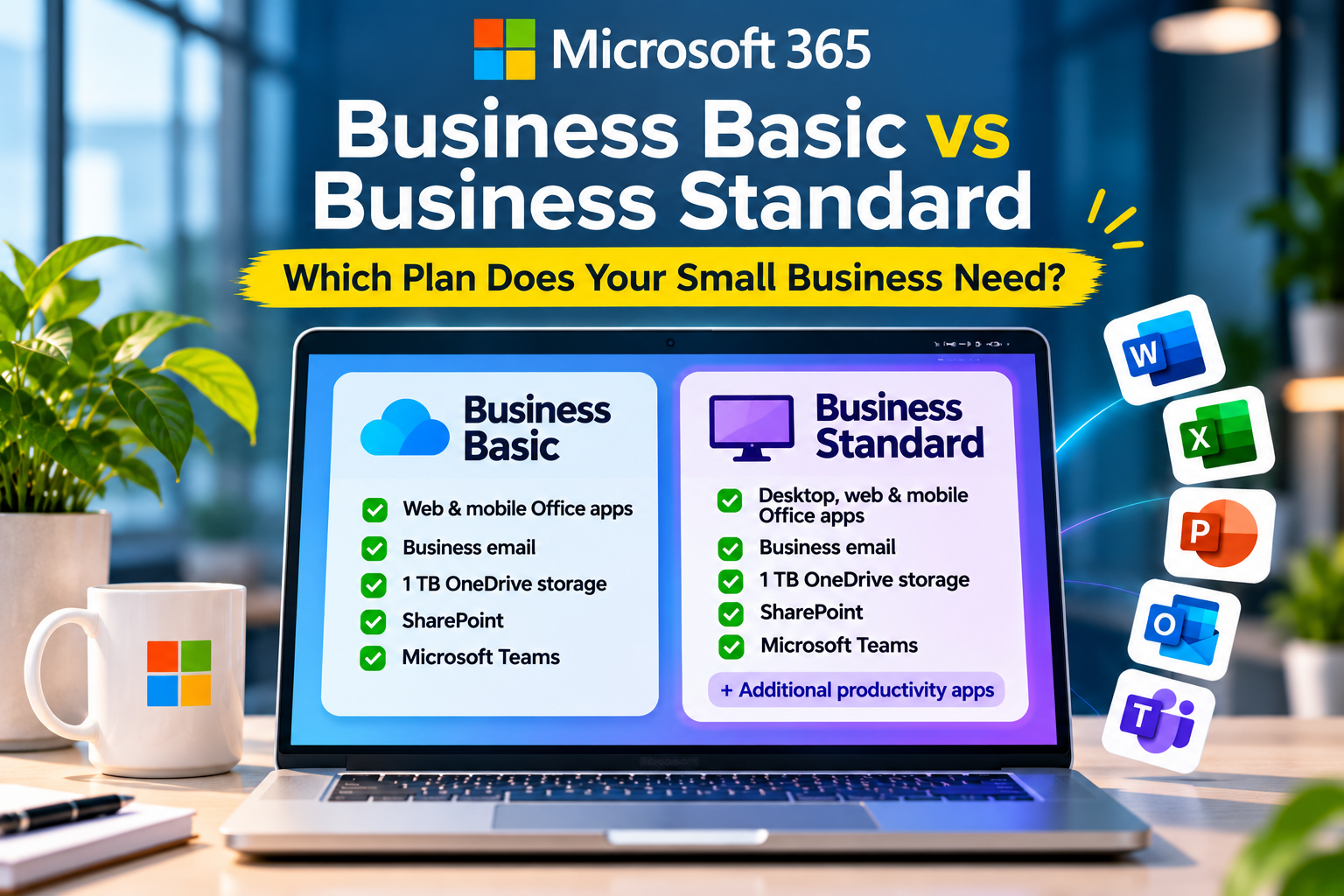
Choosing between Microsoft 365 Business Basic and Business Standard can look straightforward until you compare what each plan actually includes. Both provide business email, cloud storage, collaboration tools, and access to Microsoft’s productivity apps. The biggest difference is that Business Basic provides web and mobile versions of the core Office apps, while Business Standard also includes desktop applications that employees can install on their computers.
For a small business, that distinction can affect more than convenience. It influences how employees work with documents, manage spreadsheets, collaborate on files, and handle everyday tasks.
So, is Microsoft 365 Business Basic enough for your team, or is Business Standard worth the additional subscription cost?
The answer depends on how your employees use Word, Excel, PowerPoint, Outlook, and the wider Microsoft ecosystem. This guide compares the two plans and explains how to choose the right licenses without paying for features your team rarely uses.
Microsoft 365 Business Basic vs Standard: The Short Answer
Choose Microsoft 365 Business Basic if your employees primarily work in a browser, use email and cloud storage, collaborate through Teams, and only need standard document-editing capabilities.
Choose Microsoft 365 Business Standard if employees regularly use desktop versions of Word, Excel, PowerPoint, and Outlook, work with more complex documents or spreadsheets, or need a broader set of productivity applications.
For many small businesses, the most practical option may be a combination of both plans. Employees who need desktop applications can receive Standard licenses, while colleagues who mainly use email, Teams, and browser-based tools can remain on Basic.
The goal is not to give every employee the most expensive subscription. It is to match each license to the work that person actually performs.
Microsoft 365 Business Basic vs Standard: Key Differences
Both plans are designed for small and medium-sized businesses and support organizations with up to 300 users. They include business-oriented services such as Exchange-based email, OneDrive storage, SharePoint, and access to Microsoft Teams in the corresponding Teams-enabled versions.
The main distinction is the availability of desktop applications and some additional productivity tools.
| Feature | Business Basic | Business Standard |
|---|---|---|
| Word | Web and mobile | Desktop, web, and mobile |
| Excel | Web and mobile | Desktop, web, and mobile |
| PowerPoint | Web and mobile | Desktop, web, and mobile |
| Outlook | Web and mobile | Desktop, web, and mobile |
| Business email | Included | Included |
| OneDrive storage | 1 TB per user | 1 TB per user |
| SharePoint | Included | Included |
| Microsoft Teams | Available in Teams-enabled version | Available in Teams-enabled version |
| Desktop Office installation | Not included | Included |
| Microsoft Loop | Check current plan inclusions | Included in current Standard offering |
| Microsoft Clipchamp | Check current plan inclusions | Included in current Standard offering |
Feature availability can vary by country, subscription packaging, and whether the plan includes Microsoft Teams or Copilot. Check Microsoft’s current plan comparison before purchasing.
The important point is that Business Basic is not simply a limited email subscription. It already includes several tools that a small business needs to communicate, share files, and collaborate.
Business Standard builds on that foundation by adding installed desktop applications and a broader productivity offering.
1. Desktop Apps vs Web Apps: The Difference That Matters Most
This is the biggest reason businesses move from Basic to Standard.
Business Basic provides browser-based and mobile versions of Word, Excel, PowerPoint, and Outlook. Employees can create documents, edit spreadsheets, prepare presentations, and manage email without installing the full desktop applications through their Microsoft 365 subscription.
For everyday work, this may be perfectly adequate.
An employee who writes occasional reports, edits shared documents, prepares simple presentations, and manages email through a browser may never feel the need for desktop Office applications.
However, the situation changes when work becomes more demanding.
When web apps are enough
Business Basic can work well for employees who:
- Create and edit standard Word documents.
- Maintain straightforward Excel spreadsheets.
- Prepare routine PowerPoint presentations.
- Access email and calendars through a browser.
- Collaborate on shared documents with colleagues.
- Work primarily through cloud-based applications.
For these users, the browser versions can cover most routine productivity requirements.
When desktop apps make a difference
Business Standard becomes more useful when employees:
- Work with complex Excel workbooks and advanced spreadsheet features.
- Regularly prepare detailed reports and presentations.
- Use specialized desktop application functionality.
- Need to work with documents when internet connectivity is unavailable.
- Prefer installed Office applications as their primary working environment.
- Use desktop-based workflows that depend on specific Office capabilities.
For example, a finance employee who works with detailed financial models, large workbooks, and complex spreadsheet operations may benefit from desktop Excel.
Similarly, a marketing employee who frequently prepares client presentations, manages extensive PowerPoint decks, and works with detailed formatting may prefer the installed application.
The distinction is not that web apps cannot handle professional work. They can handle a substantial amount of it. The question is whether their capabilities are sufficient for the particular workflows your employees depend on.
2. Business Email, OneDrive, SharePoint, and Teams
A common misconception is that Business Standard is necessary to access the core collaboration features of Microsoft 365.
That is not the case. Both plans provide a substantial set of business services.
Business email
Both plans include professional business email using your company’s domain, such as name@yourcompany.com.
This is useful for businesses that want employees to communicate through company-managed email accounts rather than personal email addresses.
Microsoft Exchange provides the underlying email and calendar services. The plans also include spam and malware filtering.
OneDrive cloud storage
Both plans include 1 TB of OneDrive cloud storage per user.
Employees can store documents, spreadsheets, presentations, and other work files in the cloud, access them across devices, and share them with colleagues.
For a small team, this provides a common foundation for document storage without requiring a separate cloud storage subscription for every employee.
SharePoint
SharePoint is available in both plans and helps businesses organize shared files, internal resources, and team information.
For example, a small agency could use SharePoint to maintain shared folders for client projects, company policies, onboarding documents, and internal resources.
It is particularly useful when employees need access to common information without relying on documents being stored on individual computers.
Microsoft Teams
Both plans have Teams-enabled versions that provide chat, meetings, and collaboration features.
However, Microsoft also offers versions of its business subscriptions without Teams. Check the exact plan before purchasing, especially if your business relies on Teams for daily communication.
The important takeaway is that upgrading from Basic to Standard is not primarily about getting email, OneDrive, SharePoint, or Teams. Both plans already cover these core business requirements in their corresponding versions.
3. Additional Productivity Tools in Business Standard
Business Standard also includes a broader selection of applications that can be useful for businesses with more developed collaboration and content-production requirements.
Two examples are Microsoft Loop and Microsoft Clipchamp.
Microsoft Loop provides collaborative workspaces where employees can organize information, coordinate tasks, and work together on shared content.
A project team could use Loop to bring together meeting notes, project updates, and working documents.
Microsoft Clipchamp is Microsoft’s video-editing application. It can help teams create and edit videos for internal communication, presentations, training, and basic marketing requirements.
These applications can be useful, but their presence alone should not determine your subscription choice.
Before upgrading, consider whether your employees will actually use them. A business that already relies on dedicated project-management or video-editing software may not gain much additional value from these inclusions.
The desktop Office applications remain the more important reason to choose Standard.
4. Microsoft 365 Business Basic vs Standard: Pricing and Total Cost
Pricing is an important part of the decision, particularly for small businesses managing subscriptions across multiple employees.
Microsoft’s US pricing page currently lists Business Basic at $7 per user per month with annual billing for the Teams-enabled offering. Microsoft also offers versions without Teams, as well as different subscription and Copilot configurations.
Business Standard pricing should be checked against the exact version being purchased. Microsoft’s commercial packaging and pricing changed in July 2026, so older comparisons may show prices and plan configurations that no longer match the current offering.
You can check the current options on Microsoft’s official Microsoft 365 business plans and pricing page.
When comparing the two subscriptions, look beyond the advertised monthly figure.
Consider:
- Whether the subscription includes Microsoft Teams.
- Whether Copilot is included or sold separately.
- Whether you are choosing monthly or annual commitment.
- Whether the price is based on annual payment or monthly billing.
- How many employees genuinely need desktop Office applications.
How the cost difference adds up
Even a small difference in per-user pricing can become significant when multiplied across a team.
Consider a hypothetical business with 20 employees.
If the difference between the two plans were $5 per user per month, the additional cost would be:
| Calculation | Additional cost |
|---|---|
| Per employee per month | $5 |
| For 20 employees per month | $100 |
| For 20 employees per year | $1,200 |
This is an illustrative calculation, not Microsoft’s current Business Standard price difference.
The point is simple: an upgrade that looks inexpensive for one employee can become a meaningful annual expense when applied to the entire organization.
5. Which Microsoft 365 Plan Should Different Employees Get?
Not every employee uses productivity software in the same way. A small business can often make better use of its Microsoft 365 budget by assigning licenses according to job requirements.
Here is a practical way to approach it.
| Employee role | Suggested plan | Why |
|---|---|---|
| Finance and accounting | Business Standard | Regular use of desktop Excel and detailed workbooks |
| Marketing and design coordination | Business Standard | Frequent document and presentation work |
| Business owners and managers | Depends on workflow | Standard if desktop Office apps are essential |
| Sales representatives | Business Basic | Email, meetings, shared documents, and CRM-related work |
| Customer support | Business Basic | Email, Teams, and browser-based workflows |
| Operations coordinators | Depends on workflow | Standard for advanced document and spreadsheet work |
| Part-time or occasional users | Business Basic | Basic collaboration and communication requirements |
This is a starting point, not a fixed rule.
For example, a sales manager who prepares complex Excel forecasts and detailed PowerPoint presentations may need Standard. Another sales employee who mainly uses email, Teams, and a CRM platform may be perfectly comfortable with Basic.
The right decision comes from evaluating actual application usage rather than relying on job titles.
6. Can You Mix Business Basic and Business Standard Licenses?
Yes. Microsoft allows eligible businesses to mix different Microsoft 365 business plans within the same organization, subject to its licensing limits.
This is particularly useful for small businesses that want to control subscription costs without restricting employees who need desktop applications.
Consider a small digital agency with 10 employees:
| Team members | Plan | Reason |
|---|---|---|
| 2 finance and reporting employees | Business Standard | Advanced Excel and desktop Office requirements |
| 2 marketing employees | Business Standard | Regular document and presentation production |
| 3 sales employees | Business Basic | Email, Teams, and browser-based collaboration |
| 2 customer support employees | Business Basic | Communication and shared files |
| 1 administrative employee | Business Basic | Routine email and document access |
In this example, only four employees receive Standard licenses, while the remaining six use Basic.
The business can provide the desktop applications where they are needed without paying for them across the entire workforce.
Before implementing this approach, confirm that each employee’s assigned license covers the services and applications they require. Also review any relevant licensing restrictions for shared devices, contractors, and specialized workflows.
7. When Should You Upgrade from Business Basic to Standard?
There is no reason to upgrade simply because your business has added more employees or started using Microsoft 365 more frequently.
Instead, look for specific signs that Business Basic is becoming restrictive.
Consider upgrading an employee when:
They regularly need desktop Excel. If their work depends on advanced spreadsheet functionality or complex workbooks, the desktop application may justify the additional cost.
They frequently work with detailed documents and presentations. Employees who spend much of their day creating, formatting, and editing Office files may benefit from installed applications.
Browser-based workflows are creating friction. If employees repeatedly encounter limitations that affect their work, evaluate whether the desktop applications solve those problems.
They need additional applications included with Standard. If the team has a genuine use for applications such as Loop or Clipchamp, those inclusions may add value.
The time saved justifies the subscription difference. If desktop applications help an employee complete recurring tasks more efficiently, the additional license cost may be worthwhile.
A useful approach is to review employee requirements before renewal rather than upgrading everyone at once.
8. When Is Business Basic Enough?
Business Basic is often the sensible choice for smaller teams that primarily work online.
It may be sufficient if:
- Employees use browser-based Word, Excel, and PowerPoint for routine work.
- Most documents are shared and edited collaboratively.
- Email and calendar access are the primary productivity requirements.
- The business already uses separate tools for project management and communication.
- Employees rarely need desktop-specific Office functionality.
- Keeping recurring software costs low is a priority.
For a startup, consultancy, small agency, or service business, Business Basic can provide a capable foundation for everyday work.
The fact that it does not include desktop Office applications does not make it an unsuitable business plan. It simply serves a different working style.
9. How to Choose the Right Plan: A Simple Decision Framework
Before purchasing or upgrading, ask these five questions:
- Do employees regularly need installed versions of Word, Excel, PowerPoint, or Outlook?
- Are browser-based Office applications sufficient for their everyday tasks?
- Do specific employees depend on advanced spreadsheet or document workflows?
- Will the additional applications in Standard actually be used?
- Does the productivity benefit justify the additional annual subscription cost?
If most employees can work comfortably in a browser, Business Basic is a reasonable starting point.
If a smaller group relies heavily on desktop applications, assign Standard to those employees rather than upgrading the entire organization.
If your business has more demanding security, device-management, or threat-protection requirements, also evaluate Microsoft 365 Business Premium. Standard is not a substitute for the additional security and device-management capabilities offered by Premium.
Frequently Asked Questions
Is Microsoft 365 Business Basic enough for a small business?
Yes. Business Basic includes business email, web and mobile versions of Word, Excel, PowerPoint, and Outlook, OneDrive storage, SharePoint, and access to Teams in the corresponding version. It can meet the needs of businesses whose employees primarily work online.
Does Microsoft 365 Business Basic include desktop Excel?
No. Business Basic includes web and mobile versions of Excel. The desktop version of Excel is included with Business Standard.
Does Business Standard include everything in Business Basic?
Business Standard builds on the core services offered by Business Basic and adds desktop Office applications and additional productivity tools. However, check the exact subscription version because Teams, Copilot, and other packaging options can vary.
Can I upgrade from Business Basic to Business Standard later?
Yes. Microsoft supports moving between eligible business subscription plans as an organization’s requirements change. Administrators should review the available upgrade path and any subscription or billing implications before making the change.
Can some employees use Business Basic while others use Business Standard?
Yes. Eligible organizations can mix Microsoft 365 business plans. This allows businesses to assign desktop applications only to employees who need them.
Does Business Basic include OneDrive and SharePoint?
Yes. Both Business Basic and Business Standard include 1 TB of OneDrive cloud storage per user and SharePoint capabilities.
Is Microsoft 365 Business Standard worth the extra cost?
It can be, particularly for employees who regularly use desktop Office applications. If employees work comfortably with browser-based tools, the additional cost may not deliver enough value to justify upgrading.
Final Verdict: Choose Based on How Your Team Works
Microsoft 365 Business Basic and Business Standard serve different business requirements, and neither is automatically the better choice for every organization.
Business Basic is a capable option for teams that rely on business email, cloud storage, Teams, and browser-based productivity applications. Business Standard makes more sense when desktop Office applications and its additional productivity tools are important to everyday work.
For many small businesses, the most cost-conscious approach is to combine both plans.
Give employees the applications they need, avoid paying for capabilities they rarely use, and review license assignments as workflows evolve.
The best Microsoft 365 subscription is not necessarily the one with the longest feature list. It is the one that supports your team’s work without creating unnecessary software costs.