Notion vs Asana: The Honest 2026 Comparison for US Teams
Affiliate Disclosure: We review products independently. When you buy through our links, we may earn a commission or a compound recurring commission at zero extra cost to you. Read our editorial policy.
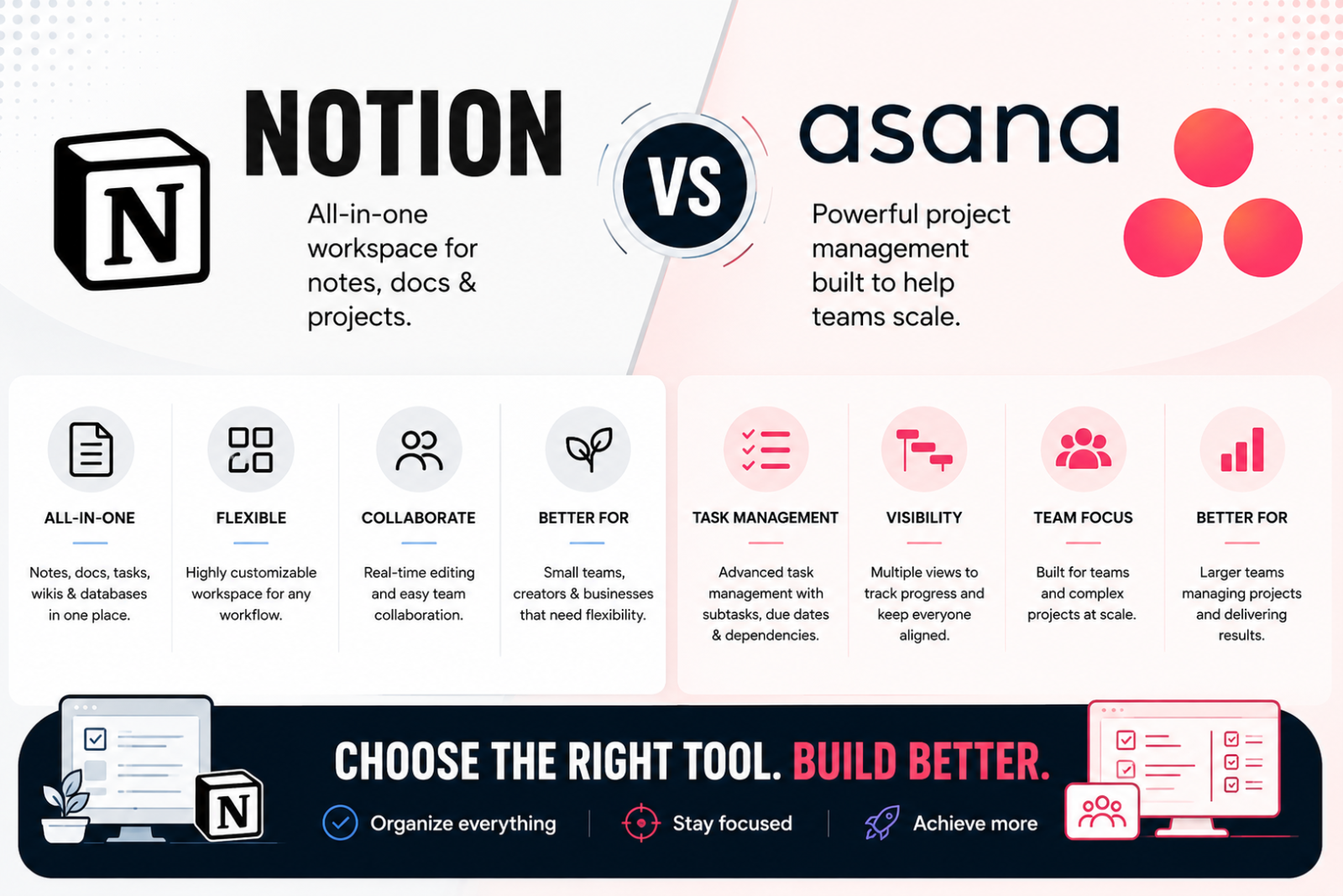
Notion vs Asana is one of the most searched software matchups in team operations, and for good reason. Both tools show up on nearly every shortlist for teams trying to organize work, but they solve genuinely different problems.
Notion vs Asana is one of the most common comparisons for teams trying to organize work, and for good reason. Both platforms can manage projects and tasks, but they approach work from different directions. Asana is built primarily around structured work management, while Notion combines project management with documents, knowledge and flexible databases.
The better choice therefore depends less on which platform has more features and more on how your team actually works day to day.
Why Notion vs Asana Is Not a Fair Fight on Paper
Asana and Notion increasingly overlap, but their centres of gravity remain different.
Asana is built around structured work management: projects, tasks, assignees, deadlines, dependencies, reporting and resource management. Notion approaches the problem as a connected workspace, combining documents, knowledge, databases and project tracking within the same system.
The gap between them has narrowed as Notion has added more native project-management capabilities, including subtasks, dependencies, timelines, charts and dashboards. The decision is therefore no longer as simple as “Asana for tasks, Notion for docs.” The more useful question is whether your team prioritises structured project execution or a more flexible workspace that connects projects with knowledge and documentation.
Notion vs Asana Pricing for 2026
| Plan Level | Notion | Asana |
|---|---|---|
| Free | $0; primarily for individual use, with collaboration limits | Personal: $0; up to 2 users |
| Entry Paid | Plus: $10/member/month billed annually | Starter: $10.99/user/month billed annually |
| Higher Paid | Business: check current published pricing; includes expanded AI and advanced collaboration/admin features | Advanced: $24.99/user/month billed annually |
| Enterprise | Custom pricing | Custom pricing |
The entry paid plans are similarly priced, with Notion Plus at $10 per member per month and Asana Starter at $10.99 per user per month when billed annually. Higher-tier pricing is less useful as a direct comparison because the plans increasingly bundle different capabilities. Teams should compare the tier that contains the features they actually need rather than assuming similarly positioned plans are equivalent.
Where Asana Wins
Asana remains stronger when project execution and resource management are the primary requirements. Its Advanced plan includes Portfolio Workload, allowing managers to see how work is distributed across people within a portfolio and rebalance assignments when necessary. Enterprise extends this further with Universal Workload and capacity planning.
Asana also provides a more opinionated project-management structure around tasks, assignees, deadlines, dependencies, timelines, Gantt views and reporting. Dependencies can be managed directly from Timeline, while Advanced adds portfolios, goals, time tracking, approvals and proofing.
Where Notion Wins
Notion becomes particularly compelling when project work needs to live alongside documentation and institutional knowledge. Meeting notes, briefs, SOPs, research, project databases and internal wikis can all exist within the same connected workspace.
That flexibility makes Notion attractive for teams whose work does not fit neatly into a traditional project-management structure. A marketing team, for example, can connect campaign tasks with briefs, research, meeting notes and reference material rather than maintaining a separate project tool and knowledge base.
Notion has also become a more capable project-management platform in its own right. Databases support subtasks and dependencies, while timeline, chart and dashboard views give teams multiple ways to plan and report on work.
The trade-off is flexibility itself: teams have more freedom to design how their workspace operates, which also means more decisions about structure, databases, properties and permissions.
Migration Reality: Moving from Asana to Notion
Notion provides a native Asana importer, so moving basic project data is considerably easier than rebuilding everything manually. Projects, tasks, subtasks, assignees, due dates, descriptions, comments and attachments can all be brought into Notion.
The important limitation is what does not transfer. Notion says Asana automations, dependencies, reporting, rules, permissions and some custom fields are not imported. The import is also a one-time migration rather than a continuing two-way sync.
For teams with a heavily configured Asana environment, the migration effort therefore sits less in moving tasks and more in rebuilding the workflow logic around them.
TSA Recommendation: Before migrating, test one representative Asana project in Notion and identify which rules, dependencies, permissions, reports and custom fields need to be recreated. Do not judge migration effort by task count alone.
Do You Actually Need to Choose One?
For some teams, the best Notion vs Asana decision may be to use both for different jobs.
Notion supports synced databases for Asana projects and tasks, allowing teams to surface Asana work inside a Notion workspace. This can be useful when Asana remains the system for project execution while Notion acts as the home for briefs, documentation and institutional knowledge.
There is an important limitation: the sync is one-way. Changes made in Asana can flow into the synced Notion database, but updates need to be made in Asana rather than using Notion as a second editing interface.
For teams already using both platforms successfully, this can be a better option than forcing either product to replace the other.
Notion vs Asana Buy or Skip Matrix
| Scenario | TSA Verdict |
|---|---|
| Team primarily managing structured projects, deadlines and dependencies | Asana |
| Team needing portfolio-level workload/resource visibility | Asana Advanced or above |
| Team combining projects with SOPs, briefs, meeting notes and knowledge | Notion |
| Team wanting a highly configurable workspace rather than a prescribed PM structure | Notion |
| Team already heavily configured around Asana rules and reporting | Stay with Asana unless there is a clear reason to migrate |
| Team considering Asana → Notion migration | Test one representative project first; some workflow configuration will not import |
| Team mainly choosing on price | Compare required features first; headline plan prices are not directly equivalent |
| Team wanting Asana for execution and Notion for knowledge/documentation | Consider using both with Asana synced into Notion |
Frequently Asked Questions
Is Notion or Asana better for small teams?
Team size alone should not determine the choice. Notion is particularly attractive when a small team wants projects, documentation and knowledge in one flexible workspace. Asana is the stronger fit when structured task execution, deadlines, dependencies and clear ownership are the priority.
Which is cheaper, Notion or Asana?
Their entry paid plans are similarly priced when billed annually, with Notion Plus at $10 per member per month and Asana Starter at $10.99 per user per month. Higher-tier plans include increasingly different capabilities, so teams should compare the features they actually require rather than choosing purely on the headline per-seat price.
Can Notion replace Asana for project management?
For some teams, yes. Notion now supports structured project and task databases, subtasks, dependencies, timelines, charts and dashboards, making it capable of handling considerably more than basic task tracking. Asana remains more purpose-built for structured work management, particularly where portfolio-level workload, resource management and standardized project execution are important.
Does Asana offer the same documentation flexibility as Notion?
Not in the same way. Asana can store project briefs, descriptions, comments and supporting information around work, but Notion is designed to combine documents, databases, wikis and project information within the same workspace. Teams that want their knowledge base and project system deeply connected are therefore more likely to prefer Notion.
Which tool has a shorter learning curve?
Asana can be easier to standardize for teams that primarily need structured project and task management because its core workflow is already defined around projects, tasks, assignees and deadlines. Notion gives teams more freedom to design their own workspace, which can require more upfront decisions about databases, views, properties and page structure.
Is it worth migrating from Asana to Notion, or vice versa?
Only when the new platform better matches how your team now works. Notion provides a native Asana importer, but some Asana configuration does not transfer, including automations, dependencies, reporting, rules, permissions and some custom fields. Teams should therefore test a representative project before committing to a full migration.
Final Verdict
There is no universal winner in the Notion vs Asana comparison because the decision depends more on workflow than team size.
Choose Asana when structured project execution is the priority. It is the more purpose-built work-management platform for teams that depend heavily on assignments, deadlines, dependencies, portfolio visibility and resource management.
Choose Notion when projects need to live alongside knowledge and documentation. Its strength is the flexibility to connect tasks with briefs, meeting notes, SOPs, research and internal knowledge within the same workspace. Its project-management capabilities have also become substantially stronger, so it should no longer be viewed as simply a documentation tool with basic task tracking.
And for some teams, the answer may be both. Asana can remain the execution layer while Notion acts as the knowledge layer, with Asana projects surfaced inside Notion through synced databases.
The decision should therefore come down to one question: Does your team need more structure around executing work, or more flexibility around connecting work and knowledge?
