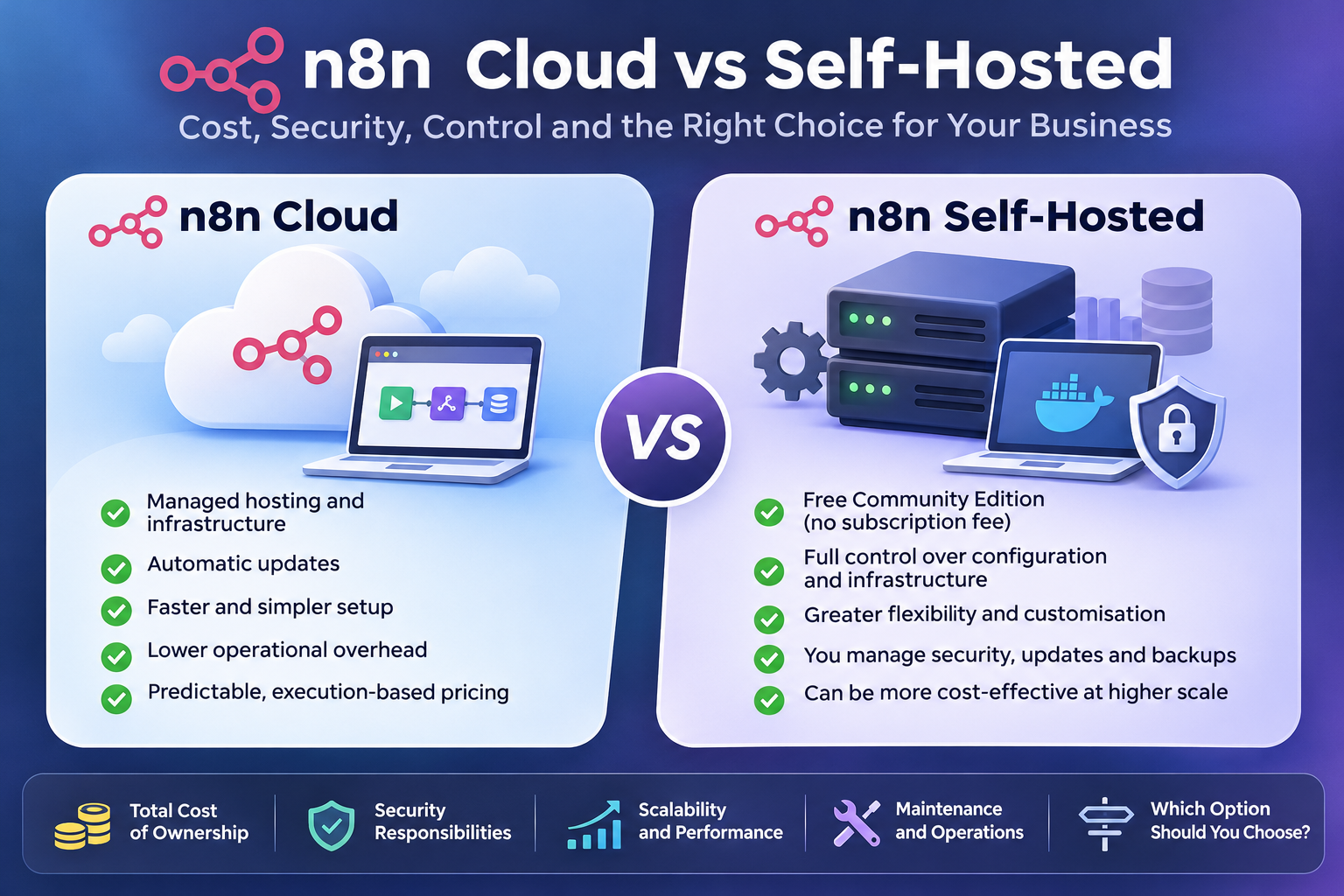
n8n Cloud vs Self-Hosted: The Real Cost, Security Risks, and Which Should Your Business Choose?
Affiliate Disclosure: We review products independently. When you buy through our links, we may earn a commission or a compound recurring commission at zero extra cost to you. Read our editorial policy.
Choosing between n8n Cloud and self-hosting is not simply a decision between paying a subscription and running automation software for free. It is a decision about infrastructure, operational responsibility, security, scalability, and how much control your business actually needs.
For a small business or agency exploring workflow automation, the distinction can have a significant impact on both monthly costs and long-term operations.
n8n offers two primary deployment options. With n8n Cloud, the platform manages the hosting environment and much of the underlying infrastructure. With self-hosting, you run n8n on your own server, private cloud, or on-premises infrastructure.
At first glance, self-hosting looks like the obvious cost-saving option. The Community Edition is free, and you can choose your own hosting provider. But servers are not the only expense involved in running an automation platform. Backups, security, monitoring, maintenance, and technical support all contribute to the actual cost.
So, which option makes more financial and operational sense?
This guide compares n8n Cloud and self-hosting across pricing, total cost of ownership, security, maintenance, scalability, and practical business requirements. It also includes realistic business scenarios to help you make the right decision.
Quick Verdict: n8n Cloud or Self-Hosted?
If you want to start automating business processes without managing servers, n8n Cloud is generally the better starting point.
If your business has technical expertise, specific infrastructure requirements, and enough automation activity to justify managing its own environment, self-hosting can offer greater control and potentially lower costs at scale.
| Decision factor | n8n Cloud | Self-hosted |
|---|---|---|
| Initial setup | Simple | Requires technical setup |
| Hosting | Managed by n8n | Managed by your team or provider |
| Software subscription | Paid | Free Community Edition available |
| Server management | Handled by n8n | Your responsibility |
| Updates | Managed | Your responsibility |
| Security configuration | Shared responsibility, with infrastructure managed by n8n | Greater responsibility for your team |
| Backups and recovery | Managed cloud environment | Must be planned and maintained |
| Infrastructure control | Limited | Extensive |
| Custom deployment | Limited | Flexible |
| Technical expertise | Lower requirement | Higher requirement |
| Best suited for | Small businesses, lean teams and agencies | Technical teams and businesses needing infrastructure control |
The important distinction is that Cloud reduces infrastructure management, while self-hosting gives you more responsibility along with greater deployment flexibility.
1. Understanding the Difference Between n8n Cloud and Self-Hosted
Before comparing costs, it helps to understand what you are actually choosing.
What is n8n Cloud?
n8n Cloud is the hosted version of the automation platform. You sign up, create workflows, connect applications, and start automating processes without installing or maintaining the underlying software.
n8n manages the hosting environment, infrastructure maintenance, and platform updates.
For example, a marketing agency might use n8n Cloud to automate:
- Capturing leads from website forms.
- Sending new leads to a CRM.
- Triggering email notifications for sales teams.
- Updating Google Sheets with campaign information.
- Generating reports from multiple business applications.
- Connecting AI tools with internal business processes.
The agency can concentrate on designing and improving these workflows rather than maintaining the server on which they run.
This makes Cloud particularly useful for businesses without dedicated DevOps or infrastructure teams.
What is self-hosted n8n?
Self-hosting means installing and operating n8n on infrastructure that you control or manage.
You can deploy it using Docker, Docker Compose, npm, or supported cloud infrastructure. Depending on your requirements, the server can be hosted by a cloud provider, operated on-premises, or deployed in a private environment.
The free Community Edition provides most of n8n’s core functionality without a recurring software subscription.
However, your team becomes responsible for keeping the environment operational.
That includes:
- Selecting and configuring the server.
- Installing and updating n8n.
- Managing databases and storage.
- Configuring secure connections.
- Protecting credentials and workflow data.
- Monitoring performance and availability.
- Maintaining backups and recovery procedures.
Self-hosting is therefore not simply a cheaper version of Cloud. It is a different operating model.
2. n8n Cloud Pricing vs Self-Hosted Costs
Cost is often the first reason businesses consider self-hosting.
But comparing a Cloud subscription with the price of a basic VPS server does not provide an accurate picture. You need to compare the complete cost of operating each deployment.
How much does n8n Cloud cost?
As of November 17, 2026, n8n’s published annual-billing prices include:
| Plan | Price per month | Monthly executions | Hosting |
|---|---|---|---|
| Starter | €20 | 2,500 | n8n Cloud |
| Pro | €50 | 10,000 | n8n Cloud |
| Business | €667 | 40,000 | Self-hosted only |
| Enterprise | Custom | Custom | Cloud or self-hosted |
These are published prices with annual billing. Check the official pricing page for current monthly-billing rates, taxes, and plan conditions before purchasing.
One important detail is how n8n counts executions.
An execution represents one complete run of a workflow, regardless of how many individual steps or nodes it contains.
For example, imagine a workflow that:
- Receives a new website enquiry.
- Checks the lead’s information.
- Enriches the contact record.
- Adds the lead to a CRM.
- Sends an internal notification.
- Triggers a follow-up email.
If the workflow runs once, it counts as one workflow execution, not six separate operations.
This pricing model can be advantageous for businesses running complex workflows because the number of nodes does not directly increase the execution count.
However, businesses should estimate their monthly workflow runs carefully. A workflow triggered by frequent webhooks or scheduled events can consume its execution allowance faster than expected.
What does self-hosted n8n cost?
The Community Edition does not carry a recurring software subscription fee.
However, you still need infrastructure and operational resources.
Here is what you should include in your cost calculation:
| Cost component | What it covers |
|---|---|
| Server or VPS | CPU, RAM, storage and network resources |
| Database | Database hosting, storage and maintenance |
| Backups | Database snapshots and recovery copies |
| Security | TLS configuration, access controls and protection |
| Monitoring | Server uptime, performance and error alerts |
| Maintenance | Updates, patches and troubleshooting |
| Technical administration | Time spent managing the environment |
| Scaling | Additional infrastructure as workloads grow |
Some of these costs may be included in a hosting package or existing infrastructure arrangement. Others may require separate services.
The biggest hidden expense is often technical administration.
A server that costs a few euros per month may appear inexpensive. But if someone spends several hours every month maintaining it, the actual operating cost can be substantially higher.
A realistic total-cost-of-ownership example
Consider a small business running a self-hosted n8n instance.
The following is an illustrative monthly budget, not a quoted hosting package or a vendor price list.
| Expense | Illustrative monthly cost |
|---|---|
| VPS hosting | €20 |
| Backup storage | €5 |
| Monitoring and supporting services | €5 |
| Technical administration (2 hours × €30) | €60 |
| Total monthly cost | €90 |
The Community Edition itself costs nothing, but the business spends approximately €90 per month operating the deployment under these assumptions.
Compare that with the €20 monthly Starter plan or €50 Pro plan, both billed annually.
The self-hosted option is not automatically cheaper.
The calculation changes when the business already has infrastructure, an in-house administrator, or an engineer responsible for several applications. In that situation, the additional cost of managing n8n may be relatively small.
Similarly, a business running several thousand executions might find that a fixed infrastructure arrangement becomes more economical than moving to a higher Cloud tier.
The real question is not how much the software costs. It is how much your business spends to keep the automation environment reliable.
3. Security: Which Deployment Option Is Safer?
Security is another major consideration, particularly when workflows handle customer information, financial records, employee details, or business-critical data.
It is tempting to assume that self-hosting is automatically more secure because the business controls the server.
That is not necessarily true.
Security depends on how the environment is configured, maintained, monitored, and accessed.
Security in n8n Cloud
With Cloud, n8n manages the underlying hosting infrastructure and associated platform security controls.
This reduces the number of infrastructure-related responsibilities your business needs to handle directly.
However, Cloud does not remove your responsibility for securing your workflows.
You still need to:
- Protect connected application credentials.
- Give users appropriate access permissions.
- Use secure authentication methods.
- Avoid exposing sensitive information unnecessarily.
- Review third-party integrations.
- Control who can access and modify workflows.
A compromised Google account or an incorrectly configured workflow can still create a security problem, even when the automation platform itself is hosted securely.
Security in self-hosted n8n
With self-hosting, the business has more direct control over its security environment.
That control can be useful for organizations with specific data residency, network access, or infrastructure policies.
But it also means that more security responsibilities sit with the organization.
For example, n8n’s documentation recommends configuring TLS through a reverse proxy, protecting data at rest, running security audits, restricting potentially dangerous nodes, and managing access to the instance.
These are not optional considerations for a production environment.
A poorly secured self-hosted instance can expose credentials, workflow information, and connected business systems.
Self-hosted security checklist
Before using a self-hosted instance for business-critical automation, review the following controls:
| Security control | Why it matters |
|---|---|
| HTTPS and TLS | Encrypts information travelling between users and the instance |
| Encryption at rest | Protects stored data and database files |
| Credential protection | Prevents unauthorized access to connected applications |
| Strong authentication | Reduces the risk of unauthorized access |
| Access restrictions | Limits who can reach the instance |
| Firewall configuration | Restricts unnecessary network exposure |
| Regular updates | Addresses known vulnerabilities and security issues |
| Security audits | Helps identify risky configurations |
| Execution data controls | Reduces unnecessary retention of sensitive information |
| Community node restrictions | Limits risks from untrusted third-party code |
Another important consideration is community nodes.
These can extend n8n’s functionality, but installing third-party code introduces additional security considerations. Businesses should evaluate the source and permissions of any community node before using it in production.
Who should choose which option?
For a small business without dedicated security or infrastructure expertise, n8n Cloud is generally the more manageable choice.
For a business with an experienced technical team and clearly defined infrastructure requirements, self-hosting can offer greater control.
Neither deployment model guarantees security by itself.
4. Backups and Disaster Recovery: The Cost Businesses Often Overlook
Automation is useful only when it works reliably.
Imagine an agency running lead management, client notifications, reporting, and customer onboarding through n8n.
If the automation environment becomes unavailable, these processes may stop functioning.
If the instance suffers data loss, simply reinstalling n8n may not restore the original workflows and credentials.
This is why backup and disaster recovery planning matters.
What needs to be backed up in self-hosted n8n?
A complete backup requires more than exporting individual workflows.
According to n8n’s backup documentation, a complete self-hosted backup includes:
- The
.n8nuser folder, which contains configuration information and the credential encryption key. - The database, including an external PostgreSQL database if one is being used.
- Relevant binary and execution data, depending on the configured storage mode.
The encryption key is particularly important. Losing it can prevent the recovery of encrypted credentials, even if the database itself is available.
A practical backup strategy should include:
- Automated database backups.
- Secure copies of the
.n8nconfiguration folder. - Off-server backup storage.
- Appropriate access restrictions on backup files.
- Regular recovery testing.
- Documented restoration procedures.
A backup that has never been tested is not a reliable disaster recovery plan.
What about Cloud?
With n8n Cloud, the platform provider manages the underlying hosting environment, reducing the infrastructure backup burden on customers.
However, businesses should still understand the plan’s workflow history, data retention, export, and recovery capabilities.
Do not assume that a managed hosting service replaces every form of business continuity planning.
If a workflow is critical to revenue or customer operations, maintain appropriate documentation and recovery procedures regardless of deployment choice.
5. Maintenance and Scalability: What Happens When Your Business Grows?
A deployment that works well for five workflows may not be appropriate when the business starts running 100 workflows across multiple departments.
Growth introduces new requirements.
You may need more processing capacity, better monitoring, improved database performance, additional access controls, and greater execution concurrency.
Scaling n8n Cloud
Cloud is easier to operate because the provider manages the underlying infrastructure.
Your main responsibility is to understand execution limits, concurrency, plan features, and workflow performance.
As usage grows, you may need to move to a higher subscription tier.
The advantage is operational simplicity. You do not need to design your own server architecture every time workload increases.
The limitation is that you have less control over the underlying deployment environment.
Scaling self-hosted n8n
Self-hosting provides greater flexibility.
You can increase server resources, configure PostgreSQL, introduce additional workers, and use queue mode to support more demanding workloads.
However, these changes require technical planning.
For example, queue mode involves additional infrastructure components, including Redis and worker processes. You must understand how these components interact and how to monitor them.
Scaling also increases the importance of:
- Database performance.
- Execution history management.
- Resource monitoring.
- Worker availability.
- Network reliability.
- Recovery planning.
Self-hosting gives you more architectural flexibility, but it does not make scaling effortless.
6. Three Business Scenarios: Which Option Makes More Sense?
The best deployment choice becomes clearer when we look at actual business situations.
Scenario 1: A small marketing agency
Imagine a five-person marketing agency using n8n for lead capture, CRM updates, email notifications, and campaign reporting.
The agency does not have a dedicated IT administrator.
Its main objective is to automate repetitive tasks and free up employee time.
Recommended option: n8n Cloud
The agency benefits from:
- Faster implementation.
- Less infrastructure management.
- Reduced maintenance responsibilities.
- Predictable subscription costs within its execution allowance.
- More time to focus on client delivery.
Even if self-hosting appears cheaper initially, the time spent maintaining servers may outweigh the savings.
Scenario 2: A growing automation consultancy
Now consider an automation consultancy managing workflows for several clients.
It has developers who understand Docker, databases, and cloud infrastructure.
The consultancy operates a central n8n instance and builds workflows for clients.
Recommended option: Evaluate self-hosting
Self-hosting may make economic sense if:
- The team already has infrastructure expertise.
- Workloads are relatively predictable.
- The deployment can be securely isolated and managed.
- Infrastructure costs are shared efficiently.
- The business can maintain reliable backups and monitoring.
There is an important licensing consideration here.
n8n’s Sustainable Use License allows an organization to build and run workflows for clients on its own instance, provided clients do not access the n8n editor or configure the workflow logic themselves.
If clients can create or configure their own automations through your product, interface, API, or AI agent, a commercial license may be required.
An agency should review n8n’s licensing terms before building its service model around the Community Edition.
Scenario 3: A business running mission-critical automation
Consider a larger business using n8n to connect its CRM, finance systems, customer support platform, and internal reporting.
An interruption could affect customer service, sales operations, or financial processes.
The business has a technical team and formal security requirements.
Recommended option: Depends on governance and operational capability
Self-hosting may be appropriate when the organization needs direct infrastructure control, custom networking, or specific deployment arrangements.
However, Cloud Enterprise may be preferable if the business wants managed hosting alongside enterprise-level features and support.
The decision should be based on:
- Security and compliance requirements.
- Recovery time objectives.
- Data retention policies.
- Access governance.
- Required uptime.
- Internal infrastructure capabilities.
- Total cost of ownership.
For business-critical workflows, the cheapest deployment is rarely the only relevant consideration.
7. Does the Free n8n Community Edition Have Limitations?
Yes. And businesses should understand these before choosing self-hosting.
The Community Edition is not simply a time-limited trial. It can be used indefinitely under n8n’s Sustainable Use License, subject to the license conditions.
It includes most of the core automation functionality.
However, certain capabilities available in paid plans are not included.
Depending on the feature and plan, these can include:
- Single sign-on (SSO).
- Multiple environments.
- Projects and workflow sharing.
- External secrets integration.
- Git-based version control.
- Advanced governance and administration capabilities.
Some businesses may not need these features. A small internal team running a few automation workflows may be perfectly comfortable with the Community Edition.
For a larger team, however, collaboration, governance, and access management can become important requirements.
There is also a commercial licensing distinction worth understanding.
Free Community Edition does not mean unrestricted permission to offer n8n as a hosted automation service or embed customer-configurable n8n functionality into a commercial product.
Businesses should check the applicable license before designing a customer-facing service around it.
8. n8n Cloud vs Self-Hosted: Final Decision Matrix
Here is a practical way to evaluate both options.
| Your business requirement | Recommended choice |
|---|---|
| You want to start automating immediately | Cloud |
| You have no dedicated technical team | Cloud |
| You want minimal infrastructure responsibility | Cloud |
| You need direct control over server configuration | Self-hosted |
| You have existing cloud infrastructure | Self-hosted may make sense |
| You need custom networking arrangements | Self-hosted |
| You have predictable, high-volume workloads | Compare both TCO models |
| You need advanced enterprise governance | Evaluate paid plans on both deployment models |
| You are building a customer-facing automation platform | Review commercial licensing requirements first |
| You cannot reliably manage security and backups | Cloud is generally the safer operational choice |
The decision should not be based on the number of workflows alone.
A business running 20 complex workflows may have very different infrastructure requirements from another business running 200 lightweight workflows.
Execution frequency, data volume, concurrency, reliability requirements, and integration complexity all matter.
9. How to Calculate Your Own n8n Total Cost of Ownership
Before committing to either deployment model, calculate your expected monthly operating cost.
Use the following framework.
For n8n Cloud:
Monthly Cloud subscription + additional services and integrations + any external AI or API costs.
For self-hosted n8n:
Server + database + backups + monitoring + security services + technical administration + additional infrastructure and licensing.
Then consider three questions:
1. How many workflow executions do you expect each month?
Estimate how frequently your workflows will run. Include scheduled triggers, webhook activity, and polling-based integrations.
2. How much technical time will self-hosting require?
Include installation, configuration, patching, troubleshooting, monitoring, and backup management.
Even two hours of maintenance every month should be treated as a business cost.
3. What would downtime cost your business?
If an automation failure delays a sales enquiry, interrupts customer onboarding, or affects financial reporting, the cost of downtime could exceed the monthly hosting savings.
A sensible deployment decision should account for operational risk, not just subscription pricing.
Frequently Asked Questions
Is n8n self-hosted completely free?
The n8n Community Edition is available without a recurring software subscription. However, you still need to pay for infrastructure, storage, backups, and any technical services required to operate it. Commercial licensing may also be necessary for certain use cases.
Is n8n Cloud worth paying for?
For businesses without dedicated infrastructure expertise, yes. Cloud reduces server administration and maintenance responsibilities, allowing teams to concentrate on building and managing workflows. Whether it offers better value depends on usage, plan limits, and the cost of managing an alternative deployment.
Can I migrate from n8n Cloud to self-hosted?
Yes. Workflows and credentials can be exported and imported, subject to the relevant configuration and compatibility considerations. However, migration is not necessarily a one-click process. Credentials, environment variables, webhook URLs, integrations, and external services may need to be reconfigured.
Always test the migration before switching production workflows.
Is self-hosted n8n more secure than Cloud?
Not automatically. Self-hosting offers more control over infrastructure and configuration, but the organization must implement and maintain appropriate security controls. A poorly configured self-hosted instance can be less secure than a properly managed Cloud deployment.
Can I use n8n Community Edition for client projects?
Under n8n’s Sustainable Use License, you can build and operate workflows for clients on your own instance, provided clients do not access the editor or configure the workflow logic themselves. Hosting n8n as a service or enabling customers to configure their own automations can require a commercial license.
Does self-hosted n8n support scaling?
Yes. Self-hosted n8n supports deployment configurations such as queue mode, workers, and external databases. However, scaling requires infrastructure knowledge, resource planning, and ongoing monitoring.
Final Verdict: Choose the Deployment That Fits Your Business, Not Just Your Budget
n8n Cloud and self-hosting solve the same fundamental problem: helping businesses automate repetitive processes and connect their applications.
But they approach infrastructure management differently.
Cloud is designed for convenience. It removes much of the operational burden and allows businesses to focus on automation rather than server administration.
Self-hosting is designed for control. It offers flexibility over infrastructure, deployment, and configuration, but transfers the responsibility for maintaining the environment to your team.
For a small business just beginning its automation journey, n8n Cloud is usually the more practical starting point.
For a technically capable business with existing infrastructure and predictable workloads, self-hosting deserves serious consideration.
For larger organizations, the decision should involve security, governance, licensing, scalability, and business continuity.
Ultimately, the cheapest deployment is not necessarily the one with the lowest hosting bill. It is the one that delivers reliable automation at the lowest sustainable operating cost, without creating unnecessary technical or security risks.
Our recommendation: Start with your expected workflow volume, calculate the complete operating cost of both options, and assess your team’s ability to maintain the infrastructure. Choose Cloud if operational simplicity matters most. Choose self-hosting when the additional control and potential savings justify the responsibility.
Editorial note: Pricing and product features should be rechecked against n8n’s official documentation before publication, as plans and licensing terms can change.
Official References
- n8n Pricing
- Choosing How to Use n8n
- Self-Hosting n8n
- Securing n8n
- Backup and Restore
- n8n Sustainable Use License and Licensing FAQ
- n8n License FAQ
Research reviewed November 17, 2026.