Clay.com Review: Is This AI Data Enrichment Tool Worth the High Premium?
Affiliate Disclosure: We review products independently. When you buy through our links, we may earn a commission or a compound recurring commission at zero extra cost to you. Read our editorial policy.
This Clay.com review covers the platform after its March 2026 pricing overhaul — the biggest pricing change in the company’s history.
The short verdict: Clay is the most powerful B2B data enrichment and GTM workflow tool available at its price point. The waterfall enrichment engine hits 78% email match rates against single-source tools averaging 42%. Claygent automates prospect research that used to take hours. The credit system is unpredictable, the learning curve runs 4–6 weeks, and CRM auto-sync requires the $446/month Growth plan. Clay is an ops tool first and a sales tool second. Deploy it that way or don’t deploy it at all.
Updated: May 2026. All pricing reflects the March 11, 2026 overhaul. Credit math verified against current plan rates.
Clay.com at a Glance
| Category | Detail |
| Platform type | AI data enrichment, waterfall prospecting, GTM workflow automation |
| G2 rating | 4.9/5 (200+ reviews); G2 ease-of-use score: 7.9/10 |
| Free plan | 100 credits/mo, 500 actions/mo, unlimited seats, 200-row table cap |
| Launch plan | $167/month (annual) — 2,500–50,000 data credits, 15,000 actions/mo |
| Growth plan | $446/month (annual) — 6,000–50,000 data credits, 40,000 actions/mo; CRM sync, HTTP API, webhooks |
| Enterprise | Custom pricing — 100,000+ credits, 200,000+ actions/mo; SSO, RBAC, data warehouse sync |
| Credit cost per enriched lead | $0.15–$1.12 per fully enriched contact (5–15 credits at $0.03–$0.075/credit) |
| Top-up pricing | 30% markup over plan credit rate — not published on pricing page |
| Data providers | 150+ providers including Clearbit, People Data Labs, Hunter.io, Lusha |
| Email match rate | 78% verified across 2,000-contact test (vs. 42% for single-source tools) |
| Learning curve | 4–6 weeks to build effective production workflows |
| What it is NOT | Not a CRM, not an email sender, not a standalone outbound tool |
| Funding / valuation | $100M raised; $3.1B valuation; OpenAI and Anthropic are customers |
What Clay Actually Does — and What It Doesn’t
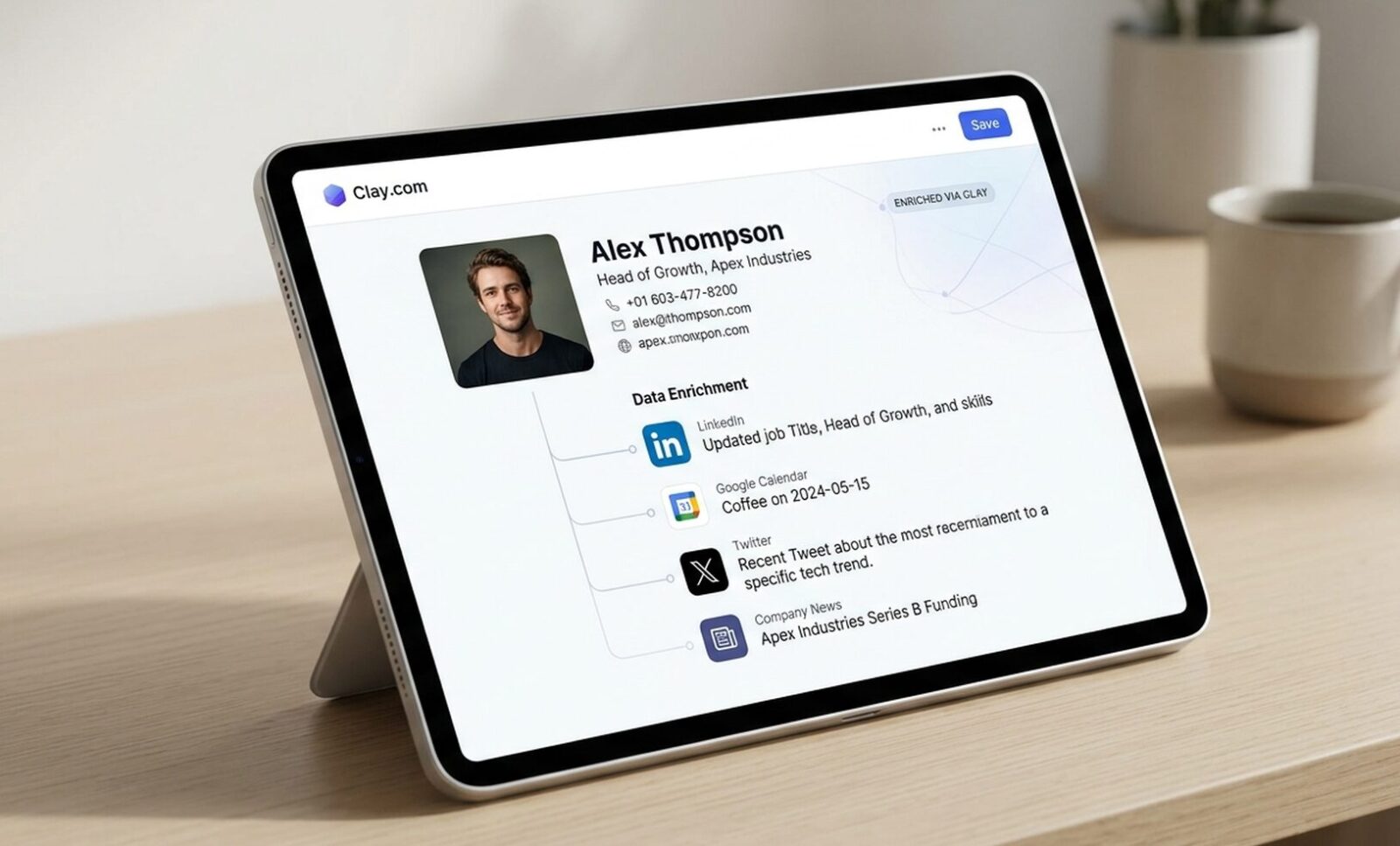
Clay is a GTM data platform that sits between your lead source and your CRM. It pulls contact and company data from 150+ providers, layers AI research and signal detection on top, and pushes enriched, qualified records downstream to CRMs, ad platforms, and email senders. The interface looks like a spreadsheet. Each column is a data enrichment action — email lookup, company data pull, AI research prompt, technographic check, intent signal — that fires against every row in the table.
What Clay is not: Clay does not send cold email at scale. It does not manage deals, pipelines, or forecasts. It does not replace your CRM. Most teams run Clay upstream of their outbound stack — Clay enriches and qualifies, then passes records to Lemlist, Instantly, or Woodpecker for sending, and syncs to Salesforce or HubSpot as the database of record. Budget for that downstream stack separately.
Who it targets: Revenue operations leads, growth engineers, and GTM teams at companies running structured outbound at volume. Clay raised $100M at a $3.1B valuation with OpenAI and Anthropic on the customer list. The LinkedIn GTM community treats it as the default enrichment tool. That reputation is earned — but only for the buyer with the technical capacity and volume to use it.
March 2026 Pricing Overhaul: What Actually Changed
Clay consolidated three self-serve plans (Starter, Explorer, Pro) into two new tiers on March 11, 2026. Launch at $167/month (annual) and Growth at $446/month (annual). Data marketplace costs dropped 50–90% across providers. A new ‘Actions’ system was introduced alongside the existing credit model, separating platform usage from data spend.
The Actions System — New Cost Layer
Actions are the new billing variable most teams miss. Every enrichment step, AI call, API request, CRM push, and data export consumes one Action. Launch includes 15,000 Actions/month. Growth includes 40,000. Previously, using your own API keys meant platform work was essentially free. Under the new model, it is not. Clay states 90% of users will never hit the Action cap — but teams running high-frequency automated workflows against large tables should audit Action consumption in the first billing cycle before assuming they’re in that 90%.
Who Pays Less Under the New Model
- High-volume data buyers through Clay’s marketplace: 50–90% data cost reduction is real and material
- Teams previously on Pro ($800/mo) needing CRM sync: CRM integrations moved down to Growth ($446/mo) — $354/month savings
- Teams using HTTP APIs: Previously Explorer-tier; now available on Growth
Who Pays More Under the New Model
- Teams using their own API keys for AI enrichment: Actions introduce a new platform fee where platform work was previously free
- High-frequency automation workflows: Action consumption compounds on large tables with many steps per row
- Legacy plan holders: Existing Starter, Explorer, and Pro customers could stay on legacy plans but had until April 10, 2026 to switch tiers. Post that date, new plans apply on upgrade
Clay.com Pricing Plans (May 2026)
| Plan | Monthly (annual) | Data Credits/mo | Actions/mo | Key Unlock |
| Free | $0 | 100 | 500 | Waterfall enrichment, Claygent, unlimited seats — 200-row table cap |
| Launch | $167 | 2,500–50,000 | 15,000 | Phone enrichment, job change signals, email integrations, 50K-row tables |
| Growth | $446 | 6,000–50,000 | 40,000 | CRM auto-sync, HTTP API, webhooks, web intent signals, priority support |
| Enterprise | Custom | 100,000+ | 200,000+ | SSO, RBAC, data warehouse sync, dedicated growth strategist, SLA |
Annual billing saves 10% across all plans. The free plan is the only legitimate way to test credit consumption before committing — use it to run your actual workflow on a sample list of 50–100 contacts and extrapolate the credit burn to your real monthly volume before selecting a paid tier.
The Credit Math Nobody Shows You
The plan price is not the real cost. Credits are. A single enriched contact consumes credits across every enrichment step in the workflow. A basic email lookup costs ~3 credits. A full enrichment sequence — email, phone, company data, technographics, AI research — costs 75 credits per lead. At $0.05/credit on the Launch plan, that’s $3.75 per fully enriched lead before a single email is sent.
| Enrichment Scenario | Credit Cost | Dollar Cost (Launch plan, $0.05/credit) |
| Email lookup only (1 provider) | ~3 credits/lead | ~$0.15/lead |
| Email + company enrichment (2 steps) | ~14 credits/lead | ~$0.70/lead |
| Full enrichment: email + phone + company + technographics | ~75 credits/lead | ~$3.75/lead |
| Claygent AI research (simple prompt) | ~10–20 credits/run | ~$0.50–$1.00/run |
| Claygent AI research (complex multi-page scrape) | ~50–200 credits/run | ~$2.50–$10.00/run |
| 1,000 fully enriched leads (75 credits each) | 75,000 credits | ~$3,750 in credits alone — exceeds Launch plan allowance |
| Top-up credits (when plan runs out) | Plan rate + 30% markup | Not published on pricing page — discovered at billing |
| TSA SCAR: The 30% top-up markup is the most common billing surprise in Clay. When your plan credits run out mid-month, additional credits cost 30% more than the plan rate. This markup is not displayed on the pricing page — it appears on your invoice. Teams burning through credits while learning the workflow editor (standard in the first 1–2 months) regularly hit top-up pricing without knowing it exists. Budget plan price plus 30% for the first two months minimum. Then audit your credit consumption by workflow step and kill any enrichment step that isn’t converting to pipeline. |
Waterfall Enrichment: The Core Technical Differentiator
How the Waterfall Works
Clay’s waterfall enrichment cascades a data request across multiple providers in sequence until it finds a match. Provider A doesn’t have the email? Clay queries Provider B. B fails? C fires. The sequence continues across up to 150+ sources — Clearbit, People Data Labs, Hunter.io, Lusha, Apollo, and dozens of niche databases — until coverage is found or the waterfall exhausts.
Verified performance: A 30-day test on a 2,000-contact list produced 78% email match rate via Clay waterfall versus 42% for Apollo as a standalone single-source tool. G2 reviewers consistently cite 20–40% coverage improvement over any single provider. For ICP segments in niche industries or SMB markets where major databases have thin coverage, the waterfall architecture delivers meaningful pipeline improvement.
The Credit Cost of Waterfall Depth
Each provider query in the waterfall consumes credits, including failed lookups. A 10-provider waterfall that fails on 9 sources before finding a match on the 10th has consumed credits for all 10 queries. Clay eliminated charges for failed lookups as part of the March 2026 overhaul for some provider categories — verify the current policy for your specific enrichment steps before assuming all failed lookups are free.
The practical implication: a deep waterfall on a large list is expensive. Configure waterfall depth based on your ICP’s data availability. For well-covered segments (US enterprise, funded startups), a 3–5 provider waterfall covers most cases. A 15-provider waterfall for the same segment burns credits on redundant lookups.
Claygent: AI Research Agent Capabilities and Limits
What Claygent Does
Claygent is Clay’s AI research agent. Point it at a company website, LinkedIn profile, or news source and it returns structured research — recent funding rounds, technology stack signals, hiring patterns, executive changes, product launches, pain-point indicators from job postings. Research that used to take 30–60 minutes per account runs in seconds at scale.
Verified use cases from G2 reviewers: summarizing company news for personalized outreach, identifying tech stack from job descriptions, flagging accounts showing buying intent signals, and generating first-line email personalization from recent company activity.
The Variable Cost Problem
Claygent does not consume fixed credits per run. It bills variably by token usage and web pages read. A simple prompt on a single page costs ~10–20 credits. A complex research prompt requiring multiple web page reads costs 50–200 credits. One verified test documented individual Claygent runs costing 5–20x more than a basic email lookup. Run a 1,000-row table with a complex Claygent prompt and the credit bill can spike before you’ve looked at a single result.
Mitigation: Test every Claygent prompt on a 10-row sample before running it against a full table. Check credit consumption per row in the run log. Simplify prompts that are over-reading web pages — most research tasks that consume 100+ credits can be redesigned to produce equivalent output at 20–30 credits with tighter prompt scoping.
The Learning Curve: What 4–6 Weeks Actually Means
Clay’s G2 ease-of-use score is 7.9 out of 10 — lower than most comparable tools in the category. The spreadsheet interface looks simple. The complexity is in multi-step workflows, formula logic, conditional enrichment branching, and prompt engineering for Claygent. A fresh Clay seat handed to an SDR without training produces one outcome: a frustrated SDR. Clay requires a dedicated operator — a RevOps lead, a growth engineer, or an agency specialist — who owns the build.
Break the ramp period by role:
- Week 1–2: Interface orientation, single-step enrichment tables, understanding credit consumption per action. Basic waterfall setup on a sample list.
- Week 3–4: Multi-step workflows, Claygent prompt testing, CRM push configuration (Growth plan), integration with email sender.
- Week 5–6: Signal-based workflow builds (job change triggers, funding round detection, intent signals), workflow automation scheduling, credit optimization.
Agency model: Dedicated Clay agencies and freelance Clay specialists exist as a verified market. Rates run $2,000–$8,000 for a full workflow build, depending on complexity. For teams without internal RevOps capacity, this is a legitimate route to production-ready Clay infrastructure without the 4–6 week internal ramp.
| TSA SCAR: The most common Clay failure pattern: a sales team purchases Launch at $167/month, hands it to the SDR team, watches credits disappear in the first week of experimentation, hits top-up pricing at a 30% markup, spends 6 weeks building workflows that underperform because prompt engineering wasn’t scoped correctly, and cancels after 3 months with a negative opinion of the platform. Clay is not a self-service enrichment tool. Treat the rollout like a software implementation: assign an owner, define the use case before touching the interface, test on small samples, and measure credit consumption before scaling. |
Integrations: What Connects and What Requires the Growth Plan
Available on All Paid Plans
- Email sender integrations: Lemlist, Instantly, Smartlead, Woodpecker, Apollo Sequences
- Automation bridges: Zapier, Make — for pushing enriched data to any connected platform
- LinkedIn data access: via Clay’s native LinkedIn enrichment providers
- Basic webhook support for custom downstream pushes
Growth Plan Only ($446/month)
- CRM auto-sync: Salesforce and HubSpot two-way sync. On Launch, CRM pushes are manual or via Zapier bridge — not automated
- HTTP API access: Custom API connections to internal tools or bespoke data sources
- Web intent signals: G2 intent, Bombora, and web visitor identification signals
- Priority support: Dedicated support queue versus standard response times on Launch
The CRM sync decision: This is the most consequential plan selection gate. If your workflow requires automated record pushes to Salesforce or HubSpot — standard for any revenue operations use case — the Launch plan is insufficient. Budget Growth from day one rather than starting on Launch and upgrading when you hit the CRM wall.
Clay.com Review Verdict: Buy or Skip?
| Buy Clay If… | Skip Clay If… |
| Your RevOps or growth team processes 10,000+ enriched contacts/month | You need to be live and productive within a week — budget 4–6 weeks to ramp |
| You need waterfall coverage across 150+ providers — single-source tools leave gaps in your ICP | Your outbound is a single data source + single email sequence — Clay’s complexity adds zero value |
| You’re replacing 3–4 separate tools: enrichment + AI research + workflow automation + CRM push | You have no dedicated ops person — handing Clay to an SDR without training produces frustrated SDRs, not pipeline |
| You run complex signal-based outbound: job changes, funding rounds, technographic triggers, intent data | Your budget can’t absorb variable credit overruns — plan price + 30%+ in the first 2 months is the real cost |
| Your team has a GTM engineer or RevOps lead who will own the Clay build | You need native email sending — Clay does not send cold email; you need a separate tool (Lemlist, Instantly, Woodpecker) |
| You need CRM auto-sync to Salesforce or HubSpot — Growth plan ($446/mo) covers this natively | You need plug-and-play simplicity — Apollo or ZoomInfo deliver faster time-to-value for less technical teams |
Where Clay Fits in the Modern Outbound Stack
Clay does not replace tools — it upgrades the data layer above them. The standard production stack:
- Lead source: Apollo, LinkedIn Sales Navigator, intent platforms, or inbound form data
- Clay: Waterfall enrichment → Claygent AI research → signal detection → workflow automation → CRM push
- Email sender: Lemlist, Instantly, or Woodpecker for cold email sequencing and deliverability
- CRM: Salesforce or HubSpot as the database of record — Clay syncs to it, not replaces it
Total stack cost at Growth plan: Clay Growth $446/month + email sender $100–$300/month + CRM (if not already owned) = $550–$750+/month before data credits. Teams replacing 3–4 separate enrichment and research tools with Clay can break even on this cost within 60 days. Teams adding Clay on top of an existing full stack need to document the specific tools Clay displaces before the purchase makes financial sense.
TSA Final Verdict: This Clay.com Review’s Bottom Line
Clay.com earns its premium for one specific buyer: a RevOps or growth team running structured, signal-based outbound at 5,000+ enriched contacts per month with a dedicated operator who will own the platform build. At that scale, the waterfall’s 78% email match rate versus single-source tools’ 42% translates directly to more pipeline from the same contact list. The Claygent AI research capability eliminates hours of manual account research per week. The March 2026 pricing overhaul cut data costs 50–90% and moved CRM sync down to the $446/month Growth plan — both meaningful improvements.
Clay.com does not earn its premium for teams expecting plug-and-play enrichment. The 4–6 week learning curve is real. The credit math is opaque until you’ve run it against your actual workflow. The 30% top-up markup is a billing surprise most teams hit in month one. The platform does not send email, does not manage your CRM, and does not produce pipeline on its own — it enriches data that your existing stack then acts on.
The right entry point: The free plan. Run your actual ICP list — 50 to 100 contacts — through the workflow you intend to build in production. Track every credit consumed per row. Extrapolate to your monthly volume. If the credit math works at Growth plan pricing ($446/month + projected credits), the platform justifies the investment. If it doesn’t, Apollo or ZoomInfo deliver adequate enrichment at lower operational complexity for less technical teams.
Beyond feature capabilities, long-term sustainability depends entirely on data lookup overhead. Read our detailed operational pricing analysis where we determine Is Clay.com Too Expensive for bootsrapped B2B startups and growing growth marketing teams.
