Best Data Enrichment Tools for B2B Agencies: Clay, Apollo, ZoomInfo, Breeze Intelligence, and Lusha Compared
Affiliate Disclosure: We review products independently. When you buy through our links, we may earn a commission or a compound recurring commission at zero extra cost to you. Read our editorial policy.
Choosing the best data enrichment tool for a B2B agency depends on more than the size of a vendor’s database. Agencies need to find accurate contact details, fill gaps in customer records, identify suitable prospects, and move usable data into their CRM and outbound workflows without losing control of costs.
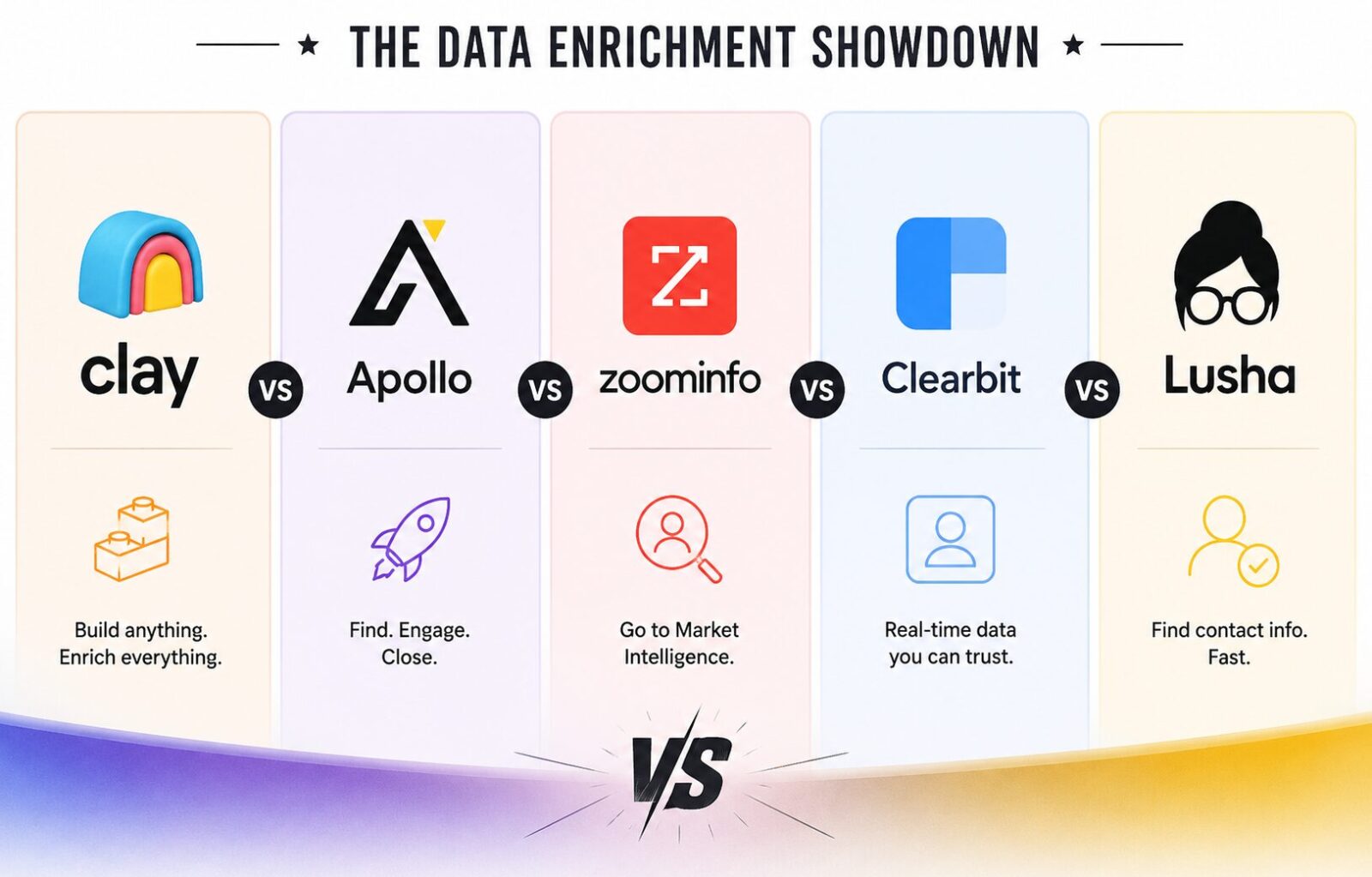
Five platforms approach this problem differently. Clay combines data from multiple providers and supports configurable enrichment workflows. Apollo combines contact data with prospecting and sales engagement. ZoomInfo focuses on business intelligence and sales data. HubSpot’s Breeze Intelligence supports enrichment within the HubSpot environment. Lusha offers contact and company data with credit-based access.
There is no universally best data enrichment tool. The right choice depends on the target market, data fields required, monthly record volume, existing software, and how much workflow automation the team needs.
This guide compares the five platforms by capabilities, pricing model, strengths, limitations, and use case. It does not assume that one tool produces a particular email match rate for every audience. Actual results vary by geography, industry, job role, source coverage, and the quality of the input records.
Last reviewed: October 2026. Prices and product features can change. Verify current terms on the linked vendor pages before purchasing.
Best Data Enrichment Tools: Quick Comparison
| Tool | Best suited for | Main strength | Pricing model | Main consideration |
|---|---|---|---|---|
| Clay | Agencies building customized enrichment workflows | Multi-provider enrichment, waterfalls, and workflow orchestration | Plans with separate Actions and Data Credits | Usage can depend on both workflow activity and purchased data |
| Apollo | Teams combining prospecting, enrichment, and outreach | Contact data, prospecting, sequences, and sales workflows | Seat-based plans with credit allowances | Check credit consumption, data availability, and plan limits |
| ZoomInfo | Larger sales organizations with enterprise data needs | Business intelligence and sales data capabilities | Primarily quote-based for enterprise offerings | Obtain a written quote and validate the data against your target market |
| Breeze Intelligence | Businesses already using HubSpot | Data enrichment within HubSpot’s CRM environment | HubSpot subscription and feature-specific terms or credits | Value depends on your HubSpot setup and required enrichment features |
| Lusha | Teams that want contact data and straightforward prospecting workflows | Contact and company data, with credit-based access | Free and paid plans with different credit and seat allowances | Review credit limits, API access, and team requirements |
The platforms overlap, but they are not identical substitutes. Clay is particularly relevant when enrichment needs to be assembled from several sources. Apollo is more suitable when data discovery and sales engagement are both important. ZoomInfo is worth evaluating for enterprise data requirements. Breeze Intelligence is relevant to HubSpot users, while Lusha can suit teams looking for a more direct contact-data workflow.
What Is Data Enrichment?
Data enrichment adds missing information to an existing record or improves the information already stored in a CRM, spreadsheet, or prospecting system.
A company may have a list of target businesses with only company names and website URLs. An enrichment workflow could attempt to add company size, industry, location, relevant decision-makers, professional email addresses, and other useful fields.
Common enrichment fields include:
- Business email addresses and phone numbers.
- Company size, industry, and location.
- Job titles, seniority, and department.
- Company websites and social profiles.
- Technology usage and other firmographic details.
- Job changes, company developments, and other available signals.
Enrichment can reduce manual research and make segmentation more useful. However, no provider has complete and uniformly accurate information for every industry, geography, or job category.
An enriched record should therefore be treated as a data point to validate, not a guarantee that the information is correct or current.
How We Recommend Evaluating Data Enrichment Tools
A useful comparison should examine the factors that affect real operating results rather than relying only on database-size claims or software ratings.
1. Coverage of your target market
The provider should have relevant information for the industries, company sizes, locations, and job roles you target.
A tool that performs well for US technology companies may produce different results for manufacturers, professional services firms, or businesses in other regions.
2. Field-level accuracy
A record with a company name but no usable contact information may not solve your problem. Evaluate the accuracy of the specific fields you need, such as professional emails, direct phone numbers, titles, and company attributes.
3. Workflow flexibility
Determine whether you need a simple lookup, bulk enrichment, automated workflows, multi-provider waterfalls, or synchronization with a CRM.
More flexibility can be valuable, but it can also introduce additional configuration and maintenance.
4. Cost per usable record
Do not compare vendors only by subscription price or total credits. Calculate the cost of records that meet your requirements after validation.
A practical measurement is:
Cost per usable record = Total enrichment cost ÷ Number of records that pass your quality checks
Include subscription costs, data credits, external provider charges, and relevant implementation expenses.
5. Integrations and data governance
Check how each tool connects to your CRM and other systems, how failed lookups are handled, and what controls are available for access, retention, and data processing.
For agencies, also consider how customer data is separated and managed across different client accounts.
1. Clay: Best for Multi-Provider Enrichment Workflows
Clay is a data enrichment and workflow platform that lets teams combine data providers, use enrichment waterfalls, and build processes around their prospecting requirements.
Instead of depending entirely on one database, a team can configure a workflow that attempts to find information through multiple sources. It can also use AI-assisted research and connect external systems through supported integrations.
Key capabilities
- Access to multiple data providers through Clay’s marketplace.
- Multi-provider enrichment waterfalls.
- Company and contact research.
- AI-assisted research through Claygent.
- Workflow automation and integrations.
- CRM and data warehouse synchronization on eligible plans.
- Support for using your own API keys with compatible providers.
The availability of particular features depends on the plan. Clay’s official pricing page distinguishes between Actions, which measure platform activity, and Data Credits, which pay for data and AI from its marketplace. Using your own API keys can change how data costs are incurred. Official source: Clay pricing.
Pricing considerations
Clay publishes multiple plans, with allowances for platform Actions and Data Credits. At the time of review, its pricing page lists Launch at $167 per month and Growth at $446 per month under the displayed annual-billing terms. Higher-tier options and usage arrangements may have different terms.
These prices should not be treated as the total cost of every workflow. Data-credit consumption, Action usage, top-ups, and external API costs can affect the final amount.
Before committing, estimate usage using a representative sample of your own records.
Strengths
Clay is worth considering when the team needs to combine several sources, apply different enrichment rules, or automate research that would otherwise be performed manually.
It can also give technically capable teams more control over how data is gathered and processed.
Limitations
Clay requires workflow design and monitoring. More complex workflows can take time to configure, and costs may be harder to predict until the team understands its Action and Data Credit consumption.
Using multiple providers does not automatically guarantee better coverage or higher accuracy. The outcome depends on which sources are available, how the workflow is configured, and the target audience.
Best fit
Choose Clay when your agency needs flexible, multi-source enrichment and has the resources to build, test, and maintain its workflows.
Official reference: Clay pricing and features.
2. Apollo: Best for Combining Enrichment and Sales Engagement
Apollo combines a business contact database with prospecting, sales engagement, and related workflow tools. It is relevant to teams that want to discover prospects, enrich records, and execute outreach within one platform.
This integrated approach can reduce the need to manage separate tools for every stage of outbound sales.
Key capabilities
- Contact and company data.
- Prospect search and filtering.
- Contact and account enrichment.
- Email sequences and sales engagement.
- CRM integrations.
- API and bulk enrichment options.
- Waterfall enrichment on eligible plans.
- Additional sales workflow and intelligence features.
Exact feature availability and usage allowances vary by plan.
Pricing considerations
Apollo publishes Free, Basic, Professional, and Organization plans. At the time of review, the pricing page lists Basic at $49 per seat per month, Professional at $79, and Organization at $119, with the displayed annual-billing terms and plan conditions. The free plan has a limited credit allowance.
These are published starting prices, not a guarantee of the total cost for a particular team. The number of seats, credit consumption, add-ons, and required features affect the budget.
Apollo’s credit documentation should be reviewed before running large-scale enrichment. Different data requests can consume different amounts of credits. Official sources: Apollo pricing and Apollo API pricing and credits.
Strengths
Apollo is worth considering when the team wants to manage prospect discovery, enrichment, and outreach together. It can be especially convenient for organizations that want fewer separate tools in their outbound workflow.
Its paid plans also list workflow and enrichment capabilities that can support teams handling larger prospecting operations.
Limitations
A combined platform is not necessarily the best data source for every target market. Coverage should be tested against the team’s actual ideal customer profile.
Credit consumption also matters. Teams should understand which actions consume credits, what happens when allowances are exhausted, and whether the selected plan supports their intended workflow.
Best fit
Choose Apollo when your team wants an integrated prospecting and sales engagement platform and its data coverage is suitable for your target audience.
Official references: Apollo pricing and Apollo API credit documentation.
3. ZoomInfo: Best to Evaluate for Enterprise Data Requirements
ZoomInfo provides business intelligence and sales data capabilities for organizations that need prospect information and related tools for sales and go-to-market operations.
It is commonly considered by larger teams with defined data requirements, established sales processes, and a budget for enterprise software.
What to evaluate
Rather than assuming that a large data platform will outperform every alternative, evaluate the specific capabilities included in the proposed package.
Consider:
- Contact and company data for your target segments.
- Direct contact information where available.
- Firmographic and organizational information.
- Sales intelligence and prospecting workflows.
- Integrations with your CRM and sales tools.
- Contract terms, data allowances, and support.
- Data coverage in your target geographies.
The relevant feature set depends on the product package and commercial agreement.
Pricing considerations
ZoomInfo’s enterprise offerings are generally sold through a sales-led process. Buyers should obtain a current quote instead of relying on an assumed universal entry price.
Ask for the complete cost breakdown, including licenses, user seats, data access, add-ons, renewal terms, and any limits that could affect usage.
Strengths
ZoomInfo is worth evaluating when an enterprise needs a broader sales intelligence offering and can justify the investment through its actual sales workflows.
A structured procurement process can help determine whether its data and tools provide enough value compared with alternatives.
Limitations
A quote-based product can be difficult to compare without a detailed scope. Enterprise pricing, package differences, contract commitments, and renewal conditions should be reviewed carefully.
Do not assume that the largest dataset is automatically the most useful one. Validate records from your target market and compare the usable results with other shortlisted providers.
Best fit
Shortlist ZoomInfo when your organization has substantial data needs, an enterprise sales process, and a budget that supports a detailed evaluation.
Official reference: ZoomInfo pricing.
4. Breeze Intelligence: Best for Businesses Using HubSpot
Clearbit’s enrichment capabilities are now associated with HubSpot’s Breeze Intelligence and broader HubSpot data-enrichment environment. Buyers should evaluate the current HubSpot product and credit model rather than relying on old Clearbit pricing references.
Breeze Intelligence is most relevant to businesses that already use HubSpot and want enrichment connected to their CRM workflows.
Key capabilities to evaluate
- Contact and company record enrichment.
- Updating missing or outdated CRM fields.
- Enrichment workflows that fit existing HubSpot processes.
- Data availability for the company’s target market.
- Integration with HubSpot’s CRM and related tools.
The exact features and requirements depend on the HubSpot subscription, the specific enrichment feature, and the account’s credit arrangements.
Pricing considerations
Do not treat older Clearbit prices, such as a fixed monthly amount for a particular credit bundle, as current universal pricing.
HubSpot documents data enrichment separately from other credit-consuming features. Its documentation notes that standard data enrichment does not consume HubSpot Credits, while certain related features, such as Smart Properties, can consume credits. Eligibility also varies by subscription and feature. Official source: HubSpot data enrichment.
Confirm the exact product, eligibility, and cost in your HubSpot account or current vendor proposal.
Strengths
Breeze Intelligence is worth considering when HubSpot is already central to your sales and marketing operations. Enrichment within the existing environment may reduce the need to move data between separate platforms.
It can also be useful when the main goal is to maintain CRM records rather than build a complex standalone prospecting workflow.
Limitations
Its value depends on the HubSpot environment and the data fields required. Teams should verify whether the product supports their target markets and whether the available enrichment features meet their needs.
It should not automatically be treated as a direct replacement for every standalone data provider or multi-source workflow platform.
Best fit
Choose Breeze Intelligence when your business already uses HubSpot and wants to improve CRM data quality within that environment.
Official references: HubSpot data enrichment and HubSpot credit management.
5. Lusha: Best for Direct Contact-Data Workflows
Lusha provides contact and company data for prospecting, enrichment, and sales workflows. Its plans use credit allowances, with different limits and features across tiers.
It can be relevant to smaller sales teams and agencies that want access to contact information without building a more complex multi-provider workflow.
Key capabilities
Depending on the plan, Lusha lists capabilities that include:
- Verified business email addresses and phone numbers.
- Contact and company information.
- Prospecting filters.
- Bulk enrichment.
- API and CSV enrichment.
- Signals and webhooks.
- Team management and credit allocation on eligible plans.
The exact availability depends on the selected plan.
Pricing considerations
Lusha publishes Free, Starter, Pro, Premium, and Scale options. At the time of review, its pricing page lists Starter at $37.45 per month, Pro at $52.45 per month, and Premium at $299.95 per month under the displayed annual-billing terms. Each plan has a different credit allowance and seat configuration.
These prices are tied to the published configuration and may change. Check current terms for your team size and required credit volume. Official source: Lusha pricing.
Strengths
Lusha is worth considering when the team needs contact and company data through a relatively direct workflow. Its published plan structure also makes it possible to compare credit allowances before selecting a tier.
Limitations
Credit allowances, API access, seat limits, and bulk-enrichment requirements can affect suitability. A plan that works for occasional prospecting may not be appropriate for an agency processing large lists for multiple clients.
As with every provider, test the data against your target audience before assuming that a particular volume of credits will translate into the same number of usable records.
Best fit
Choose Lusha when its contact data, plan features, and credit model fit your team’s prospecting requirements.
Official reference: Lusha pricing.
Head-to-Head: Which Tool Fits Each Agency Need?
| Agency requirement | First tools to evaluate | Why |
|---|---|---|
| Multi-provider enrichment and custom workflows | Clay | Built around configurable enrichment and orchestration |
| Prospecting plus outbound sequences | Apollo | Combines contact data and sales engagement |
| Enterprise sales intelligence | ZoomInfo | Offers a broader enterprise-oriented data and sales intelligence proposition |
| Enrichment within an existing HubSpot CRM | Breeze Intelligence | Works within the HubSpot environment |
| Direct contact-data lookup and bulk enrichment | Lusha | Offers contact data with credit-based plan options |
| Complex client-specific enrichment processes | Clay, potentially alongside other providers | Workflows can be configured around different data requirements |
| Fewer separate tools for outbound teams | Apollo | Combines prospecting and engagement capabilities |
| A provider that fits an existing software stack | Depends on the current stack | Integration fit can be more important than feature count |
These are starting points for evaluation, not rankings based on a universal accuracy benchmark.
How to Test Data Quality Before Buying
The most useful way to compare providers is to run a controlled test using records that reflect your actual target market.
Step 1: Build a representative sample
Select a sample of target companies and contacts that reflects the industries, company sizes, job roles, and geographies your team targets.
Use the same input records for each provider wherever possible.
Step 2: Define what counts as a successful result
Decide which fields matter. For example, a usable record might require a correctly identified company, a relevant decision-maker, and a valid professional email address.
Do not count a partially enriched record as successful if it does not meet your actual workflow requirements.
Step 3: Track results separately by field
Measure company-match rate, contact-match rate, email availability, email validity, phone availability, and the correctness of key firmographic fields separately.
This prevents one high result from hiding weaknesses in another field.
Step 4: Validate the results
Use appropriate verification methods and manual checks on a sample of records. Where email outreach is involved, distinguish an email being returned by a provider from that email being deliverable.
Step 5: Calculate cost per usable record
Include subscription costs, credits, top-ups, third-party provider charges, and the labor required to configure and maintain the workflow.
For a fair comparison, use the same sample size, field requirements, validation rules, and calculation method for each tool.
Step 6: Repeat for important segments
A provider may work well for one segment and poorly for another. If the agency serves multiple industries or regions, test each major segment before choosing a single platform.
Understanding Waterfall Enrichment
Waterfall enrichment attempts to find missing data through a sequence of providers rather than relying on one source alone.
For example, a workflow may first check one provider for a professional email address. If the required field is not returned, it may try another provider. The workflow can stop when the field is found or when the configured sources are exhausted.
Clay supports multi-provider waterfalls, and Apollo lists waterfall enrichment among its capabilities on eligible plans. However, the existence of a waterfall does not establish a particular match rate or guarantee that the returned information is accurate.
Results depend on the providers selected, the fields requested, the quality of the input records, and the audience being targeted.
Before using waterfall enrichment at scale, check:
- Which providers are queried and in what order.
- How duplicate or conflicting values are handled.
- Which actions and data credits each step consumes.
- Whether failed lookups are retried.
- How source information and data freshness are recorded.
- Whether the workflow respects applicable data protection and outreach rules.
A well-designed workflow should improve coverage where suitable sources have complementary data. It should also make cost and data quality measurable.
Hidden Costs to Check Before Committing
The advertised subscription price rarely tells the entire story of a data enrichment workflow.
Credit consumption
Check how credits are consumed for email lookups, phone numbers, company information, API calls, and other enrichment actions. A workflow that looks inexpensive for email-only records may have a different cost when phone numbers and additional fields are included.
Usage limits and top-ups
Confirm monthly or annual allowances, rollover rules, top-up pricing, and any restrictions on bulk operations.
Seat and minimum-contract requirements
Some plans are priced per seat, while enterprise products may require a custom agreement. Include the number of people who need access and any minimum commitments.
Integration and maintenance
Factor in the cost of connecting the platform to your CRM, configuring workflows, monitoring failures, and maintaining integrations.
Agency client separation
If your agency handles multiple clients, check workspace structure, permissions, data separation, and contract terms. Make sure the setup supports your obligations to each client.
Data validation
Include the cost of validating email addresses and checking the correctness of enriched records. Data that is returned but unusable should not be counted as a successful result.
Which Data Enrichment Tool Should Your Agency Choose?
The best choice depends on how your agency works.
Choose Clay if you need configurable, multi-provider enrichment workflows and have the resources to build and maintain them.
Choose Apollo if you want prospect discovery, enrichment, and sales engagement within one platform.
Evaluate ZoomInfo if you need enterprise sales intelligence and can validate the value of its data and package against your requirements.
Choose Breeze Intelligence if you already use HubSpot and want enrichment integrated with your CRM environment.
Evaluate Lusha if its contact data, credit model, and plan capabilities fit your team’s prospecting needs.
You may also find that one platform does not cover every use case. A combination can make sense when each tool has a distinct role, but the additional cost and operational complexity should be justified by measured results.
Do not select a multi-tool stack solely because it promises greater coverage. Test the alternatives, measure the usable output, and compare the total operating cost.
Frequently Asked Questions
What is the best data enrichment tool for B2B agencies?
There is no universal winner. Clay is relevant for multi-provider workflows, Apollo for prospecting and outreach, ZoomInfo for enterprise sales intelligence, Breeze Intelligence for HubSpot users, and Lusha for direct contact-data workflows. Test the options against your target market before deciding.
Is Clay better than Apollo for data enrichment?
Clay offers configurable multi-provider workflows, while Apollo combines data enrichment with prospecting and sales engagement. The better choice depends on whether you need a flexible enrichment layer or an integrated outbound platform. Compare the usable data returned for your target audience.
Does waterfall enrichment guarantee higher email match rates?
No. Waterfall enrichment can attempt multiple sources, which may improve coverage when the sources complement one another. It does not guarantee a specific match rate or email validity. Results depend on the sources, configuration, target market, and input data.
Is ZoomInfo worth the price?
That depends on your data requirements, the package offered, and the value the data provides to your sales process. Request a current quote, test a representative sample, and compare the usable results and total cost with alternatives.
Is Breeze Intelligence the same as Clearbit?
Clearbit’s enrichment capabilities have been incorporated into HubSpot’s Breeze Intelligence and broader data-enrichment environment. Buyers should check current HubSpot documentation and account-specific eligibility rather than rely on older standalone Clearbit pricing references.
Does Lusha offer a free plan?
Lusha lists a free plan with a limited credit allowance. Review the current pricing page for the exact allowance, features, and restrictions before relying on it for a production workflow.
How should agencies measure enrichment quality?
Use the same input records across providers and define what constitutes a usable record. Track email availability, email validity, phone availability, company matching, and other required fields separately. Then calculate the cost per record that passes your quality checks.
Should an agency use multiple enrichment tools?
It can make sense when the tools serve distinct purposes or have complementary coverage. However, multiple subscriptions add cost and maintenance. Use measured results to establish whether the combination performs better than a simpler setup.
Final Verdict
Data enrichment works best when the tool is selected around a clearly defined business requirement rather than a broad claim about database size or accuracy.
Clay is a strong candidate for teams that need customizable, multi-source workflows. Apollo suits teams that want prospecting and engagement in one platform. ZoomInfo merits evaluation for enterprise sales intelligence requirements. Breeze Intelligence fits businesses already invested in HubSpot, while Lusha provides another option for contact-data and prospecting workflows.
The decision should come down to coverage for your target market, field-level accuracy, workflow fit, total cost, and the effort required to maintain the system.
Run a controlled test with your own target accounts, verify the returned data, and calculate the cost per usable record. That will provide a more defensible basis for choosing a tool than relying on universal match-rate claims.
Sources and Further Reading
- Clay pricing and plan comparison
- Clay Actions and Data Credits explained
- Apollo pricing and plans
- Apollo API pricing and credit documentation
- ZoomInfo pricing
- HubSpot data enrichment documentation
- HubSpot credit management
- Lusha pricing and plans
Pricing, feature availability, and credit policies can change. Confirm the current terms directly with each vendor before purchasing.