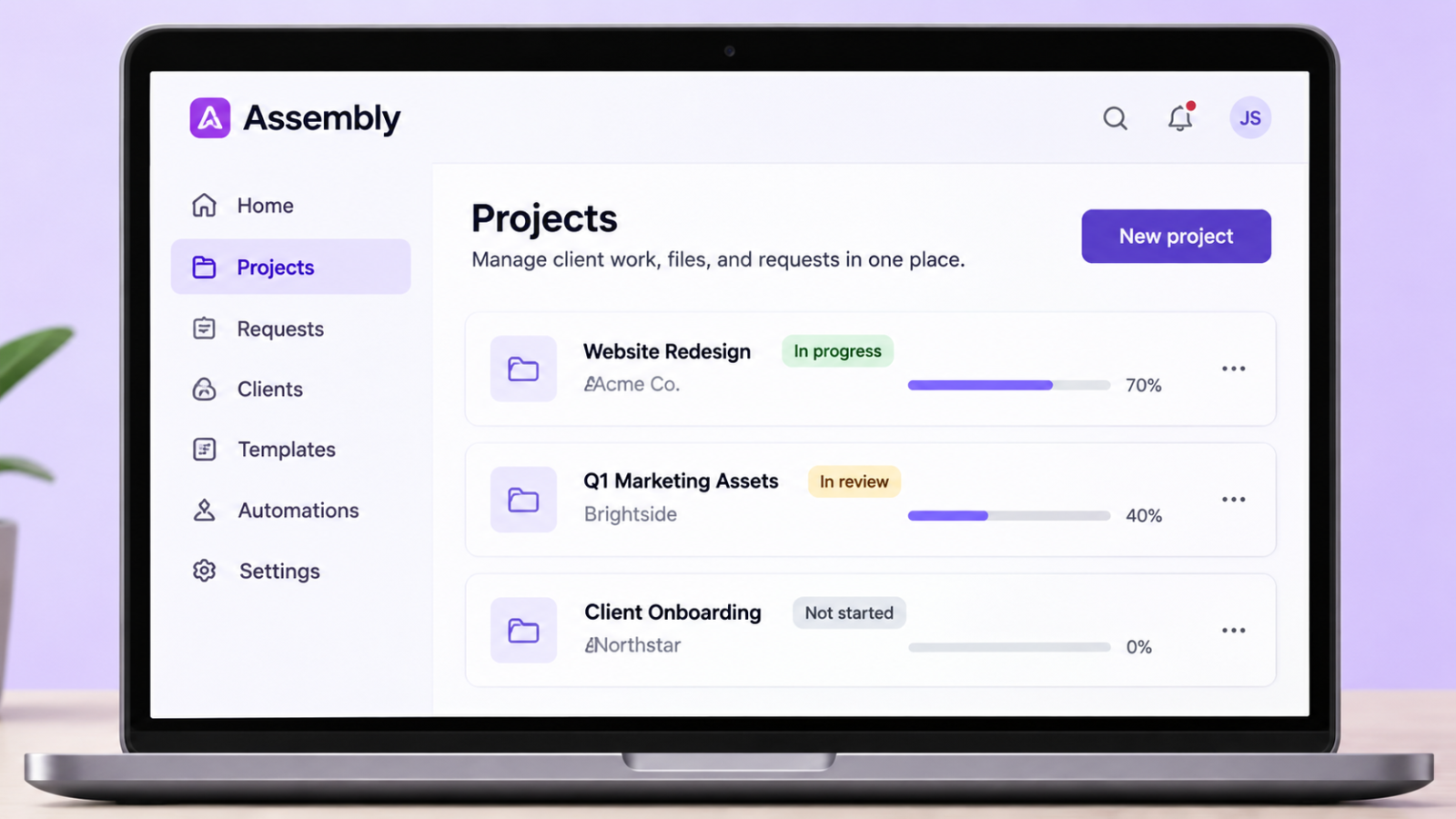
Assembly Review (Formerly Copilot): Features, Pricing, Pros and Cons
Affiliate Disclosure: We review products independently. When you buy through our links, we may earn a commission or a compound recurring commission at zero extra cost to you. Read our editorial policy.
BRAND UPDATE: Copilot rebranded as Assembly on September 30, 2025. The platform now operates at assembly.com. This review covers the client portal platform formerly known as Copilot. Assembly has continued to evolve since the rebrand, so older Copilot-era feature descriptions and pricing should not be assumed to reflect its current plans. The /copilot-review/ URL is retained for readers searching for the former product name.
Updated: November 2026. Plan information and feature availability checked against Assembly’s current pricing page. Prices and plan limits can change; confirm the latest details on Assembly’s official website before subscribing.
Assembly (Copilot) at a Glance
| Category | Detail |
|---|---|
| Current brand | Assembly (formerly Copilot; previously Portal) |
| Website | assembly.com |
| Free plan | Available, with 5 active contacts and 1 internal user |
| Starter plan | $29/month when billed annually |
| Professional plan | $99/month when billed annually |
| Advanced plan | $499/month when billed annually |
| Enterprise plan | Custom pricing |
| Active contacts | 5 on Free, 50 on Starter, 500 on Professional, unlimited on Advanced |
| Internal users | 1 on Free and Starter, 3 on Professional, 5 on Advanced |
| White-label branding | Assembly badge removal is included in Professional and higher plans |
| Custom domain | Available on Professional and higher plans |
| Automation builder | Available on Professional and higher plans |
| API access | Available on Professional and higher plans |
| MCP connector | Available on Starter and higher plans |
| HIPAA compliance | Available on Advanced and Enterprise, with a Business Associate Agreement (BAA) |
| Audit log | Available on Advanced and Enterprise |
| App builder | Included, with monthly build-credit limits depending on plan |
Prices shown are annual-billing rates. Check Assembly’s official pricing page for current monthly billing rates and plan conditions.
What Assembly (Copilot) Actually Does
Assembly is designed to bring client-facing interactions and business workflows into a single branded digital environment. Instead of managing client communication through email threads, sharing files through separate cloud-storage links, sending contracts through another service and handling billing through disconnected tools, agencies can bring many of these interactions together in one client-facing workspace.
Clients can access a dedicated portal where they interact with the business, view relevant information and manage different aspects of their engagement. The agency controls the client-facing experience and can use branding and domain options available under its chosen plan.
The appeal is straightforward: fewer disconnected touchpoints, a more consistent client experience and a central place for managing ongoing relationships.
For agencies that handle multiple clients simultaneously, this can make routine interactions easier to organize. It can also give clients a more structured way to access information rather than relying entirely on email conversations and scattered links.
What it is not: Assembly should not automatically be treated as a complete project management replacement. Businesses with complex delivery workflows, dependencies, resource planning or detailed project timelines should assess whether its available tools meet those requirements. Some may still prefer to use a dedicated project management platform alongside Assembly.
The Three-Name Problem: Portal → Copilot → Assembly
The platform has operated under three names: Portal, Copilot and Assembly.
The company rebranded from Copilot to Assembly on September 30, 2025. The change included moving the internal dashboard to dashboard.assembly.com, while existing client portal custom domains and legacy copilot.app portal addresses continued to work at the time of the announcement.
Older reviews, agency discussions and online directories may therefore refer to the same platform by any of its three names.
They are references to the same product lineage, rather than three unrelated client portal platforms.
The distinction matters because the name Copilot is also associated with other technology products, including Microsoft’s Copilot. If you are researching the former client portal product, make sure you are looking at Assembly’s official website and documentation.
If you’re searching for a Copilot review or a Portal client portal review and arrive at Assembly’s website, you’re looking at the platform covered in this article.
Core Features: What Works and What to Evaluate
Client Portal and White-Label Branding
A branded client portal is central to Assembly’s proposition. Rather than directing clients to multiple disconnected services, agencies can provide a more unified digital experience.
Branding and domain options allow businesses to present a client-facing environment that is more consistent with their own identity. This is particularly relevant for agencies and professional service businesses that want their client interactions to feel like an extension of their own service.
White-label availability: Assembly’s current pricing page lists removal of the Assembly badge as a Professional-plan feature. Professional also includes custom domains and other capabilities intended for businesses that need a more branded client experience.
Agencies should therefore compare Professional and Advanced based on their client volume, team size and security requirements—not assume that badge removal requires the Advanced plan.
Messaging and Client Communication
Centralizing client communication can reduce the dependence on long email threads and scattered conversations.
Assembly’s client portal proposition is intended to make interactions easier to organize around individual client relationships. This can be useful when multiple team members are involved in servicing an account or when an agency needs a more consistent way to manage ongoing communication.
Before adopting the platform, agencies should test the messaging experience with their own workflows. Consider how notifications work, how conversations are organized and whether the system provides the level of visibility and access control your team requires.
Contracts and eSignatures
Contracts and document workflows are important parts of the client onboarding process for many agencies.
Assembly’s platform has been positioned around bringing client-facing business interactions together, including document-related workflows. For businesses that currently use separate services for contracts and approvals, consolidating these processes may reduce administrative overhead.
However, the exact signing capabilities, document requirements and availability under individual plans should be checked against current product documentation before replacing an existing e-signature provider.
For businesses handling legally significant agreements, it is also worth reviewing the audit trail, document retention and compliance requirements before making a decision.
Invoicing and Payments
Billing is another important consideration when evaluating a client portal.
Assembly’s platform is intended to bring business and client interactions into a more connected environment. For agencies, the ability to manage billing-related interactions alongside client relationships can make the overall experience more convenient.
The original Copilot platform was associated with Stripe-based payment workflows. Businesses considering Assembly for invoicing, subscriptions or recurring payments should confirm the current payment features, supported billing models, transaction costs and integration requirements.
Also check whether the payment experience meets your accounting and reconciliation needs. If your business relies on a specific accounting platform, test the integration before migrating your billing workflow.
Automation Engine
Assembly’s current pricing page lists its automation builder under the Professional plan and above.
It is important to distinguish between automation capabilities and build credits. Build credits are used when creating or editing apps through Assembly’s app builder; they are not a monthly allowance for running client workflows.
For agencies, the value of automation depends on whether the platform can support the processes they actually need. Examples might include organizing client onboarding, assigning tasks, collecting information or connecting different parts of a client workflow.
For more complex processes, evaluate how Assembly’s available automation and integration options work with external systems. Test workflows involving multiple conditions, approvals or third-party applications rather than assuming that every process can be automated natively.
Assembly also offers API access and integrations that can extend how the platform connects with other tools.
CRM and Client Management
Client management is an important part of the Assembly proposition.
For smaller agencies, having client information and related interactions in one environment can make everyday account management more convenient. It may also reduce the need to move between multiple applications to understand the status of a client relationship.
However, businesses should distinguish between client management and a full-scale sales CRM.
If your team depends on advanced lead management, structured sales pipelines, deal forecasting, territory management or complex reporting, compare Assembly’s capabilities with dedicated CRM platforms such as Salesforce, HubSpot or Pipedrive.
The right choice depends on whether your priority is managing existing client relationships or managing a more sophisticated sales operation.
Assembly Review: Pricing Breakdown
Assembly offers multiple plans designed for businesses at different stages. The main differences relate to active contacts, internal users, branding, integrations and administrative capabilities.
Assembly Pricing Comparison
| Feature | Free | Starter | Professional | Advanced |
|---|---|---|---|---|
| Price (annual billing) | $0 | $29/month | $99/month | $499/month |
| Active contacts | 5 | 50 | 500 | Unlimited |
| Internal users | 1 | 1 | 3 | 5 |
| Custom domain | No | No | Yes | Yes |
| Assembly badge removal | No | No | Yes | Yes |
| API access | No | No | Yes | Yes |
| MCP connector | No | Yes | Yes | Yes |
| Automation builder | No | No | Yes | Yes |
| Audit log | No | No | No | Yes |
| Client access permissions | No | No | No | Yes |
| HIPAA compliance with BAA | No | No | No | Yes |
This is a simplified comparison of selected plan features. Enterprise is available with custom pricing. Refer to Assembly’s official pricing page for the complete feature list and current terms.
The Real Cost for a Five-Person Agency
A five-person agency should look beyond the advertised starting price.
The Professional plan includes three internal users and allows up to 500 active contacts. An agency with five team members needs to assess the cost of adding users or compare the Advanced plan, which includes five internal users and unlimited active contacts.
Professional may be suitable for agencies that need a branded client portal, custom domain and API access without requiring the additional administrative and security features of Advanced.
Advanced is more relevant for businesses that need unlimited active contacts, higher internal-user capacity, audit logs, client access permissions, enforced MFA or HIPAA compliance with a BAA.
The right choice depends on the agency’s size, client volume, security requirements and expected growth.
Annual Billing and Plan Selection
Assembly offers annual billing, with the advertised annual-billing prices lower than the corresponding monthly rates.
Before signing up, compare both billing options and consider the length of commitment. This is particularly important if your agency is still testing whether a centralized client portal will become a core part of its operations.
Also review the limits on active contacts, internal users and build credits. A plan that appears inexpensive at the beginning may not remain the most economical option as your team and client base grow.
Key buying consideration: Do not choose a plan based only on its headline price. Map your actual requirements—client volume, team size, branding, integrations and security—to the plan features before committing.
The Mobile Experience: What Agencies Should Check
Mobile access is an important consideration for any client-facing platform.
Agencies should evaluate how the Assembly client experience works on smartphones and tablets, particularly if their clients regularly access files, messages, documents or billing information while away from their desks.
A mobile-responsive web experience may be sufficient for many business-to-business agencies. However, businesses serving consumers or clients who expect a dedicated mobile application may have different requirements.
During the evaluation, test the client experience on both desktop and mobile devices. Check navigation, notifications, file access, form completion and the overall ease of use.
Do not assume that a mobile-friendly website and a native mobile application provide the same experience. If a dedicated iOS or Android app is essential to your business, confirm its current availability and functionality directly with Assembly.
Setup Reality: Time to First Live Client Portal
The time required to launch an Assembly portal will depend on how much customization your agency needs.
A straightforward setup may involve creating an account, adding branding, configuring the client experience, setting up a domain and testing the main client workflows.
A more involved implementation may require additional time for integrations, document templates, billing configuration, automation and team onboarding.
A practical setup sequence could look like this:
- Account creation and initial configuration: Set up the workspace, review the available settings and configure the basic business profile.
- Branding: Add the appropriate logo, colors and other available brand elements.
- Domain configuration: Set up a custom domain if your selected plan supports it. This may require access to your domain’s DNS settings.
- Client workflow setup: Configure the information, forms and interactions that clients will use.
- Documents and billing: Review the document and payment workflows relevant to your agency.
- Integrations and automation: Connect the tools your team uses and configure the workflows supported by your selected plan.
- Testing: Create a test client account and walk through the entire experience before inviting real clients.
For a basic implementation, the initial configuration may be relatively quick. However, agencies should not treat a two-hour setup estimate as a guarantee. The actual time will depend on the complexity of their branding, integrations, documents and client workflows.
Test all important processes with a dummy client before going live. This helps identify configuration issues before they affect actual client relationships.
Copilot Review Verdict: Buy or Skip Assembly?
| Buy Assembly if… | Consider Alternatives if… |
|---|---|
| You want to bring client-facing interactions into a more unified environment | Your team needs a dedicated project management platform with advanced planning features |
| You want a branded client portal for your agency | Your workflows depend on highly specialized automation logic |
| You want to reduce the number of disconnected client-facing tools | Your business requires a dedicated CRM with advanced sales pipeline management |
| You need a platform that can grow with your agency | You need a specific native mobile application experience that Assembly does not currently provide |
| You want to explore the platform before upgrading | Your accounting or payment workflow depends on an integration you have not yet tested |
| You need custom domains and badge removal under the Professional plan | Your business needs unlimited active contacts but cannot justify the Advanced plan |
| You need additional administrative and security capabilities | Your team needs extensive customization beyond the platform’s available capabilities |
Data Portability: What to Check Before You Leave
Data portability is an important consideration when choosing any business platform.
Before moving client operations into Assembly, agencies should understand how their information can be exported and what may need to be recreated if they eventually migrate to another service.
Review the export options for:
- Client records: Check whether client and company information can be exported in a usable format.
- Files: Confirm how documents and uploaded files can be downloaded or transferred.
- Invoice and payment history: Understand which records are available through Assembly and which are maintained by the payment provider.
- Contracts and signed documents: Confirm how completed documents and associated records can be retrieved.
- Portal configurations: Check whether branding, workflows, automation settings and app configurations can be exported or would need to be rebuilt.
Client Migration Considerations
Moving from one client portal to another is not simply a matter of transferring files.
Clients may need new invitations, login details and instructions for accessing the replacement platform. Your team may also need to recreate workflows, update links and communicate the change to existing customers.
For agencies managing dozens or hundreds of active client relationships, this can involve a meaningful amount of operational work.
Before committing to any client portal, review its export capabilities and understand what your agency would need to do if it decided to switch platforms later.
TSA Final Verdict: Is Assembly Worth It?
Assembly, formerly known as Copilot, is worth evaluating if your agency wants to bring more of its client-facing operations into a unified digital environment.
Its appeal lies in the opportunity to organize client interactions, branding and business workflows within a platform designed around the agency-client relationship. For smaller agencies and professional service businesses, that proposition can be attractive, particularly when existing processes are spread across several disconnected tools.
The current plan structure gives businesses a free entry point, followed by paid tiers that expand client capacity, team access, branding and administrative capabilities.
One important consideration is choosing the right plan. Professional includes custom domains and removal of the Assembly badge, while Advanced adds unlimited active contacts, more internal users, audit logs, client access permissions, enforced MFA and HIPAA compliance with a BAA. Agencies should compare these requirements against their expected client volume and team size before committing.
Assembly may not be the right fit for every business. Teams that depend on sophisticated project management, specialized CRM functionality or complex integrations should evaluate whether the platform meets those requirements. Businesses with critical accounting, payment or document workflows should test the relevant integrations and features before moving their operations.
Our recommendation is to start by identifying the client interactions you want to consolidate. Then use Assembly’s free plan to explore the platform and assess whether its workflow, user experience and available features fit your agency’s needs. Upgrade only after you understand the plan limits and the capabilities required for your business.
Pricing URL: https://assembly.com/pricing
Assembly is the current brand of the client portal platform formerly known as Copilot. Use the official Assembly website for current product information, plan features and pricing.
Frequently Asked Questions
1. What happened to Copilot.com?
The client portal platform formerly known as Copilot rebranded as Assembly in September 2025. It now operates at assembly.com.
2. Is Assembly the same product as Copilot?
Assembly is the current brand of the client portal platform previously known as Copilot and, before that, Portal. Older reviews and references may use any of these names.
3. How much does Assembly cost?
Assembly offers a Free plan, followed by Starter, Professional and Advanced plans. The advertised annual-billing prices are $29/month for Starter, $99/month for Professional and $499/month for Advanced. Enterprise pricing is custom. Check the official pricing page for current monthly rates and plan details.
4. Does Assembly offer a free plan?
Yes. Assembly currently lists a free plan with limits on active contacts and internal users. It can be used to explore the platform before moving to a paid subscription.
5. Which Assembly plan includes white-label branding?
Assembly’s current pricing page lists removal of the Assembly badge under the Professional plan and above. Professional also includes custom domain capabilities.
6. Is Assembly a project management tool?
Assembly is primarily positioned around client portals and client-facing business workflows. Businesses requiring advanced project planning, task dependencies or resource management should compare its capabilities with dedicated project management platforms.
7. Is Assembly suitable for small agencies?
It may be suitable for small agencies that want to organize client interactions and provide a more unified branded experience. The free and lower-cost plans provide an entry point, while agencies should assess contact and user limits before choosing a subscription.
8. Does Assembly integrate with other business tools?
Assembly offers integration options and API access on eligible plans. Check its current documentation for the specific integrations your business needs, and test critical workflows before migrating existing processes.
9. Is Assembly worth it?
Assembly is worth evaluating for agencies and professional service businesses that want a centralized client-facing platform. Whether it is worth the subscription depends on your client volume, team size, branding needs, integrations and the extent to which it can replace your existing tools.