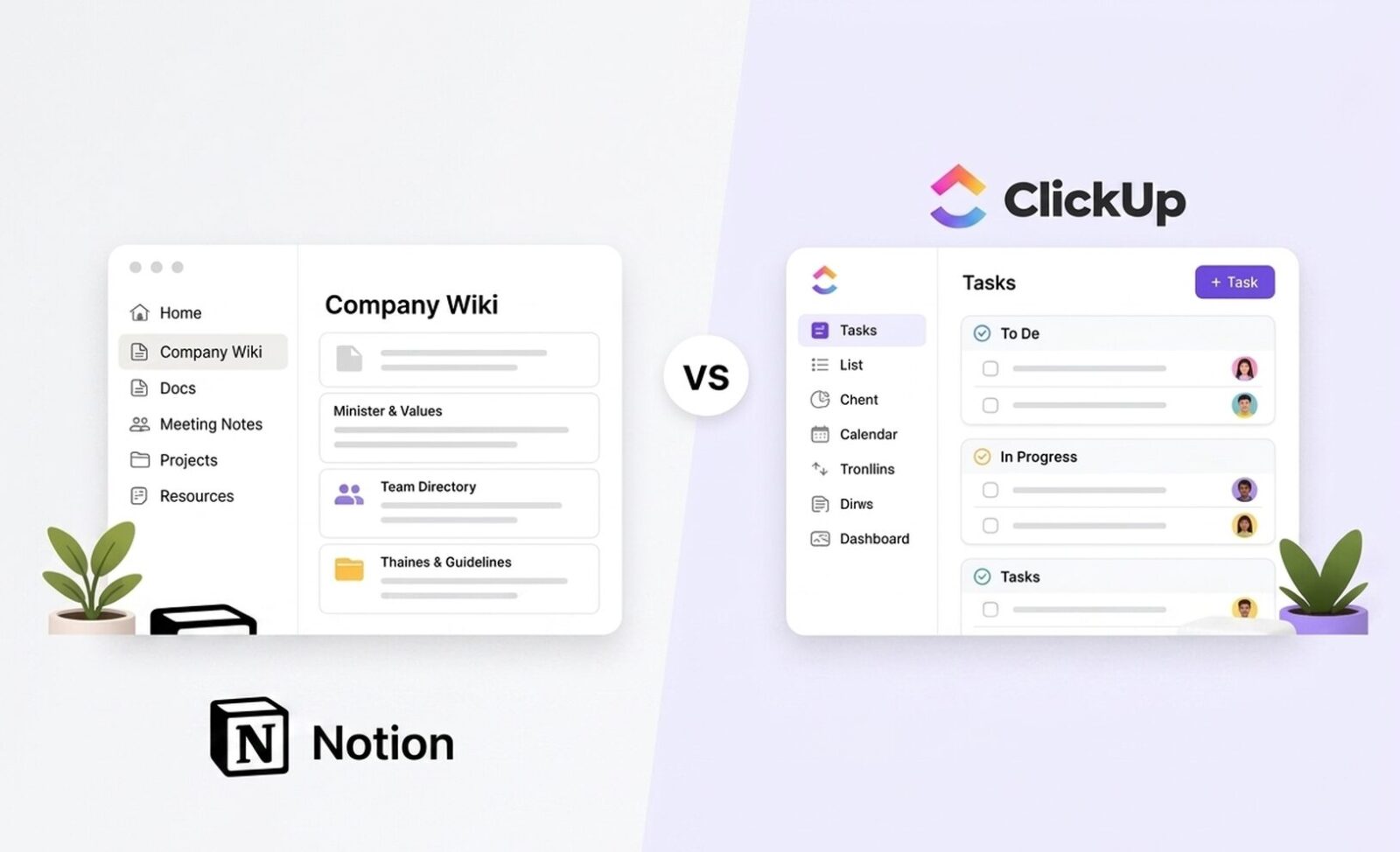
Notion vs ClickUp: Single Source of Truth Wiki vs Pure Task Architecture
Affiliate Disclosure: We review products independently. When you buy through our links, we may earn a commission or a compound recurring commission at zero extra cost to you. Read our editorial policy.
Updated: June 2026. All pricing verified against notion.com/pricing and clickup.com/pricing on June 15, 2026.
Quick Verdict: Notion vs ClickUp for B2B Service Agencies
| Notion Plus | ClickUp Business | |
| Price (annual, per user) | $10/user/mo | $12/user/mo |
| 10-user annual cost | $1,200/yr | $1,440/yr |
| AI included in plan | ✗ Requires Business ($20/user) | ✗ Add-on $9/user/mo |
| Native time tracking | ✗ None | ✓ Business plan |
| Gantt charts | Timeline/project views available; less specialized than ClickUp’s project-management tooling | ✓ Unlimited plan+ |
| Automation actions/mo | Basic if-then triggers | 5,000 (Business) |
| Wiki / knowledge base | ✓ Best-in-class | ✗ Docs only (limited depth) |
| Workload management | Can be modelled through databases; no equivalent dedicated workload tool | ✓ Dedicated workload/resource management |
| Database row performance | Performance varies with database size and complexity | Handles large datasets |
| Guest access | Unlimited (all paid plans) | 5 free, then per-formula |
TSA Verdict: Notion vs ClickUp is not a fair fight on a single axis — these tools are built for different primary use cases. Notion wins as the knowledge layer: SOPs, client wikis, onboarding docs, and internal reference libraries. ClickUp wins as the execution layer: task assignment, deadline tracking, time logging, workload management, and client delivery reporting. The real Notion vs ClickUp question for agency ops leaders is whether you need one platform or two.
Notion vs ClickUp for B2B service agencies is a comparison that produces the wrong answer when framed as a binary choice. Notion is a wiki that learned to track tasks. ClickUp is a task manager that learned to hold documents. Both make that claim in reverse, and both are partly right. The mistake agencies make is choosing one to replace the other, then discovering six months later that the knowledge base in ClickUp is a mess, or the task tracking in Notion is too manual for a team of ten.
AI pricing has become a more complicated part of the Notion vs ClickUp comparison. Notion’s Business plan includes its core AI workspace capabilities, while some advanced AI functionality, including Custom Agents, uses additional Notion credits. ClickUp has also expanded its AI offering beyond the earlier standalone add-on model.
Because AI packaging and usage costs can change independently of core workspace pricing, teams comparing the two platforms should evaluate AI requirements separately from the base subscription cost rather than assuming a fixed per-seat AI surcharge.
For operational ecosystems that tightly merge project delivery templates with deep text knowledge bases, evaluating monday.com vs ClickUp vs Notion exposes the structural limitations of each workspace layout. Also check out our full Notion vs Asana comparison
Pricing at Three Agency Team Scales
| Team Scale | Notion (annual) | ClickUp (annual) |
| 5-person team — Plus / Unlimited | $600/yr ($10 × 5 × 12) | $420/yr ($7 × 5 × 12) |
| 10-person team — Plus / Business | $1,200/yr | $1,440/yr |
| 10-person + AI (Business / Brain) | $2,400/yr ($20/user) | $2,520/yr ($12 + $9/user) |
| 20-person team — Plus / Business | $2,400/yr | $2,880/yr |
| 20-person + AI | $4,800/yr | $5,040/yr |
The sticker price gap favors ClickUp at small team sizes — $7/user vs $10/user for the entry paid tier. That gap narrows at the Business plan ($12 vs $10) and inverts the moment AI enters the equation.
The Notion AI Paywall: The Biggest 2026 Cost Shift
Notion’s May 2025 AI restructure is the most consequential pricing change in this comparison. The $8/user/month AI add-on is gone. Free and Plus users receive a one-time 20-response AI trial — not monthly, lifetime. After that, Notion AI is inaccessible below the Business plan at $20/user/month.
A 10-person agency team that was on Notion Plus + AI at $18/user/month now pays $20/user/month on Business — a $2/user increase but with mandatory SAML SSO, private teamspaces, and 90-day version history bundled in. For agencies that needed those security features anyway, Business is a reasonable consolidation. For agencies that just wanted AI writing assistance on a tight budget, the jump from $10 to $20/user/month is a 100% cost increase for the same AI access.
While standard baseline seat pricing appears straightforward, accounting for ClickUp hidden multiplier fees regarding internal data automation limits prevents unexpected billing spikes.
ClickUp Brain: The Hidden Bill That Doubles Sticker Price
ClickUp’s base plans look cheap: $7/user Unlimited, $12/user Business. The AI add-on structure inverts that framing. ClickUp Brain runs $9/user/month stacked on top of the plan. A 10-person team on ClickUp Business + Brain AI pays $210/month ($12 + $9 per user) — not the $120/month the Business plan headline suggests. Everything AI at $28/user/month adds Super Agents and AI automations, pushing per-user costs to $40/month for teams that need autonomous AI task processing.
Notion’s AI pricing, while more expensive as a base plan, is at least predictable — one line item. ClickUp Brain adds a variable element: Super Credits for heavier AI features (approximately $0.001 each, or $10 per 10,000) that make the AI bill non-linear at higher usage.
| ⚠ TSA SCAR — ClickUp Brain Credit Depletion on Agency Teams Verified failure pattern from implementation data, June 2026. ClickUp Brain AI at $9/user/month includes standard AI assistant features, but heavier features — Super Agents, AI automations, image generation — draw from a shared pool of AI Super Credits. Teams using ClickUp’s autonomous AI features at scale have documented credit depletion within 10–14 days of a billing cycle on the standard Brain tier. When Super Credits run out, autonomous AI features stop executing until the next billing cycle or a credit top-up purchase. A 10-person agency team using AI automations across 20+ active projects is at realistic risk of mid-cycle depletion. Budget Super Credits separately from the Brain subscription cost before committing to AI-heavy ClickUp workflows. |
Do check out our detailed blueprint on Best ClickUp alternatives.
Wiki and Knowledge Management: Where Notion vs ClickUp Is Not Close
This is the clearest axis in the Notion vs ClickUp comparison. Notion’s block-based wiki architecture is purpose-built for the way knowledge actually works: nested, cross-referenced, layered. Every page is a canvas of blocks — text, headings, databases, toggles, embeds, linked views, callout boxes. A 10-person agency can build a top-level SOP library with a page per service line, nested sub-pages per process, embedded client databases, and toggle sections for edge cases — and a new hire can navigate the whole structure in an afternoon.
ClickUp Docs can support SOPs, project documentation and internal knowledge alongside active work. Notion, however, remains the stronger knowledge-management environment in our assessment because documentation and flexible information architecture sit closer to the core of the product experience.
For agencies building extensive SOP libraries, interconnected knowledge bases and client documentation, Notion’s page-and-database model provides greater flexibility. ClickUp’s advantage is keeping documentation closer to the tasks and projects where execution happens.
Notion Database Performance at Scale: The Failure Wall
Notion’s wiki strength has a documented limit. Databases exceeding 10,000 rows — common for agencies managing large client contact lists, content calendars, or project archives — degrade in performance. Queries slow, filtering lags, and inline database views on pages with multiple embedded databases become visibly sluggish. This is a known Notion community issue with references going back to 2022 and still active in 2025 Reddit threads.
| ⚠ TSA SCAR — Notion Database Degradation Above 10,000 Rows Notion workspace performance degrades measurably when individual databases exceed 10,000 rows. Agencies running large client contact databases, full-archive content calendars, or multi-year project logs inside a single Notion database have documented filter lag, slow page loads on views with multiple inline databases, and sluggish search results. This is an architectural constraint, not a plan-tier issue — it affects Business and Enterprise users equally. ClickUp handles significantly larger datasets without the same performance degradation. Agencies planning to centralize more than 10,000 records in a single Notion database should evaluate ClickUp or Airtable as the data layer before committing to Notion’s architecture. |
Task and Project Management: Where ClickUp vs Notion Is Not Close
ClickUp’s task architecture is deeper than Notion’s on every operational dimension that matters to a client-delivery agency. Custom task statuses, native Gantt charts, time tracking, workload views, sprint reporting, dependency chains — all of these exist in ClickUp at the Business plan level. Notion can approximate some of these with database properties and views. The approximation shows.
Time Tracking
ClickUp Business includes native time tracking. Log hours against tasks directly, run timesheet reports by team member or project, and see billable vs non-billable time splits. For agencies doing utilization analysis or client billing reconciliation, this is infrastructure, not a nice-to-have.
Notion has no native time tracking on any plan. Agencies track time in Notion by creating a duration property in a database and entering hours manually — or they connect Toggl or Harvest via Zapier. Both workarounds work. Neither is native. The manual approach introduces human error at exactly the point where accuracy matters most: billing.
Automation Depth
ClickUp Business ships 5,000 automation actions per month. Status changes trigger notifications. Task completion moves items to new lists. Recurring tasks reset on schedule. Dependencies block downstream tasks until prerequisites clear. For agencies running repeatable processes — onboarding checklists, campaign execution templates, QA workflows — ClickUp’s automation removes manual coordination overhead.
Notion’s automation engine is basic by direct comparison. Database property changes can trigger notifications and limited actions. Most serious Notion automation workflows require Zapier, Make, or n8n sitting in the middle — adding cost and a dependency layer that ClickUp’s built-in automation eliminates. This is a documented Notion community frustration with reported examples going back to 2022 and still flagged in 2025 reviews.
Workload and Capacity Management
ClickUp Business includes workload view — a visual display of team member task load against defined working hours. Spot overallocation at a glance, redistribute tasks from overloaded members to available ones. For a 10-person agency running 15 active client projects simultaneously, this view replaces a weekly capacity planning spreadsheet.
Notion has no workload view on any plan. Capacity management in Notion is a custom database property showing assigned tasks per person — functional, but manual. Ops leaders cannot see overallocation at a glance without building a reporting layer that requires ongoing maintenance.
Notion vs ClickUp: Agency Use Case Feature Matrix
| Feature | Notion Plus / Business | ClickUp Unlimited / Business |
| Internal SOP / process wiki | ✓ Best-in-class block editor | ✗ Basic Docs only |
| Nested page hierarchy | ✓ Unlimited depth | ✗ Limited nesting in Docs |
| Client knowledge base | ✓ Linked database views | ✗ Not purpose-built |
| Native time tracking | ✗ None | ✓ Business plan |
| Gantt / timeline view | ✗ None | ✓ Unlimited plan+ |
| Workload management | ✗ None | ✓ Business plan |
| Automation depth | Basic triggers only | 5,000 actions/mo (Business) |
| Sprint management | ✗ None | ✓ Business plan |
| Custom task statuses | Database select property | ✓ Per-list custom statuses |
| Database performance | Performance varies with database size and complexity | Handles larger datasets |
| Guest access | Unlimited (paid plans) | 5 free, then per-formula |
| Full AI (bundled) | Business only ($20/user) | AI capabilities available; advanced usage may affect cost |
| Offline access | Available on desktop/mobile apps, with some limitations | Available features vary by app/workflow |
The Real Notion vs ClickUp Question: One Platform or Two?
Most agencies running Notion vs ClickUp evaluations are asking the wrong question. The right question is: what is your primary operational bottleneck?
If the answer is “we can’t find anything — no one knows how we do things, onboarding takes three weeks, and tribal knowledge walks out the door when someone quits” — that is a Notion problem to solve. The wiki is the fix. ClickUp’s Docs won’t build a knowledge base that functions as a genuine single source of truth.
If the answer is “projects are late, we don’t know who’s overloaded, client delivery is inconsistent, and we’re tracking everything in a spreadsheet” — that is a ClickUp problem to solve. Notion databases can approximate task management but lack the execution depth that makes ClickUp functional for multi-project agency delivery at scale.
For agencies where knowledge management and delivery execution are both major operational priorities, using the two platforms together can be a practical option: Notion as the knowledge layer and ClickUp as the execution layer.
The trade-off is additional subscription cost and integration overhead, but the combination avoids forcing either platform to cover a use case where the other is stronger.
Data Portability and Lock-In
Both platforms provide options for exporting core content, but moving a mature workspace involves more than transferring raw data.
Notion can export workspace content in formats including HTML, Markdown and CSV, but relationships between databases, permissions and workspace structure may require reconstruction when moving to another platform.
ClickUp also provides export options for tasks, Docs and other workspace data, but custom statuses, automations, dashboards and workspace configurations may require rebuilding in the destination platform.
TSA Recommendation: Treat migration complexity as a function of workspace customization rather than team size alone. The more heavily either platform is configured around your operating processes, the greater the likely migration effort.
Buy / Skip Decision Matrix
| Use Case / Team Profile | Platform Verdict |
| Building internal SOPs and a team process wiki | Buy Notion |
| Client onboarding documentation and reference library | Buy Notion |
| Agency with high team turnover needing knowledge transfer | Buy Notion |
| 5-person team on tight budget needing wiki only | Notion Plus — $600/yr |
| Managing 10+ active client projects with deadlines | Buy ClickUp Business |
| Need native time tracking for billing or utilization | Buy ClickUp Business |
| Workload visibility across a 10+ person delivery team | Buy ClickUp Business |
| Running repeatable delivery workflows with automation | Buy ClickUp Business |
| Full AI needed on a per-seat budget | ClickUp Brain ($9 add-on) vs Notion Business ($20 base) |
| Both knowledge management AND project execution needed | Run both — Notion wiki + ClickUp tasks |
| Notion for task management (10+ projects, team of 10+) | Skip — use ClickUp |
| ClickUp Docs as a primary knowledge base / wiki | Skip — use Notion |
While cross-platform setups centralize your higher-level engineering tasks, managing daily development requires granular control. You can implement these pre-configured ClickUp sprint project layouts to manage team delivery variables seamlessly.
FAQ
Is Notion or ClickUp cheaper for a 10-person agency team in 2026?
Notion Plus runs $1,200/year for 10 users. ClickUp Business runs $1,440/year. ClickUp Unlimited is cheaper at $840/year but lacks time tracking and workload management that most agency teams require. Add AI to either platform and the gap narrows to $120/year ($2,400 Notion Business vs $2,520 ClickUp Business + Brain). The sticker price comparison is misleading — evaluate total cost including the AI tier each team actually needs.
Can Notion replace ClickUp for project management in a client-delivery agency?
For lightweight project tracking with fewer than 10 active concurrent projects and a small team, yes. For agencies managing 15+ concurrent client engagements, tracking billable time, running delivery automation, and needing workload visibility, no. Notion’s database-based task management lacks native Gantt charts, native time tracking, workload views, and automation depth at scale. These aren’t tier-gating issues — they are architectural gaps.
What happened to Notion AI pricing in 2025–2026?
Notion eliminated the $8/user/month AI add-on in May 2025. Full Notion AI — including AI Agents, Ask Notion (Enterprise Search), and Custom Agents launched February 2026 — now requires the Business plan at $20/user/month. Free and Plus users receive a one-time 20-response AI trial that does not reset. New subscribers cannot purchase AI access below the Business tier.
Does ClickUp include AI in its base plans?
No. ClickUp Brain is a separate add-on at $9/user/month (standard AI assistant, writing, and search) or $28/user/month for Everything AI with Super Agents. Neither is included in the base Unlimited or Business plans. A 10-person team on ClickUp Business with standard Brain AI pays $210/month — not $120/month. Super Agents draw from AI Super Credits (~$0.001 each) that deplete separately from the subscription fee.
Which platform handles large databases better — Notion or ClickUp?
ClickUp. Notion database performance degrades measurably above 10,000 rows — a documented architectural constraint affecting Business and Enterprise users equally since at least 2022. Large or complex Notion databases can require more careful optimization as they grow. Notion notes that database size, visible properties, complex formulas and rollups, and certain filters and sorts can affect load times.
The practical performance threshold will therefore depend on how the database is structured rather than a specific row count.
Is running both Notion and ClickUp together worth the cost?
For agencies where both knowledge management and delivery execution are operational priorities, yes. Notion Plus at $10/user/month handles the wiki. ClickUp Business at $12/user/month handles project delivery. Combined cost: $22/user/month — comparable to Notion Business alone, and operationally more capable for agency use cases that need genuine depth on both axes. The integration overhead (Notion pages linked in ClickUp task descriptions, not a native two-way sync) is manageable.
In case you want to pitch these two against Monday.com, here is our detailed comparison of Notion, ClickUp and Monday.com.
