The Best CRM for Independent Trucking Companies
Affiliate Disclosure: We review products independently. When you buy through our links, we may earn a commission or a compound recurring commission at zero extra cost to you. Read our editorial policy.
You’re running loads, chasing brokers, and tracking drivers across three states. A spreadsheet isn’t a system — it’s a liability. The right CRM turns your dispatch operation into a repeatable, scalable machine. Here’s exactly which tool does that best. Let’s evaluate some of the Best CRM for Independent Trucking Companies.
| CRM / Award | Best For | Best Feature | US Entry Price |
🥇 MondayBest Overall Pick | Fleet Customization & Load Tracking | Visual load status boards with custom driver/trailer columns | $9 / seat / month |
🥈 HubSpotBest Budget Pick | Free Broker Pipelines & Lead Management | Auto-logged broker call & email history, zero manual entry | $0 — genuinely free tier |
🥉 Close CRMBest For Dispatch | Aggressive Cold Calling & Broker Outreach | Built-in power dialer + SMS sequences for mass broker outreach | $49 / month |
🚚 Deep Stack Breakdown: Tool-by-Tool Comparison
1. Monday.com: Best for Fleet Customization & Load Tracking
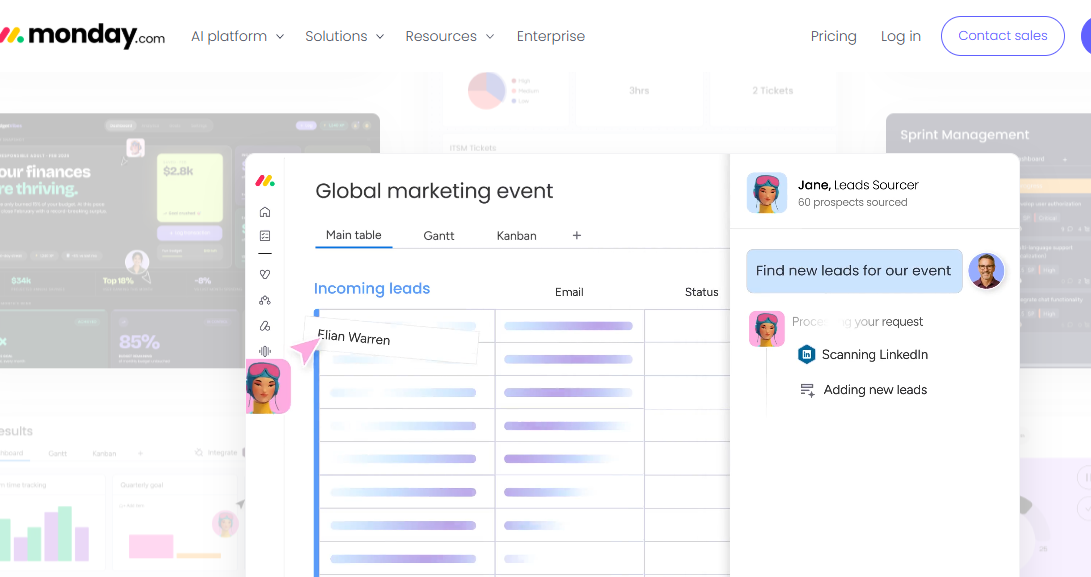
Monday.com is a blank operational canvas. For a trucking company, that’s a superpower — if you’re willing to build it right.
How a Load Actually Moves Through Monday
Set up a board called “Active Loads.” Each row is a single shipment. Your columns become your entire dispatch workflow:
- Status column → moves from Assigned → Picked Up → In Transit → Delivered → Invoiced
- Text columns → store the load number, broker name, origin/destination city pair
- Number columns → store the agreed rate, fuel surcharge, and detention charges
- People column → tags the assigned driver by name
- Custom ID column → stores your trailer number or unit number directly on the load row
Every dispatcher on your team sees the same board in real time. No more “which load is Jimmy on?” phone calls.
The Compliance Automation Nobody Talks About
This is where Monday genuinely separates itself for fleet operators. Build a second board: “Driver & Asset Compliance.” Use date columns to log:
- CDL expiration dates per driver
- DOT medical card renewal dates
- Annual truck inspection deadlines
- Insurance premium due dates
Then set Monday’s automation rule: “When a date is 30 days away, notify [operations manager] via email.” Your compliance calendar runs itself. You stop getting blindsided by an expired medical card that pulls a driver off a load.
The Operational Catch
Monday is a blank canvas — and that’s also its biggest problem out of the box. There is no pre-built trucking template that actually reflects how US carriers operate. You will spend 8 to 15 hours in the first two weeks building your boards, automations, and column structures from scratch. If nobody on your team has set up a workflow tool before, budget for that learning curve. The payoff is real, but the setup cost is real too.
Bottom line: Monday.com is ideal for owner-operators running 5 to 30 trucks who want one central system for loads, drivers, compliance, and billing — and have one person willing to own the build.
2. HubSpot CRM: Best for Scaling Broker Relations & Lead Management
HubSpot’s free tier is one of the most underutilized tools in independent trucking. Most carriers don’t realize it’s a fully functional broker relationship machine — at zero cost.
Auto-Logged Broker Communication History
Connect your Gmail or Outlook to HubSpot once. Every email you send to C.H. Robinson, Echo Global, or Coyote Logistics is automatically logged under that broker’s contact record. No manual entry. No “did we already follow up with them?” conversations.
Each broker contact card shows you:
- Every email sent and received, timestamped
- Every call logged (manually or via HubSpot’s calling tool)
- Notes from your last rate negotiation
- Which lanes you’ve quoted them before
When a new dispatcher joins your team, they open HubSpot and immediately see six months of broker relationship history. That context is worth more than any onboarding document.
Tracking High-Value Freight Lanes as Deals
Use HubSpot’s deal pipeline to treat each freight lane like a sales opportunity. Build a pipeline called “Lane Development”:
- Stage 1 — Lane Identified: Dallas → Chicago, target rate $3.20/mile
- Stage 2 — Broker Contacted: Sent capacity email to three brokers covering that lane
- Stage 3 — Rate Negotiating: Counter-offers in progress
- Stage 4 — Lane Active: Running loads consistently
- Stage 5 — Lane Locked: Preferred carrier agreement signed
This gives your dispatch team a living map of which lanes are producing revenue and which are still being developed. It transforms broker outreach from reactive to strategic.
The Operational Catch
HubSpot’s free tier is genuinely powerful — until your operation grows past it. The moment you need automated email sequences to re-engage cold broker contacts, or custom properties beyond basic fields, or goal-based reporting on lane revenue, you hit the paid tier wall. HubSpot’s Sales Hub Starter starts at $20/seat/month, but the features that actually matter for mid-size carriers jump to the Professional tier at $100/seat/month. That price increase is steep and often catches growing carriers off guard.
Bottom line: HubSpot Free is the smartest starting point for any carrier with under five trucks running fewer than 20 loads per week. Use it to build broker relationships and track lanes. Just know exactly where the pricing ceiling hits before you scale into it.
Pro Dispatch Tip: Choosing a CRM is only half the battle. To automatically push your incoming broker freight loads from your CRM into your dispatch boards without manual data entry, see our architectural breakdown of the Ultimate 2026 B2B Lead Routing Stack.
3. Close CRM: Best for High-Volume Dispatch & Phone Outreach
Close CRM was built for sales teams that live on the phone. For a solo dispatcher trying to book backhauls on short notice, it’s one of the most operationally powerful tools on this list.
The Power Dialer: 50 Broker Calls in 90 Minutes
Close’s built-in power dialer lets you load a list of broker contacts and dial them back-to-back automatically. When one call ends, the next one starts. No manual dialing. No tab-switching. No momentum loss.
Here’s a real dispatch scenario: Your truck just delivered in Atlanta. You need a backhaul to Nashville or Memphis by tomorrow morning. You have a list of 50 brokers with Southeast coverage. With Close’s power dialer, a solo dispatcher works through that entire list in under two hours. Compare that to manual dialing, which burns half a day.
SMS Sequences for Broker Outreach
Close also lets you build automated SMS sequences. Set up a three-message sequence for backhaul availability:
- Day 1 (immediate): “Hey [Name], we have a dry van available Atlanta area today. Can cover TN/KY/NC. Rate flexible. Are you moving anything?”
- Day 1 (3 hours later, if no reply): “Following up — truck’s still open. Happy to jump on a quick call.”
- Day 2 (morning): “Last check-in before we commit elsewhere. Any loads moving out of ATL?”
Close sends all three messages automatically across your entire broker list. You focus on responding to the ones who bite, not on manually sending texts.
The Operational Catch
Close CRM is a pure sales and outreach tool. It has no concept of a trailer number, a driver’s hours-of-service log, a CDL expiration date, or a load delivery status. You cannot use Close to track whether Load #4821 is in transit or to log that Truck #7 needs a DOT inspection in 30 days. If you need both broker outreach and fleet management in one system, Close requires pairing with a separate TMS or operations tool. That adds cost and complexity.
Bottom line: Close CRM is built for the dispatcher who spends 40% of their day on the phone chasing capacity and booking loads. It’s not a fleet management system. Use it as your outreach engine, not your operations hub.
⚖️ The Carrier’s Decision: Which Tool Wins Your Fleet?
There is no universally correct answer here. There is only the right tool for your specific operation size and daily priorities.
Choose Monday.com if: You’re running 5 to 30 trucks and need one system to manage loads, driver compliance, and asset tracking. You have the bandwidth to build your boards properly in the first two weeks. Your biggest daily pain point is visibility — knowing where every load and every driver stands at any moment. Monday becomes your dispatch war room.
Choose HubSpot CRM Free if: You’re a small carrier or independent dispatcher just starting to formalize broker relationships. Your budget is tight or zero. You’re running fewer than 20 loads per week and your primary need is tracking broker communication history and developing consistent freight lanes. HubSpot gives you enterprise-grade relationship management at no cost — use it aggressively before your operation outgrows it.
Choose Close CRM if: You are a solo dispatcher or a small brokerage-facing operation where booking loads is the primary bottleneck. You spend significant daily time on the phone and need a tool that eliminates manual dialing friction. Your fleet operations are already handled elsewhere — in a TMS, in Monday, or in a dedicated trucking platform. Close is your outreach weapon, not your operational system.
The hard truth for most independent carriers: A single tool rarely covers everything. The highest-performing small carriers in 2026 are running a two-tool stack — typically Monday.com for operations paired with either HubSpot or Close for broker development, depending on whether their bottleneck is relationship depth or outreach volume. Start with one, get fluent in it, then add the second only when you’ve maxed out what the first one can do.
Your spreadsheet had a good run. It’s done now.