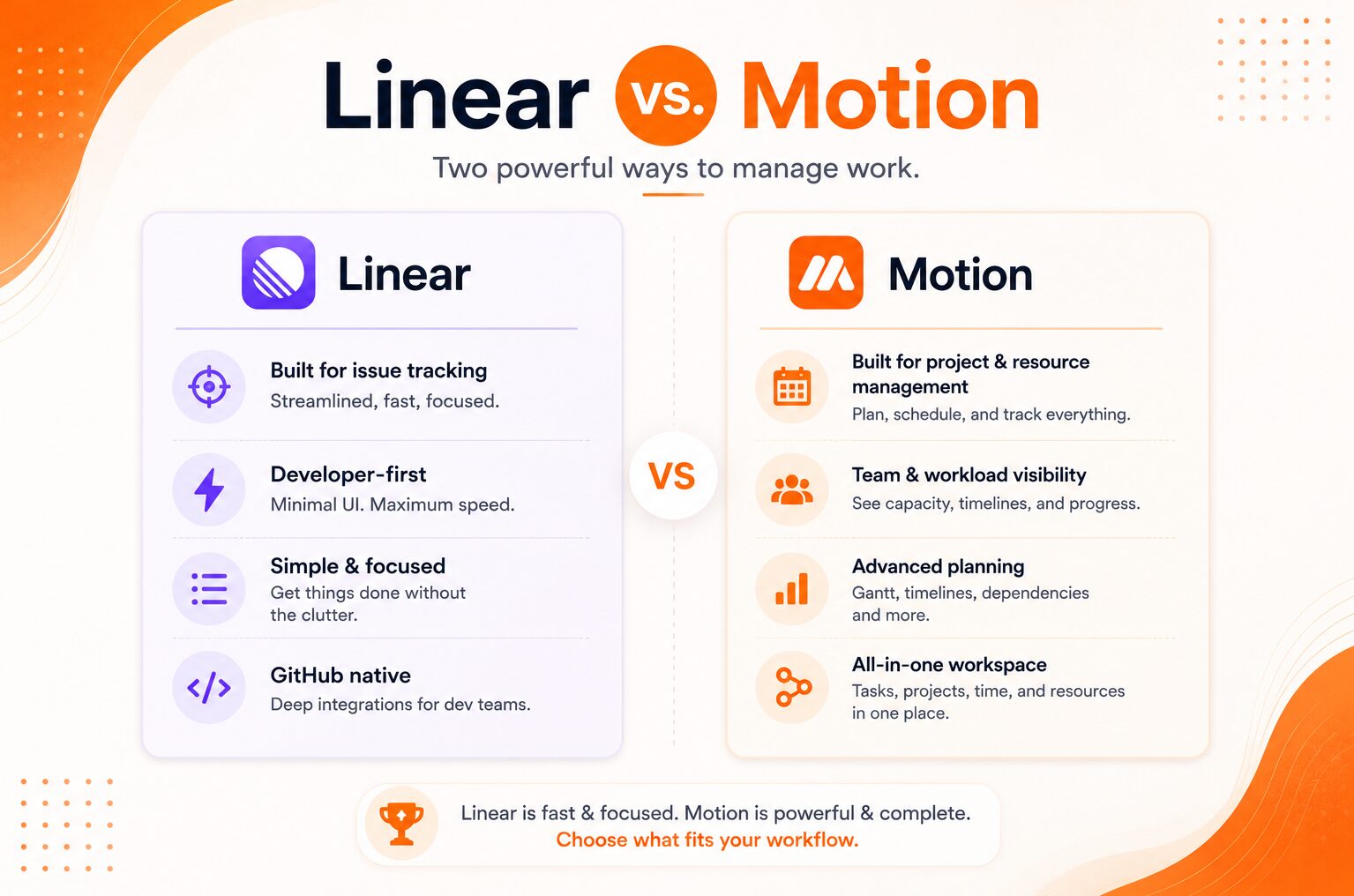
Linear vs Motion: The Modern PM Stack for High-Output Product Agencies
Affiliate Disclosure: We review products independently. When you buy through our links, we may earn a commission or a compound recurring commission at zero extra cost to you. Read our editorial policy.
Updated: July 10, 2026. All pricing verified against Linear and Motion.
Quick Verdict: Linear vs Motion for Product Agencies
| Linear Free | Linear Basic | Linear Business | Motion Individual | Motion Team | |
|---|---|---|---|---|---|
| Monthly (annual billing) | $0 | $10/user | $16/user | $19/user | $12/user |
| Primary function | Issue tracking | Issue tracking | Issue tracking + roadmaps | AI calendar scheduling | AI calendar scheduling |
| Target user | Engineers, PMs | Engineers, PMs | Engineering teams | Individual contributors | Cross-functional teams |
| AI capability | Auto-labels, summaries | Auto-labels, summaries | Full AI features | Core scheduling AI | Full team scheduling AI |
| GitHub/GitLab integration | Yes | Yes | Yes | No | No |
| Sprint management | Cycles (2-week default) | Cycles | Cycles | No | No |
| Calendar scheduling | No | No | No | Core feature | Core feature |
| Cross-department use | Limited | Limited | Limited | Yes | Yes |
| Free plan | Yes (250 issues, 2 teams) | N/A | N/A | No | No |
| Pricing URL | linear.app/pricing | linear.app/pricing | linear.app/pricing | usemotion.com/pricing | usemotion.com/pricing |
TSA Verdict: The Linear vs Motion comparison is built on a false premise. Linear vs Motion tools do not compete for the same job. In the Linear vs Motion stack, Linear tracks what the team is building across engineering and product. Motion manages when each person actually works on it. The agencies that perform best on both delivery speed and team capacity use Linear for project execution tracking and Motion for individual and team scheduling. In the Linear vs Motion decision, choosing one to replace the other creates a gap that compounds across every sprint.
The Linear vs Motion evaluation surfaces when a product agency adds its third or fourth engineer and discovers that knowing what needs to be done (Linear) and knowing when anyone is actually going to do it (Motion) are different problems requiring different architectures.
Linear is opinionated about workflow. Issues enter triage, move to backlog, get assigned to cycles (2-week sprints by default), and progress through states to completion. This structure is a strength for engineering-led teams. It is a constraint for cross-functional agencies where designers, account managers, and client services teams also need project visibility. Linear works exceptionally well for the engineering and product layer. It performs poorly as the single project tracking system for a 10-person agency where half the team does not write code.
Motion is opinionated about time. It reads every team member’s calendar commitments, factors in task deadlines and priorities, and automatically schedules work into available focus blocks. When a new task is added or a deadline shifts, Motion reschedules the affected tasks across the team’s calendars automatically. This eliminates the daily planning overhead that Linear does not address. Linear tells everyone what is in the sprint. Motion tells each person when they are working on their assigned issues today.
Linear: What It Does and Where It Stops
Issue tracking at speed. Linear’s interface loads instantly. Keyboard shortcuts cover every primary action without touching the mouse. Creating an issue, assigning it, setting a priority, and adding it to the current cycle takes under 10 seconds from any screen. Jira users who switch to Linear consistently cite the speed differential as the primary operational improvement in the first week.
Cycles. Linear’s cycle system is the closest native equivalent to sprint management available outside Jira. Cycles have start dates, end dates, and progress tracking. Issues in the current cycle show completion percentage at the cycle level, not just individually. Overdue cycles roll unfinished issues forward with a burnup chart showing velocity across past cycles.
GitHub and GitLab integration. This is Linear’s most differentiated feature for product agencies. Pull requests automatically link to issues. Branch names generate from issue identifiers. Merging a PR closes the associated issue. For engineering teams, the PR-to-issue link eliminates the duplicate status update problem: the issue closes when the code ships, not when an engineer remembers to update the tracker.
Roadmaps (Business plan). Linear Business at $16/user/month includes milestone-based project roadmaps with target dates, progress tracking, and a timeline view across multiple concurrent projects. For agencies managing 4 to 8 active product workstreams simultaneously, the roadmap view gives leadership visibility without requiring a separate reporting layer.
Where Linear stops in the Linear vs Motion decision:
Linear has no scheduling layer. It assigns issues to team members within cycles but does not account for each person’s actual calendar availability when making those assignments. A developer assigned 12 issues in a 2-week cycle may have 3 days of client meetings, a conference, and 4 hours of interview panels that cycle. Linear shows all 12 issues assigned. Linear does not surface the capacity conflict.
Linear also stops at the engineering and product boundary. Its issue-centric workflow does not accommodate the client deliverable tracking, feedback review cycles, and account management tasks that make up 30 to 40 percent of a product agency’s operational load. Forcing non-engineering work into Linear’s issue model produces a cluttered backlog and adoption friction among non-technical team members.
Teams that need a wiki alongside Linear should evaluate the Notion vs ClickUp knowledge management comparison.
Motion: What It Does and Where It Stops
AI calendar scheduling. Motion’s core capability is automatic task scheduling based on calendar availability. Add a task with a deadline and estimated duration. Motion finds an open focus block before the deadline and places the task on the calendar. When a meeting is added, Motion reschedules any conflicting tasks automatically. The calendar is the output, not the input. Team members see a daily schedule built around their actual availability rather than a task list that ignores their calendar entirely.
Team scheduling. Motion’s team plan ($12/user/month annual) extends individual scheduling to the entire team. Managers assign tasks with deadlines and estimated effort. Motion allocates those tasks across team calendars based on availability, surfacing scheduling conflicts before they become delivery failures. A project manager who assigns 60 hours of work to a team with 40 hours of capacity in a sprint sees the conflict in Motion before the sprint starts, not at the sprint retrospective.
Cross-department operation. Motion handles design, account management, engineering, and client service tasks with equal facility. The calendar-centric model does not require understanding of sprint cycles, issue hierarchies, or codebase concepts. A client success manager, a UI designer, and a backend engineer can all use Motion’s scheduling layer without the configuration overhead Linear requires for non-engineering roles.
Project management layer. Motion added project and task management features in 2025, moving beyond pure scheduling into structured project tracking. Projects contain tasks with dependencies, assignees, and due dates. The project layer is functional for agencies managing straightforward deliverable sequences. It does not match Linear’s depth on sprint velocity, cycle burnup, or codebase integration.
Where Motion stops:
Motion has no native integration with GitHub, GitLab, or any code repository. Engineering tasks that close when a PR merges require manual status updates in Motion. For engineering teams where the PR-to-issue link is operationally important, Motion cannot provide it.
Motion’s project management layer is less structured than Linear for teams that need issue hierarchies, sub-issues, label taxonomies, and custom workflow states. An agency running a complex product build with 200 discrete issues across 8 feature areas will find Motion’s project layer insufficient as the primary engineering tracker.
Pricing Comparison: Linear vs Motion at Agency Team Sizes
5-person product agency (3 engineers, 1 PM, 1 designer):
Linear Business (5 users): $16 x 5 x 12 = $960/year. Motion Team (5 users): $12 x 5 x 12 = $720/year. Combined stack: $1,680/year.
The combined stack is cheaper than ClickUp Business at $12/user/month ($720/year) plus the scheduling overhead that ClickUp does not provide. Asana Advanced at $24.99/user/month for 5 users ($1,499.40/year) costs less than the combined stack but provides neither Linear’s engineering workflow depth nor Motion’s AI scheduling capability.
10-person product agency (5 engineers, 2 PMs, 2 designers, 1 account manager):
Linear Business (10 users): $16 x 10 x 12 = $1,920/year. Motion Team (10 users): $12 x 10 x 12 = $1,440/year. Combined: $3,360/year.
At 10 people, the combined stack costs more than Monday.com Pro ($19/user/month = $2,280/year) but Monday.com Pro lacks Linear’s GitHub integration, cycle velocity tracking, and Motion’s AI scheduling. The Linear vs Motion ROI question is not cost comparison but operational output: does the combined stack reduce sprint overruns and capacity conflicts enough to justify the $1,080/year premium over Monday.com Pro?
Note on Linear Free plan:
Linear’s free plan supports 250 issues and 2 teams with unlimited members. For a 5-person agency that is primarily evaluating Linear’s workflow before committing, the free plan is a legitimate 60-day evaluation environment. The 250-issue limit is reached in approximately 6 to 8 weeks for an active team, which is adequate to validate whether Linear’s cycle model fits the agency’s delivery workflow.
The Combined Stack Architecture
When a product agency runs both tools in the Linear vs Motion stack, the integration between them determines whether the stack multiplies or fragments operational output.
What connects automatically:
Motion’s task management layer can pull Linear issues via API or Zapier. A Make.com scenario that monitors new issues assigned to specific team members in Linear and creates corresponding Motion tasks with the Linear issue estimate as the task duration gives Motion’s scheduler accurate time data to work with.
What requires manual coordination:
Linear cycle start and end dates do not automatically update Motion’s scheduling horizon. At the start of each cycle, a project manager manually sets the cycle deadline as a Motion project due date. This is a 5-minute setup task per cycle, not a significant overhead. But it is a human dependency point that breaks when the PM is absent.
The scheduling data flow:
Linear owns the source of truth for what needs to be done. Motion owns the source of truth for when it will be done. The data flow is unidirectional: Linear issue assignments populate Motion task lists. Motion scheduling decisions (which task gets which focus block on which day) do not flow back into Linear. This is the correct architecture. Linear is not a calendar. Motion is not an issue tracker. The two tools should exchange the one data point that connects them (the issue-to-task mapping) and handle everything else independently.
TSA SCAR: Linear Issue Estimates and Motion Scheduling Accuracy
Motion’s AI scheduling accuracy depends on realistic task duration estimates. Linear issue estimates (story points or time estimates set by engineers) are frequently optimistic by a factor of 1.5 to 2x, a well-documented pattern in engineering project estimation. When Linear estimates populate Motion tasks directly, Motion schedules the work into time blocks that are shorter than the work actually requires. Engineers find their Motion schedules consistently overloaded by Day 3 of a two-week cycle. By Day 7, the gap between scheduled work and actual capacity has accumulated to 20 to 30 percent overallocation.
The fix: apply a calibration multiplier to all Linear estimates when creating Motion tasks. If historical cycle data shows the team consistently completes 70 percent of estimated work per cycle, multiply all Linear estimates by 1.43 before passing them to Motion. Build this multiplier into the Make.com scenario that syncs Linear issues to Motion tasks. Calibrate the multiplier quarterly against actual cycle completion rates.
Feature Comparison: Linear vs Motion for Product Agency Use Cases
| Use Case | Linear | Motion |
|---|---|---|
| Engineering sprint management | Best fit (cycles, velocity tracking) | Not purpose-built |
| PR-to-issue auto-close | Yes (GitHub, GitLab native) | No |
| Individual daily scheduling | Not available | Best fit (AI calendar) |
| Team capacity planning | Manual (cycle assignment only) | Best fit (automatic scheduling) |
| Cross-department task tracking | Poor (engineering-centric UX) | Good |
| Client deliverable tracking | Workable with label taxonomy | Good |
| Roadmap and milestone view | Yes (Business plan) | Basic (project due dates) |
| Meeting scheduling integration | No | Yes (native calendar integration) |
| Dependency tracking | Yes | Basic |
| Custom workflow states | Yes | Limited |
| Free plan | Yes (250 issues, 2 teams) | No |
| Non-technical team adoption | Friction for non-engineers | Low friction |
Who Should Use Linear Only
Agencies that are purely engineering teams without client-facing account management, design, or operations roles. A 6-person SaaS product shop where all 6 people are engineers or PMs managing a single product roadmap has no use case for Motion’s cross-department scheduling layer. Linear Business at $16/user/month covers the full operational need.
Also: agencies on tight tooling budgets where a combined stack is not justified. If the choice is between Linear alone and no structured issue tracking, Linear’s free plan is a better answer than the combined cost of both tools for a team that has not validated Motion’s scheduling ROI.
Who Should Use Motion Only
Agencies that are not running engineering product builds. A creative agency doing brand strategy, content production, and campaign management has no use case for Linear’s cycle-based issue tracking. Motion Team at $12/user/month provides AI scheduling across all team roles without the engineering-specific workflow overhead that Linear imposes.
Also: individual contributors at larger agencies who need personal scheduling without team-wide tool adoption. Motion Individual at $19/month is the lowest-friction entry point for an account manager, designer, or strategist who needs to manage their own task load against a packed calendar without waiting for the organization to adopt a new project management platform.
Buy / Skip Decision Matrix
| Scenario | Verdict |
|---|---|
| Pure engineering team, active GitHub workflow | Linear Business ($16/user/mo). Motion unnecessary. |
| Cross-functional agency: engineers plus designers plus account managers | Combined stack: Linear for engineering layer, Motion for team scheduling. |
| Solo PM or account manager managing personal task load | Motion Individual ($19/mo). Linear is overkill. |
| Agency evaluating Linear before committing | Start with Linear Free (250 issues, 2 teams). Validate cycle model over 60 days. |
| Team currently using Jira and struggling with speed | Linear Basic ($10/user/mo) is the direct Jira replacement. Migration path is well-documented. |
| Team using ClickUp and hitting automation limits | Linear Business for engineering execution. Add Motion if scheduling conflicts are recurring. |
| 10-person agency with budget constraint | Linear Business only at $1,920/year. Add Motion in Year 2 when engineering velocity baseline is established. |
| Non-engineering team looking at Linear | Skip Linear. Use Motion Team or ClickUp Business instead. |
| Agency that needs PR-to-issue automation | Linear is the only tool in this comparison with native GitHub/GitLab integration. |
FAQ
Is Linear or Motion better for a 5-person product agency in 2026?
They serve different functions. Linear Business at $16/user/month manages engineering execution: issues, sprints, roadmaps, and GitHub integration. Motion Team at $12/user/month manages when the team actually works on those issues. A 5-person agency that uses both pays $1,680/year combined for a complete execution and scheduling stack. An agency that can only choose one should pick Linear if the primary bottleneck is engineering workflow structure, or Motion if the primary bottleneck is team scheduling and capacity visibility.
What is the difference between Linear cycles and traditional sprints?
Linear cycles are the platform’s implementation of sprint methodology. Cycles have defined start and end dates (2-week default, configurable), a scoped issue list, and completion tracking. At cycle end, unfinished issues can roll forward to the next cycle automatically. Cycle analytics show completion rate, velocity trend, and issue type breakdown across past cycles. The functional difference from Jira sprints is primarily speed and simplicity: Linear cycles require no ceremony to create and no ceremony to close.
Does Motion replace the need for a project management tool like Linear?
Motion’s project management layer covers straightforward task and milestone tracking for cross-functional teams. It does not replace Linear’s engineering workflow depth: no issue hierarchy, no PR integration, no cycle velocity tracking, no custom workflow states, and no label taxonomy system. Motion manages the scheduling layer of project execution. Linear manages the tracking layer. For agencies with engineering teams, both layers are necessary.
How does Motion’s AI scheduling actually work?
Motion’s AI reads each team member’s calendar events (meetings, blocks, personal appointments) and outstanding task list (tasks with deadlines and time estimates). It schedules tasks into available focus blocks before each task’s deadline, respecting priorities set by the team or individual. When new tasks are added or meetings are added that conflict with scheduled work, Motion automatically reschedules affected tasks. The AI does not generate tasks. It schedules tasks that humans or integrations create and assign.
Can Linear and Motion be integrated?
Not natively. There is no direct Linear-to-Motion integration. The standard implementation uses Make.com or Zapier: a scenario monitors new issue assignments in Linear and creates corresponding Motion tasks with the issue name, assignee, and estimated duration. This sync is one-directional. Motion scheduling decisions do not update Linear issue status. Apply an estimation calibration multiplier (typically 1.4 to 1.5x based on historical cycle completion data) to Linear estimates before passing them to Motion to account for systematic underestimation.
What is the correct team size to justify the combined Linear and Motion stack?
The combined stack becomes cost-justified when sprint overruns and scheduling conflicts are recurring operational problems rather than occasional issues. For most product agencies, this threshold is 5 to 8 people. Below 5 people, the combined cost ($1,680/year) and the integration overhead may not deliver enough ROI over a single tool. Above 8 people, the cost of not having both layers (missed deadlines from scheduling blindness, engineering velocity loss from unstructured sprint management) typically exceeds the $2,000 to $3,000 annual combined cost by a wide margin.
