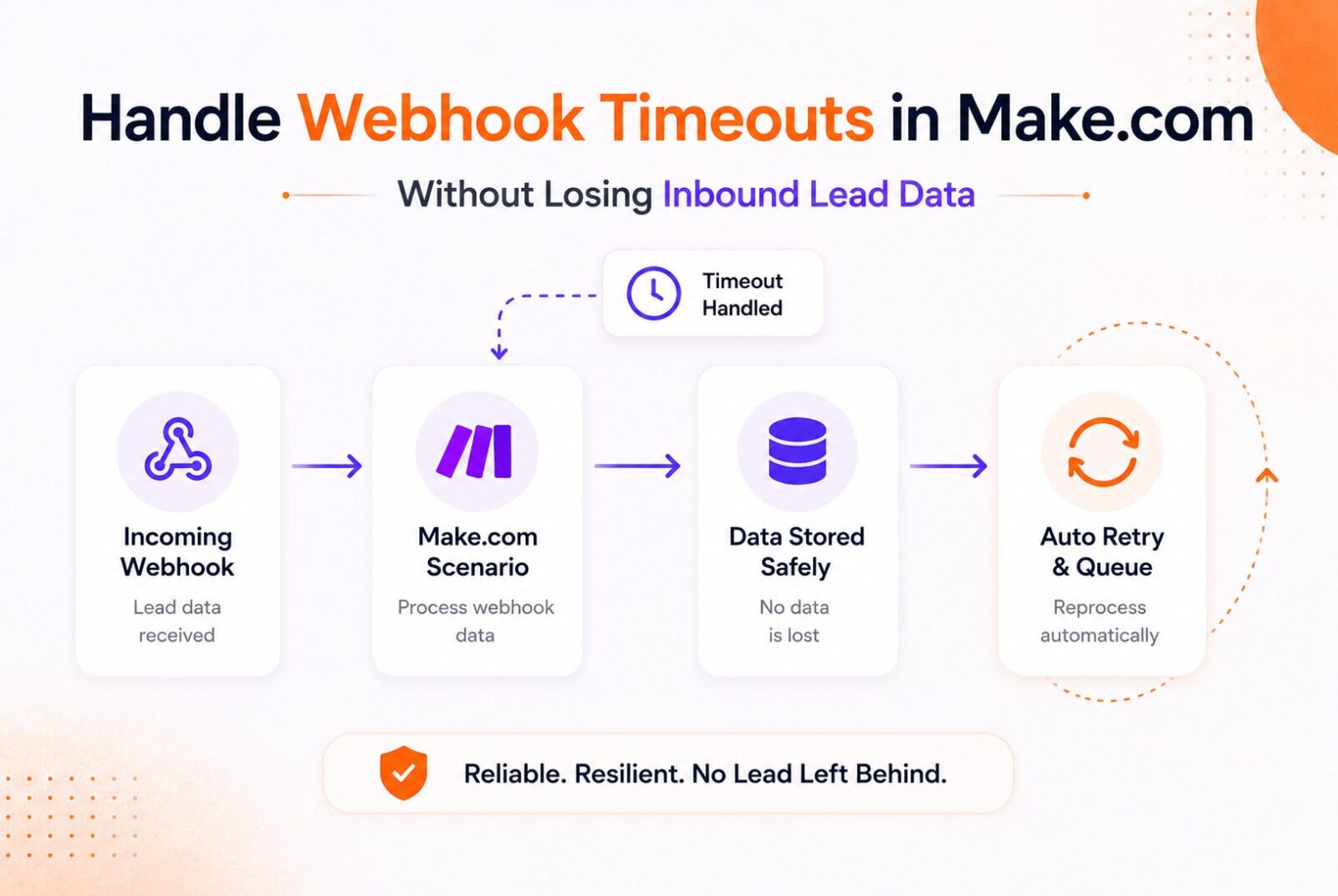
How to Handle Make.com Webhook Timeouts in Make.com Without Losing Inbound Lead Data
Affiliate Disclosure: We review products independently. When you buy through our links, we may earn a commission or a compound recurring commission at zero extra cost to you. Read our editorial policy.
Updated: All Make behavior verified against platform documentation and TSA testing on July 17, 2026.
The Make.com webhook is not where timeouts happen. Understanding this is the first step to fixing data loss in Make.com webhook scenarios.
When a source system (a form, a CRM, a payment processor) sends a request to a Make.com custom webhook, Make.com accepts the webhook and triggers the scenario. If the scenario does not include a Webhook Response module, Make returns its default webhook response. If you need to control the response status or body, Make provides a Webhook Response module that can be placed in the scenario.
The timeout risk is not in the Make.com webhook receiver. It is in the modules downstream of the webhook: the HTTP API calls to enrichment providers that take 3 seconds to respond, the CRM upsert that occasionally times out under load, the Slack notification that fails when Slack is degraded. A downstream module failure does not retransmit the webhook from the source. The payload is in Make.com’s Incomplete Executions queue or it is gone, depending on the error handling configured on the scenario.
This guide covers the complete Make.com webhook timeout handling architecture: the five error directives, the Break directive retry configuration for transient failures, the Incomplete Executions queue as the data safety net, and the async processing pattern that removes downstream processing time from the webhook response path entirely.
Make.com’s Default Behavior Without Error Handling
Practical terms for a Make.com webhook scenario:
When a module in a Make.com scenario encounters an unhandled error, the scenario’s behavior depends partly on its scenario settings. If Store incomplete executions is enabled, Make can preserve the failed run as an incomplete execution so it can be investigated and retried. If incomplete executions are disabled, an unhandled error can stop the scenario run without preserving it for later recovery.
In practical terms for a Make.com webhook scenario:
A form submission arrives at the webhook. Make creates a bundle. The bundle passes through the filter and CRM lookup successfully, but a downstream enrichment API fails. Without appropriate error handling or incomplete-execution storage, processing stops and the remaining workflow does not complete.
For webhook scenarios carrying important lead data, do not rely on default behavior alone. Enable Store incomplete executions where appropriate and configure error handling for downstream modules that can fail because of temporary API outages, rate limits, validation errors or other exceptions.
The Five Make.com Error Directives
Make.com provides five error directives that control what happens when a module fails. Each produces a different outcome for the bundle and the scenario state.
Resume: The scenario continues as if the error did not happen. The failing module is skipped and a substitute bundle (which you define) is passed to subsequent modules. Use Resume when the failing module is optional and the scenario should complete without it. Example: an optional Clearbit enrichment step. If Clearbit times out, Resume passes an empty enrichment result and the HubSpot sync proceeds with unenriched data rather than failing entirely.
Skip: The error is ignored for the affected bundle, which is removed from the flow, while the scenario continues processing other bundles. Use Skip only when dropping that particular bundle is acceptable. Do not use Skip for critical lead data that must be recovered or reprocessed.
Retry: The failing bundle is stored as an incomplete execution so it can be retried automatically or manually. When automatic completion is enabled, Make retries the incomplete execution according to the configured number of attempts and interval. Use Retry when another attempt may succeed, particularly for temporary downstream failures. Incomplete executions must be enabled in the scenario settings to use this handler.
Rollback: The scenario stops, moves the bundle to Incomplete Executions, and attempts to undo all operations completed before the failing module. Most API-based modules do not support rollback. A Rollback on a scenario that already created a HubSpot contact does not delete the HubSpot contact. Use Rollback only for database transactions with explicit rollback support.
Commit: The scenario commits all successful operations up to the failing module and stops. The bundle moves to Incomplete Executions without retry. The successful portion of the execution is preserved. Use Commit when partial success is acceptable and re-execution should start from the failure point rather than the beginning.
The Retry Error Handler for Webhook Timeouts
For Make.com webhook scenarios handling inbound lead data, the Retry error handler is one way to protect webhook workflows from downstream failures that may succeed on another attempt.
For errors that typically resolve themselves, such as HTTP 429, 502, 503, and timeouts, use Break with auto-retry enabled. The bundle moves to Incomplete Executions and Make.com retries automatically.
Break directive configuration:
Right-click any module in the scenario to add an error handler. Select Break from the directive options. Configure:
Number of attempts: Make’s current default for automatic completion is 3 retry attempts. Adjust this where necessary based on the downstream service and failure type.
Interval between attempts: Make’s current default Retry handler delay is 15 minutes. Adjust the interval when the downstream service documents a specific retry or rate-limit window.
Allow storing incomplete executions: Set to Yes. This ensures the bundle persists in Incomplete Executions regardless of whether all retries fail. Without this setting, a bundle that exhausts all retry attempts is dropped permanently.
The idempotency requirement:
Before enabling retries, make sure the scenario is idempotent. A lead must not be created twice just because retry fires.
An idempotent operation produces the same result when run multiple times on the same input. A HubSpot Create Contact operation is not idempotent by default. If Break retries a bundle that already created the contact successfully before the downstream module failed, the retry creates a duplicate contact.
Fix: replace Create Contact with Upsert Contact in HubSpot. Upsert checks whether a contact with the matching email already exists and updates it rather than creating a duplicate. The same principle applies to all CRM operations in retried scenarios: use upsert or update operations, not create operations, wherever the module may run more than once on the same bundle.
The Incomplete Executions Queue
Incomplete Executions are Make.com’s native mechanism for preserving failed scenario runs when incomplete-execution storage is enabled. Executions created by the Retry error handler can also be stored here for automatic or manual retry.
Access the queue at the bottom of any scenario page under “Incomplete Executions.” Each stored bundle shows the input payload, the module where execution stopped, the error message, and a Reprocess button.
Manual reprocessing:
After fixing the root cause of the failure (rotating an expired API key, waiting for a rate limit to clear, correcting a malformed payload), click Reprocess to rerun the bundle from the failed module. The bundle completes the remaining scenario steps using the preserved input data.
Automatic reprocessing with auto-retry:
With the Retry error handler and automatic run completion enabled, Make.com handles reprocessing automatically after the configured interval. No manual intervention required for transient failures.
Incomplete execution storage limits:
The maximum number of incomplete executions Make can store depends on the organization’s usage allowance rather than a fixed per-scenario bundle limit. Incomplete executions also consume storage under the subscription plan.
If incomplete-execution storage becomes full, Make’s behavior depends on the scenario’s data-loss setting. Make can either stop the scenario or, if data loss is allowed, continue running while discarding failed data that cannot be stored. For workflows where losing webhook data is unacceptable, monitor incomplete executions and consider using a durable external data store or queue as an additional safety layer.omplete Executions queue with an external data store as described in the async processing pattern below.
The Async Processing Pattern: Separating Webhook Receipt from Data Processing
The most resilient Make.com webhook architecture for inbound lead data uses two scenarios rather than one.
Scenario 1: Webhook Receiver (minimal processing)
Trigger: Make.com custom webhook.
Action: Write the raw webhook payload to an external data store. Google Sheets, Airtable, Make.com Data Store, or a lightweight database.
Action: Return immediately. No enrichment. No CRM sync. No notification.
Purpose: Accept the webhook payload and store it before downstream processing begins. Keeping this scenario minimal reduces its dependence on slower downstream APIs.
Scenario 2: Lead Processing (runs on schedule or triggered by Scenario 1)
Trigger: Run the processing scenario on a schedule and retrieve records that have not yet been processed.
Actions: Retrieve unprocessed records from the data store. Run enrichment. Sync to CRM. Send notifications. Update the record in the data store with a “processed” status.
Error handling: Break with auto-retry on each enrichment and CRM module. Upsert operations everywhere.
The polling-to-webhook conversion is one of five credit waste patterns covered in the TSA automation stack audit guide.
Why this separation eliminates lead data loss:
Once Scenario 1 has successfully stored the webhook payload, Scenario 2 can process that record independently of the original webhook request. If a downstream API is temporarily unavailable, the stored record remains available for later processing rather than requiring the source system to resend the original webhook.
The data store therefore acts as a buffer between webhook receipt and downstream APIs. This reduces the risk of losing lead data because of failures during enrichment, CRM synchronization or notification steps.
The data store is the buffer between ephemeral webhook delivery and unreliable downstream APIs. This architecture is standard practice for high-volume, high-reliability webhook processing.
Monitoring Webhook Scenario Failures
Make provides execution history and an Incomplete Executions tab for investigating failed scenario runs. For each incomplete execution, you can see information including when it was created, its status, retry attempts and details about the execution that failed. From there, you can retry, resolve or delete incomplete executions as appropriate.
Make also provides broader organization and team usage dashboards, while Make Grid can surface automation assets that need attention, including scenarios affected by incomplete executions or webhook queue issues. The exact monitoring features available depend on the Make plan and workspace features in use.
For production webhook workflows, combine Make’s execution monitoring with active notifications for important failures rather than relying on someone to check scenario history manually.
Error Notification Pattern: Catch Critical Failures Early
Silent failures are a risk in production webhook pipelines. For critical downstream operations, configure an error-handling path that alerts the team when processing fails.
Add a Slack or email notification to the error-handling path for critical modules. Include useful context such as the scenario name, failing module and error details so the team can investigate without relying solely on periodic checks of scenario history or Incomplete Executions.
Condition: A critical workflow failure occurs.
Add a Slack or email notification to the error-handling path for critical modules. Include useful context such as the scenario name, failing module and error details so the team can investigate without relying solely on periodic checks of scenario history or Incomplete Executions.
Configuring Error Handling on a Live Webhook Scenario
After building a new scenario, add error handling paths for all modules. This may be tedious as it requires some copy-pasting, but it is overall worth it.
Practical implementation order for a Make.com webhook lead processing scenario:
Step 1: Identify every external API call in the scenario. Each HTTP module, each CRM integration, each enrichment provider call is a potential timeout point.
Step 2: Enable Store incomplete executions in the scenario settings. Add a Retry error handler to external API modules where another attempt may succeed, and configure automatic completion based on the type of failure and the downstream service.
Step 3: Add a Resume error handler to optional enrichment steps where the scenario should continue even if the enrichment fails. Pass an empty substitute bundle to downstream modules.
Step 4: Add a Slack notification module to every error handler route (both Break and Resume). Include the error message and module name.
Step 5: Review write operations that could create duplicates if they are executed more than once. Where the destination supports it, use an upsert, search-before-create, update, or another idempotent pattern based on a stable unique identifier.
Step 6: Test each error handler by temporarily setting an HTTP module to call a non-existent endpoint. Verify that the configured error-handling path behaves as expected, the notification fires, and any incomplete execution or automatic retry is created as intended.
Buy / Skip Decision Matrix
| Scenario | Verdict |
|---|---|
| Webhook scenario with no error handling | Enable incomplete-execution storage and configure appropriate error handling for critical downstream modules. |
| Low-volume webhook scenario with simple downstream processing | Make’s incomplete-execution handling may be sufficient. Add async storage if losing an event would have significant business impact. |
| High-volume or business-critical webhook scenario | Consider the two-scenario async architecture with durable intermediate storage rather than relying only on incomplete executions. |
| Downstream API with documented rate limits | Configure retry behavior around the API’s documented rate-limit and Retry-After guidance where available. |
| CRM write that could create duplicates during retries | Use an upsert, search-before-create or another idempotent pattern based on a stable identifier. |
| Webhook source has its own recoverable event history | Factor that recovery capability into whether you need an additional durable event store. |
| Scenario failures are difficult to notice | Add active notifications for critical failures and review Incomplete Executions regularly. |
| High-volume batch processing | Design retry behavior around the actual failure type and downstream API requirements rather than using a universal fixed retry interval. |
FAQ
Does Make.com lose data when a downstream module times out on a webhook scenario?
Not necessarily. If Store incomplete executions is enabled, Make can preserve failed runs for supported errors and retry them automatically or allow manual recovery. Make currently automatically retries incomplete executions caused by ConnectionError, RateLimitError, and ModuleTimeoutError using exponential backoff. For other errors, the Retry error handler can be used where another attempt may succeed.
If incomplete-execution storage is disabled, or failed data cannot be stored, a downstream failure can result in data that is not available for later recovery.
What are Make.com Incomplete Executions?
Incomplete Executions preserve unfinished scenario runs when the feature is enabled, allowing supported failures to be retried automatically or other failures to be investigated and resolved manually. The maximum number of incomplete executions across an organization depends on its usage allowance rather than a universal per-scenario limit.
Incomplete executions also consume storage under the subscription plan, so business-critical workflows should not treat them as an unlimited event archive.
What is the correct Make.com error-handling approach for API timeouts on webhook scenarios?
Start by enabling Store incomplete executions. Make automatically retries incomplete executions caused by ConnectionError, RateLimitError, and ModuleTimeoutError using exponential backoff. For other errors where another attempt may succeed, use the Retry error handler and configure automatic completion as appropriate.
Avoid applying one fixed retry interval to every API. Where a downstream service provides specific retry or rate-limit guidance, configure the workflow accordingly.
How does the async two-scenario architecture prevent Make.com webhook data loss?
The async pattern separates webhook receipt (Scenario 1) from data processing (Scenario 2). Scenario 1 writes the raw payload to a data store and returns 200 immediately. The source system confirms delivery. Scenario 2 processes the stored payloads on a schedule, with full error handling on each enrichment and CRM step. When Scenario 2 fails, the raw payload remains in the data store and is reprocessed on the next scheduled run.
Because the original payload remains in durable storage, downstream failures can be retried without relying on the source system to resend the webhook. This significantly reduces the risk of losing lead data during downstream API outages.
What is idempotency and why does it matter for Make.com webhook retry configurations?
An idempotent operation produces the same result when executed multiple times on the same input. Create Contact is not idempotent: running it twice on the same email creates two contacts. An upsert or search-before-create pattern based on a stable identifier can help prevent duplicate records when the same input is processed more than once. When Break auto-retry fires, it may re-execute modules that already succeeded before the failure point. Any write operation that may be repeated during retry should be reviewed for idempotency.
How do I know when incomplete executions are accumulating in Make.com?
Use the scenario’s Incomplete Executions tab to review unresolved and pending executions, retry attempts, scheduled retries and execution details. For business-critical workflows, combine this with active notifications from your error-handling routes so important failures are surfaced quickly rather than discovered only during manual checks.
The appropriate monitoring approach depends on the workflow’s volume and business impact; avoid relying on a universal queue-depth threshold.
For a complete look at how this integration engine scales under pressure, read our full technical Make.com Review.
