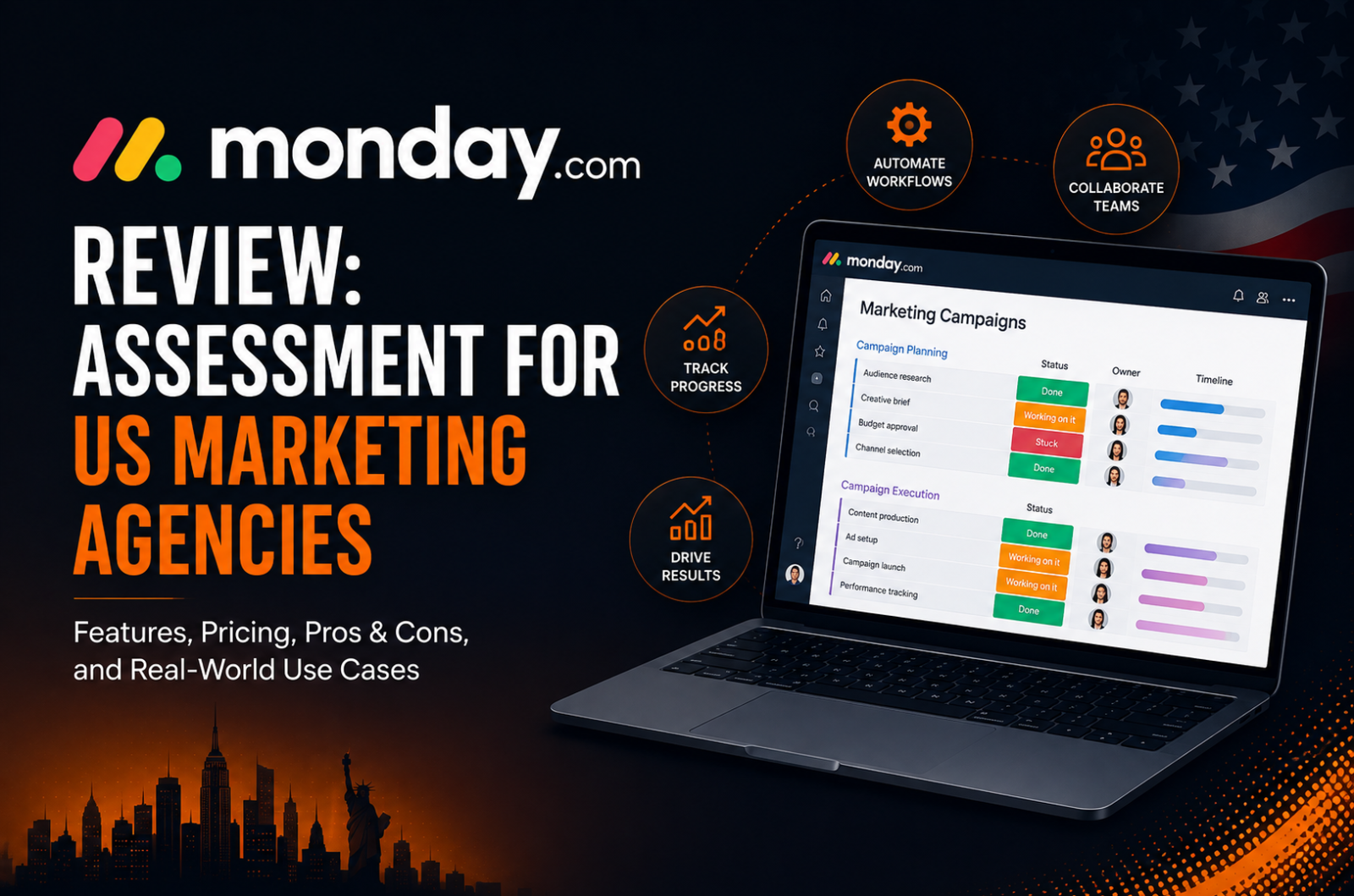
Monday.com Review: The Honest Assessment for US Marketing Agencies
Affiliate Disclosure: We review products independently. When you buy through our links, we may earn a commission or a compound recurring commission at zero extra cost to you. Read our editorial policy.
Updated: All pricing verified against Monday.com on Septemebr 08, 2026.
Monday.com at a Glance
| Free | Basic | Standard | Pro | Enterprise | |
|---|---|---|---|---|---|
| Monthly (annual billing) | $0 | $9/seat | $12/seat | $19/seat | Custom |
| Seat minimum | 2 | 3 | 3 | 3 | Custom |
| Annual cost (10 users) | N/A | $1,080 | $1,440 | $2,280 | Custom |
| Automation actions/month | None | None | 250 | 25,000 | 250,000 |
| AI credits/month | 3 Guests | None | 3 Guests | 5 Guests = 1 Seat | Custom |
| Guest access | No | No | 3 free; every 4 guests = 1 billed seat thereafter | Unlimited | Unlimited |
| Timeline/Gantt view | No | No | Yes | Yes | Yes |
| Workload view | No | No | No | Yes | Yes |
| Portfolio management | No | No | No | No | Yes (Enterprise) |
| Time tracking | No | No | No | Yes | Yes |
| SAML SSO | No | No | No | No | Yes |
| Seat increment above 3 | N/A | 5 seats | 5 seats | 5 seats | Custom |
TSA Verdict: This Monday.com review reaches a specific conclusion for US marketing agencies: Monday.com Pro at $19/seat/month is the correct operational tier and also the most expensive standard-tier option in the project management category. The visual dashboard flexibility, the 25,000 monthly automation ceiling, and the workload view justify the premium over ClickUp and Asana for agencies where client-facing reporting is a retention driver. The premium is not justified when portfolio management across 10 or more concurrent campaigns is a daily requirement, because that feature sits behind Enterprise at custom pricing. Know exactly which features you are paying for before signing an annual contract.
This Monday.com review exists because the most common US agency mistake with Monday.com is purchasing the wrong plan tier for the wrong reason. Standard at $12/seat/month looks like the middle-ground option. It caps automations at 250 per month, has no workload view, no time tracking, and guest access limited to 3 total per account. An automation-heavy agency managing multiple active client campaigns can exhaust Standard’s 250-action monthly allowance quickly, depending on the number and frequency of workflows running across its boards. For agencies planning to use Monday.com extensively for automated client delivery, Pro is the tier we would evaluate first. Standard can still work for lighter project-management use, but its lower automation allowance may become restrictive as workflow volume increases.
The price jump from Standard to Pro, a 58 percent increase per seat, is significant and directly tied to two specific features: time tracking and the automation cap. Teams running active automation workflows will hit Standard’s 250 per month limit quickly.
Standard may be sufficient for agencies primarily using Monday.com for project and task management. For automation-heavy client delivery, however, its lower automation allowance makes Pro the more practical starting point in our view.
This Monday.com review is part of TSA’s broader evaluation of the best project management tools for US agencies
The Bucket Pricing Reality Every US Agency Gets Wrong
Monday.com sells seats in fixed increments. The 3-seat minimum applies to all paid plans. Above 3 seats, additional seats are sold in multiples of 5. A team of 4 pays for 5 seats. A team of 7 pays for 10 seats. A team of 22 pays for 25 seats. A team of 26 pays for 30 seats.
This bucket pricing structure generates phantom seat cost for agencies whose headcount does not align to clean multiples of 5.
The phantom seat math at Pro pricing ($19/seat/month annual):
| Actual team size | Seats billed | Phantom seats | Annual waste |
|---|---|---|---|
| 4 people | 5 seats | 1 | $228/yr |
| 7 people | 10 seats | 3 | $684/yr |
| 12 people | 15 seats | 3 | $684/yr |
| 17 people | 20 seats | 3 | $684/yr |
| 22 people | 25 seats | 3 | $684/yr |
| 26 people | 30 seats | 4 | $912/yr |
For agencies whose headcount falls between Monday.com’s seat buckets, unused seats can create a meaningful cost. At Pro’s $19/seat/month annual rate, a 22-person team pays for 25 seats, leaving three unused seats worth $684 per year. A 26-person team pays for 30 seats, leaving four unused seats worth $912 per year. Agencies should therefore model the billed seat bucket, not simply multiply their actual headcount by the advertised per-seat price.
Guest access actually strengthens the case for Monday.com Pro for client-facing agencies. Standard allows up to three guests for free, after which every group of four guests counts as one billed seat. Pro removes that restriction and allows unlimited guests. For agencies that regularly invite clients, freelancers or external partners into shareable boards, this is another reason Pro can make more sense than Standard despite its higher per-seat price.
Monday.com Pro Automation Limits: How Much Headroom Do Agencies Get?
One of the strongest reasons to choose Monday.com Pro over Standard is the substantial increase in automation and integration capacity.
Standard includes 250 Automation actions and 250 Integration actions per month, while Pro increases these to 25,000 Automation actions and 25,000 Integration actions per month. Enterprise raises both limits to 250,000.
That makes Standard suitable primarily for lighter automation use. Monday.com itself warns that Standard’s 250-action allowance can be exhausted within days when accounts regularly notify multiple people or use automations involving multiple actions.
Pro provides considerably more headroom for agencies using Monday.com as an operational platform across multiple client accounts.
However, agencies should not interpret 25,000 actions as 25,000 workflow runs.
Monday.com measures usage by actions. A workflow can contain a trigger followed by one or several actions, and each executed action can contribute to usage. Conditions executed inside Monday’s Workflow Builder can also consume Automation actions.
There is another important distinction: Automation and Integration actions have separate monthly limits. A conventional integration can consume from the Integration allowance, while actions created through Workflow Builder count toward the Automation allowance even when the workflow communicates with an external tool.
For agencies, the practical takeaway is simple: Pro offers substantially more automation capacity than Standard, but actual consumption depends on how workflows are designed rather than simply how many employees, clients or boards the agency manages.
What Happens When Monday.com Pro Hits Its Automation Limit?
Monday.com provides usage notifications as accounts approach their monthly action limits, and admins can monitor Automation and Integration consumption through the platform’s usage controls.
If action-limit enforcement applies and an account reaches 100% of its allowance, Monday.com provides a 72-hour grace period before automation runs are paused. Usage can also create action debt that affects the following month’s available allowance.
This makes monitoring important for agencies running business-critical workflows. Monday.com currently does not allow regular Pro customers to simply purchase additional actions when they run out; additional action purchases are available to Enterprise customers.
TSA SCAR: Monitor Actions, Not Just Workflow Count
A workflow that runs 1,000 times does not necessarily consume exactly 1,000 actions. Multi-action workflows and executed conditions can increase consumption.
TSA Recommendation: Monitor Automation and Integration usage separately and review your highest-consuming workflows as the agency scales. Keep sufficient headroom for new clients, additional automations and seasonal spikes rather than designing workflows around the maximum monthly allowance.
Where Monday.com Stands Out for US Agencies
Dashboard flexibility for client-facing reporting.
Monday.com’s dashboard flexibility is one of its strongest advantages for client-facing teams. On Pro, a dashboard can combine data from up to 20 boards, allowing agencies to bring campaign status, timelines, workload and other operational data into a consolidated reporting layer.
This makes Monday.com particularly compelling for agencies that want project management and client-facing operational reporting inside the same platform.
Visual interface for non-technical teams.
Monday.com’s board-based interface is one of the reasons we think it works particularly well for agencies with mixed levels of technical experience. Status columns, owners, deadlines and campaign stages are visually easy to identify without requiring users to understand a complex workflow architecture first.
There is still a learning curve once teams begin building dashboards, automations and custom workflows. But for agencies prioritising visual project management and relatively quick team adoption, Monday.com remains one of the stronger options we evaluated.
25,000 monthly automation actions with substantial workflow headroom.
Pro includes 25,000 automation actions and 25,000 integration actions per month, giving agencies considerably more workflow headroom than Monday.com Standard. For teams running status notifications, assignment alerts, due-date reminders and external integrations across multiple client boards, this higher allowance makes Pro the more practical tier for automation-heavy use. AI usage should be budgeted separately: under Monday.com’s current AI work platform pricing model, AI capabilities consume AI credits, with Pro requiring a minimum monthly AI credit allocation for new customers.
Before choosing between Monday.com and ClickUp on automation headroom, see the TSA ClickUp hidden fees guide for the full Brain AI and guest conversion cost model.
Where Monday.com Loses for US Agencies
Portfolio management requires Enterprise.
The most important Monday.com limitation for agency leadership is that portfolio management sits on Enterprise rather than Pro. Agencies that need a consolidated view across multiple projects therefore need to request Enterprise pricing from Monday.com rather than simply upgrading to another publicly priced tier. This makes the cost comparison with alternatives less transparent, particularly for smaller agencies that prefer to evaluate and purchase software without entering a sales process.
By comparison, Asana includes unlimited portfolios, Workload and time tracking on its Advanced plan at $24.99/user/month billed annually.
No native time tracking on Standard.
Native time tracking is another important feature boundary between Standard and Pro. An agency that starts on Standard at $12/seat/month and later discovers that it needs built-in time tracking must move to Pro at $19/seat/month. For a 10-person team, that increases the base subscription from $1,440 to $2,280 per year, a difference of $840 annually.
Agencies that track billable or non-billable time inside their project-management platform should therefore factor this requirement into the plan decision from the beginning.
The Real Cost: Monday.com Review at Three US Agency Sizes
10-person US marketing agency on Pro (annual billing):
Seats: $19 × 10 × 12 = $2,280/year.
Because Pro includes unlimited guests, agencies can collaborate with external clients through shareable boards without adding the guest-seat overhead that applies on Standard.
15-person US marketing agency on Pro (annual billing):
Seats: $19 × 15 × 12 = $3,420/year.
A 15-person team fits Monday.com’s seat buckets exactly, so there is no unused-seat cost at this headcount.
20-person US marketing agency on Pro (annual billing):
Seats: $19 × 20 × 12 = $4,560/year.
Again, 20 users fit the billing bucket exactly. The cost issue becomes more noticeable at headcounts between buckets. For example, a 22-person agency would need to purchase 25 seats, taking the annual Pro subscription to $5,700, or $684 more than the cost of 22 seats at the advertised per-seat rate.
For agencies comparing Monday.com with alternatives, this bucket structure matters more than guest overhead on Pro. Client collaboration is relatively generous because Pro supports unlimited guests, but internal headcount that falls between billing buckets can still increase the effective cost per employee.
For the complete head-to-head cost and portfolio management comparison, see the TSA Asana vs Monday.com analysis.
Feature Comparison: Monday.com vs Competitors for US Agencies
| Feature | Monday.com Standard | Monday.com Pro | Asana Starter | Asana Advanced |
|---|---|---|---|---|
| Annual price/user/month | $12 | $19 | $10.99 | $24.99 |
| Monday automation actions | 250/month | 25,000/month | — | — |
| Asana automation actions | — | — | Unlimited | Unlimited |
| External guests | Limited guest allowance | Unlimited | Unlimited free guests | Unlimited free guests |
| Native time tracking | No | Yes | No | Yes |
| Portfolio management | No | No | No | Unlimited portfolios |
| Workload/resource view | No | Yes | No | Yes |
| Timeline/Gantt | Yes | Yes | Yes | Yes |
| Best fit in this comparison | Lighter PM use | Agency operations + reporting | Lower-cost project coordination | Portfolio/resource management |
Buy / Skip Decision Matrix: Monday.com Review
| Scenario | TSA Verdict |
|---|---|
| Agency primarily using Monday.com for task/project management | Standard may be sufficient if automation requirements are light |
| Agency using automations and integrations daily | Evaluate Pro first — 25,000 Automation + 25,000 Integration actions/month |
| Agency needing native time tracking | Pro |
| Agency needing Workload for resource visibility | Pro |
| Agency regularly collaborating with external clients | Pro is attractive because it supports unlimited guests |
| Agency needing portfolio management across many client projects | Enterprise or evaluate Asana Advanced |
| Agency with headcount between Monday’s billing buckets | Model the billed seats before buying |
| Agency prioritising visual dashboards and operational reporting | Monday.com Pro is a strong fit |
| Agency expecting regular multi-step automation | Evaluate Pro first — Standard’s 250-action allowance can become restrictive quickly |
| Agency primarily seeking low-cost task coordination | Compare Standard with Asana Starter before committing |
FAQ
Is Monday.com worth it for a US marketing agency in 2026?
Yes, with a specific condition: the agency actively uses client-facing dashboards as a retention and reporting tool. Monday.com Pro’s 50-plus widget dashboard builder is the strongest visual client reporting layer in the project management category. At $19/seat/month annual for a 10-person team, it costs $961.20 more per year than Asana Starter. That premium is worth paying when customized client dashboards are a daily operational output. It is not worth paying when the primary need is task coordination and status updates that Asana Starter handles at lower cost with unlimited automation.
What is the real cost of Monday.com for a 10-person US agency in 2026?
Monday.com Pro for 10 users on annual billing is $2,280 per year. Add guest overhead for 40 active client contacts (8 seat-equivalents at $19/seat): $1,824 per year. Total operational cost: $4,104 per year. This is $2,785 more than Asana Starter for the same 10-person team with unlimited free guests. The premium covers dashboard flexibility, workload view, and time tracking that Asana Starter does not include.
What is the Monday.com automation limit on the Pro plan?
Monday.com Pro includes 25,000 Automation actions and 25,000 Integration actions per month, compared with 250 of each on Standard and 250,000 of each on Enterprise.
The important word is actions. A workflow can consume multiple actions depending on how it is configured, so agencies should not treat the 25,000 allowance as 25,000 complete workflow runs. Automation and Integration allowances are also tracked separately.
For agencies using Monday.com extensively for automated client delivery, Pro provides significantly more headroom than Standard. Actual capacity depends on workflow complexity and execution frequency rather than team size alone.
For the full Monday.com Enterprise cost analysis including the 250,000 automation ceiling and portfolio management unlock, see the TSA Monday.com Enterprise guide
Does Monday.com include portfolio management on the Pro plan?
No. Portfolio management, the cross-project health dashboard that shows status, progress, and risk across all active campaigns simultaneously, is an Enterprise-only feature. Monday.com Pro has no native cross-project portfolio view. Asana Advanced at $24.99/seat/month includes portfolio management. For US agencies where daily portfolio oversight across 10 or more concurrent client campaigns is a leadership requirement, Asana Advanced and Monday.com Enterprise are the comparable tiers. Monday.com Pro is not.
How does Monday.com bucket pricing work and how much does it cost US agencies?
Monday.com sells seats in fixed increments: minimum 3, then multiples of 5. A team of 4 pays for 5 seats. A team of 7 pays for 10 seats. A team of 22 pays for 25 seats. At Pro pricing of $19/seat/month, a team of 7 paying for 10 seats generates 3 phantom seats at $228/year each: $684 in annual phantom seat waste. A team of 22 paying for 25 seats generates the same $684 annual waste. US agencies with headcounts that consistently fall between 5-seat buckets should model phantom seat cost before finalizing Monday.com as the platform choice.
When does Asana beat Monday.com for a US marketing agency?
Asana Starter beats Monday.com Pro on cost at every team size where dashboard flexibility is not the primary decision driver. Asana Starter at $10.99/seat/month includes unlimited automation actions, unlimited free guest access, and AI Studio without a separate AI billing line. Monday.com Pro at $19/seat/month costs $961.20 more per year for a 10-person team before guest overhead is added. Asana’s cost advantage grows with team size because Asana charges per actual user without bucket increments. At 22 actual users, Asana charges for 22. Monday.com charges for 25.
