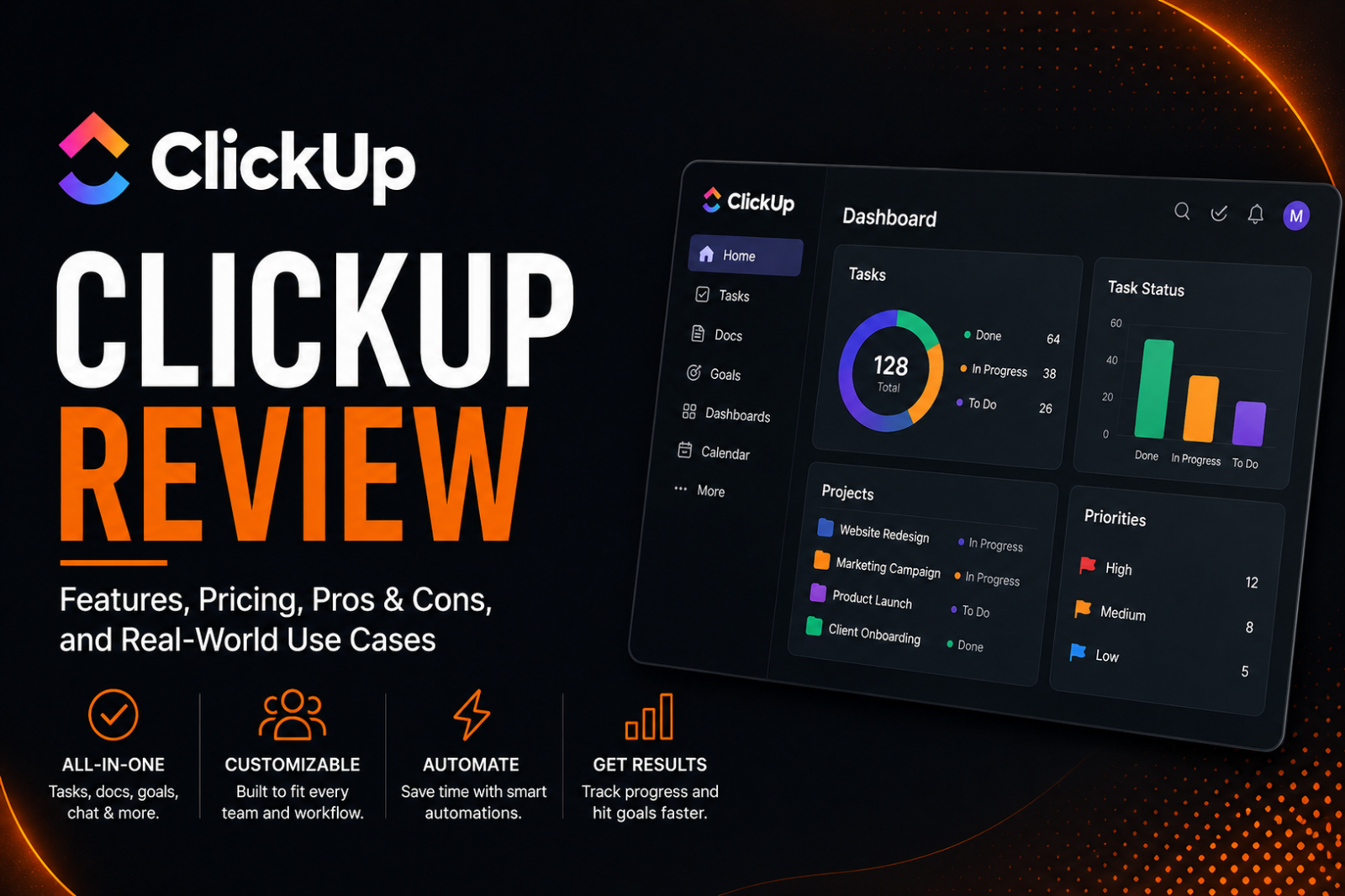
ClickUp Review for Marketing Agencies: Is It Worth It?
Affiliate Disclosure: We review products independently. When you buy through our links, we may earn a commission or a compound recurring commission at zero extra cost to you. Read our editorial policy.
ClickUp is a strong project management platform for marketing agencies that want tasks, documents, time tracking, custom fields, dashboards, and workflow automation in one workspace. Its flexibility makes it possible to organize client delivery around the way an agency actually works rather than forcing every team into the same rigid structure.
But flexibility has a cost. ClickUp can require more configuration and ongoing administration than a simpler project management tool. Its plan limits also matter: agencies that depend on automation need to monitor monthly action usage, while teams considering AI features should calculate the additional cost before comparing ClickUp with alternatives.
Our verdict: ClickUp is worth evaluating if your agency needs a highly configurable delivery system and can assign someone to maintain it. It is less compelling if your priority is a simple setup, predictable automation at high volume, or a low-cost subscription with AI included.
This review focuses on the practical requirements of a US marketing agency: managing client work, coordinating delivery teams, controlling software costs, and maintaining visibility across active projects.
ClickUp review at a Glance
| Category | Assessment |
|---|---|
| Best for | Agencies that need configurable project and task management |
| Main strengths | Flexible task structure, multiple views, custom fields, Docs, dashboards, time tracking, and automation |
| Main trade-off | Configuration and workspace maintenance can become substantial |
| Automation | Monthly action limits vary by plan |
| AI | Optional paid AI plans are listed separately from the core project management plans |
| Client collaboration | Guest access is available, with limits and permissions that depend on the plan |
| Pricing model | Per user, with annual and monthly billing options |
| Overall recommendation | Shortlist it when flexibility matters more than simplicity |
What ClickUp Does Well
1. Organizes client delivery in a flexible hierarchy
Agencies rarely manage every client in the same way. A paid media account may need campaign tasks and recurring optimization work. A content account may need editorial stages, approvals, and publishing dates. A web design engagement may require dependencies, milestones, and feedback from several stakeholders.
ClickUp’s hierarchy of Spaces, Folders, Lists, and tasks lets teams organize work at different levels. Custom fields can add details such as service line, client, priority, campaign type, or delivery status.
This structure is useful when an agency wants a shared operating model without making every client project identical.
The caution is that flexibility can lead to inconsistent setups. If each account manager creates their own statuses, fields, and templates, leadership may struggle to compare work across clients. Establish naming conventions and a standard template before expanding the workspace.
Official reference: ClickUp project management guide.
2. Offers multiple ways to view the same work
Different roles need different views of a project.
- List view: Useful for task ownership, priorities, and due dates.
- Board view: Useful for tracking work through stages such as brief, production, review, and approved.
- Calendar view: Useful for publishing schedules and campaign milestones.
- Gantt and Timeline views: Useful for dependencies and project scheduling.
- Dashboards: Useful for bringing selected progress and performance information together.
The benefit is that a team can work from a common set of tasks while changing how those tasks are displayed for different purposes.
For example, an account manager might need a client-level view of upcoming deliverables, while a creative lead needs a board grouped by production status. Both can work from the same underlying project structure.
Views alone do not guarantee accurate reporting. Teams still need consistent statuses, assigned owners, realistic due dates, and regular updates.
Reference: ClickUp views and features.
3. Combines tasks with documentation and time tracking
ClickUp includes Docs for collaborative documentation, as well as time tracking and time estimates. This can reduce the need to maintain separate systems for project instructions, standard operating procedures, and task-level time records.
For an agency, a project can contain its delivery tasks alongside relevant instructions and supporting documentation. Team members can refer to the same workspace instead of searching through disconnected tools.
This is particularly useful when the agency has repeatable delivery processes. A campaign template, for example, can include the standard tasks and documentation needed to begin a new engagement.
However, agencies should not assume that combining features in one platform automatically replaces every specialist tool. Check whether the reporting, approvals, client-facing access, and financial workflows meet your actual requirements.
4. Supports workflow automation
ClickUp automations can respond to events such as a task status change, task creation, or a due date. Depending on the plan and configuration, actions can update task details, assign work, or connect to other systems.
A basic agency workflow might work like this:
- A task moves into the production stage.
- ClickUp assigns the appropriate team member or updates a field.
- A later status change alerts the reviewer.
- The team tracks the task through approval and completion.
The important question is not simply whether automation exists. It is whether the plan provides enough monthly actions for the agency’s actual workflow volume.
ClickUp’s official documentation lists different monthly action allowances by plan. When an automation allowance is exceeded, automations are paused for the remainder of that month. Agencies should estimate usage and monitor the workspace rather than assuming every plan supports unlimited workflow activity.
Reference: ClickUp automation availability and limits.
Where ClickUp Can Become Difficult
1. Configuration can grow into an operating burden
ClickUp’s customization is an advantage only when the workspace remains understandable.
An agency can create custom statuses, fields, templates, views, and automations for different client types. Over time, those choices can create duplicated fields, inconsistent reporting, overlapping rules, and unnecessary administrative work.
A practical approach is to standardize the basics:
- Use a small, consistent set of delivery stages.
- Define which custom fields are mandatory.
- Create templates for repeatable service types.
- Assign an owner to approve structural changes.
- Review automations and unused views periodically.
ClickUp is most effective when someone owns the system as well as the work inside it.
2. Automation allowances can constrain busy workspaces
ClickUp’s current published plan comparison lists these automation allowances:
| Plan | Monthly automation actions | Practical implication |
|---|---|---|
| Free Forever | 100 | Suitable for trying basic workflows |
| Unlimited | 1,000 | Requires careful planning as automation expands |
| Business | 5,000 | More headroom for routine agency workflows |
| Business Plus | 25,000 | Better suited to higher automation volume |
| Enterprise | 250,000 | Intended for larger-scale requirements |
These figures are from ClickUp’s current automation documentation. Check the live plan comparison before purchasing because product tiers and allowances can change.
An action allowance is not the same as a count of projects or tasks. A workflow with several actions can consume more of the allowance than a simple status update.
Before upgrading, list the automations that matter, estimate their monthly frequency, and account for every action each run performs. Leave headroom for additional clients and seasonal workload increases.
If automation is mission-critical, also establish a process for monitoring usage and investigating failed or paused rules.
3. AI can materially change the total subscription cost
ClickUp’s standard project management price does not automatically include every AI capability.
At the time of review, ClickUp lists Brain AI at $9 per user per month on its AI pricing section. It also lists a separate Everything AI option. Eligibility, usage allowances, and available features should be confirmed on the current pricing page.
Here is an illustrative comparison for a 10-person team, using annual billing for the base plan and the published Brain AI monthly price:
| Cost component | Calculation | Annual cost |
|---|---|---|
| ClickUp Business | 10 users × $12 × 12 months | $1,440 |
| Brain AI, if purchased for all 10 users | 10 users × $9 × 12 months | $1,080 |
| Combined illustrative total | Base plan plus Brain AI | $2,520 |
This is a calculation based on the listed prices, not a quote. Taxes, promotions, plan eligibility, billing terms, and changes to pricing can affect the final amount.
The right comparison is the cost of the features the team will actually use. If AI is unnecessary, do not add it to the budget. If AI is required across the workspace, include it when comparing ClickUp with alternatives.
Official source: ClickUp pricing.
For a deeper look at the cost factors agencies should check, read the ClickUp Hidden Multiplier Fees guide.
4. Client access requires deliberate permission management
Agencies often need clients to review work without giving them unrestricted access to internal tasks, notes, or other accounts.
ClickUp supports guest access, but the available guest seats and permission controls depend on the plan. Its published documentation distinguishes between external guests and people from within the organization. Internal users invited to a workspace are billed as paid users.
Before rolling ClickUp out to clients, decide which information they should see and whether they need view-only access or editing permissions. Test the experience with a representative client account.
Do not build your budget around the assumption that every collaborator can be added at no cost or that every guest type has the same permissions.
Reference: ClickUp pricing and guest access.
ClickUp Pricing Snapshot, Checked October 27, 2026
The prices below are the published per-user rates with annual billing. Monthly billing costs more on the standard paid tiers.
| Plan | Published annual-billing price | Automation actions per month | Best fit |
|---|---|---|---|
| Free Forever | $0 | 100 | Initial evaluation and basic needs |
| Unlimited | $7/user/month | 1,000 | Teams needing more structure and core features |
| Business | $12/user/month | 5,000 | Agencies needing advanced views and automation integrations |
| Business Plus | Verify current checkout and plan availability | 25,000 | Higher-volume automation requirements |
| Enterprise | Custom | 250,000 | Larger organizations needing advanced governance and scale |
Pricing note: ClickUp’s public pricing presentation and support documentation may display plan names or feature details differently. Verify the exact plan name, price, automation allowance, guest terms, and any add-ons at checkout before making a purchasing decision. Do not treat a price for one billing term as the equivalent monthly cost of another.
Official references:
How ClickUp Compares With Alternatives
ClickUp is not the best choice for every agency. The right alternative depends on what is creating friction in your current delivery process.
| If your priority is… | Also evaluate | Why |
|---|---|---|
| Straightforward cross-functional coordination | Asana | A useful alternative when the team wants structured project coordination |
| Visual project boards and client-facing reporting | Monday.com | Worth considering when visual dashboards are central to the workflow |
| Knowledge management and connected documentation | Notion | Better to evaluate when documentation is a major part of the team’s work |
| A different project management setup | Best Project Management Tools for B2B Service Agencies | Compare the broader category against your team size and delivery needs |
| Leaving ClickUp because of cost or complexity | Best ClickUp Alternatives | Compare alternatives against the specific limitation that prompted the switch |
These are alternatives to evaluate, not a universal ranking. Pricing, feature availability, and guest access should be compared using the same team size and workflow requirements.
Who Should Choose ClickUp?
ClickUp is a strong candidate if:
- Your agency manages multiple service lines or client delivery models.
- You need custom fields and different views for different roles.
- Your team wants tasks, documentation, and time tracking in one workspace.
- You can standardize the workspace and assign an administrator.
- Your required automation volume fits the plan you can afford.
Consider another tool if:
- Your team needs a simple project tracker with minimal configuration.
- Your workflow depends on automation volume beyond your budgeted allowance.
- Your total cost becomes unattractive after adding required AI features.
- Client access and permissions do not fit your delivery model.
- You need portfolio or reporting features that require a more expensive tier.
How to Evaluate ClickUp Before Committing
Rather than migrating every client project immediately, use a small, representative pilot.
Step 1: Choose one client workflow.
Pick a project with clear stages, deadlines, owners, and review steps.
Step 2: Build the minimum useful structure.
Create the required statuses, fields, views, and a template. Avoid building every possible variation before the team has used the system.
Step 3: Configure only essential automations.
Start with rules that remove repetitive work or prevent missed handoffs. Estimate monthly action usage.
Step 4: Test client permissions.
Check what a guest can see and change. Confirm that internal notes and unrelated client work remain private.
Step 5: Calculate the full cost.
Include paid users, any AI add-ons, and the plan required for your automation needs.
Step 6: Review actual adoption.
Ask whether the team can find tasks, update progress, and understand the next step without constant administrator support.
Step 7: Decide whether to expand.
Roll the structure out to other clients only after the pilot demonstrates that it is useful and maintainable.
Frequently Asked Questions
Is ClickUp worth it for a marketing agency?
ClickUp is worth evaluating if the agency needs flexible task management, custom fields, multiple views, documentation, time tracking, and automation in one workspace. Its value depends on whether the team can maintain that flexibility without creating excessive configuration work.
Which ClickUp plan should an agency consider?
Start by mapping the required features and monthly automation volume to the current plan comparison. Business is worth evaluating when the agency needs its published advanced views and automation integrations, but higher automation usage may require another tier. Verify current pricing and feature access before subscribing.
Does ClickUp include AI in the base price?
Do not assume that all AI capabilities are included in the standard project management subscription. ClickUp lists AI options separately. Confirm the exact features, usage allowances, and price of the AI plan your team needs.
Can clients use ClickUp without becoming paid users?
ClickUp supports external guest access, but guest allowances and permissions depend on the workspace plan. Internal users are treated differently from external guests. Review the current rules and test the intended client experience before inviting collaborators.
Final Verdict
ClickUp’s main advantage is its flexibility. It can bring project tasks, documentation, custom fields, reporting, and automation into one workspace, which is useful for agencies managing different kinds of client work.
Its main risk is operational complexity. Without consistent templates and clear ownership, a configurable workspace can become difficult to maintain. Automation limits, guest rules, and optional AI costs also deserve attention before the agency commits.
Recommendation: Shortlist ClickUp if flexibility and a configurable delivery system are your priorities. Run a small pilot, verify the current plan limits, calculate the full cost, and standardize the workspace before rolling it out across the agency.